

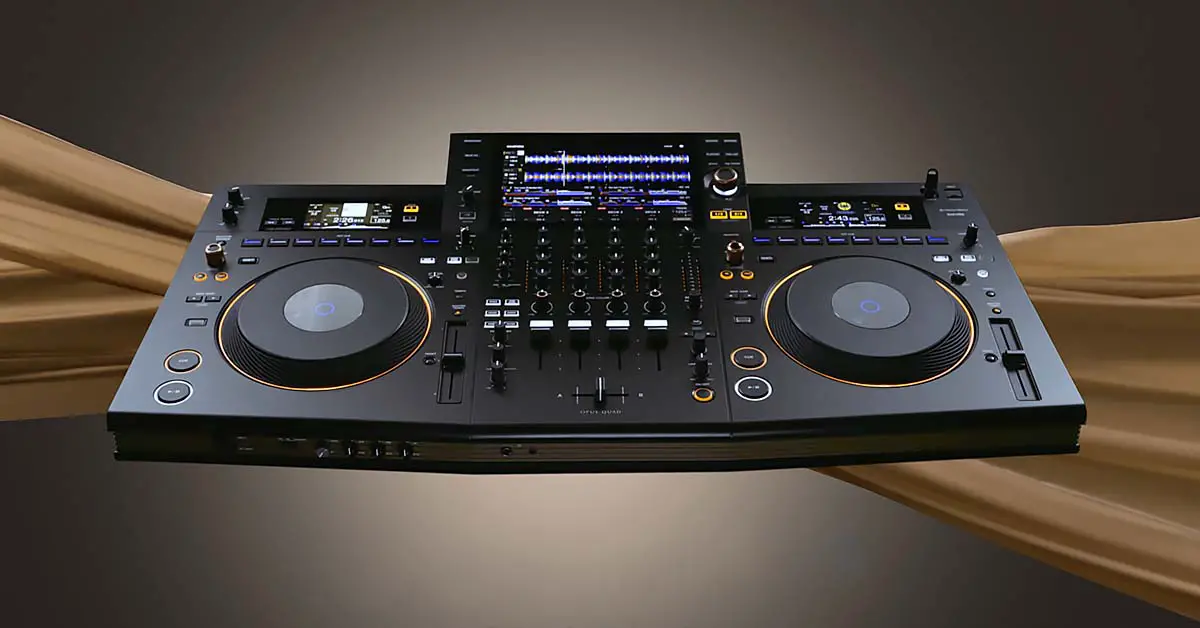
Here it is! In this detailed writeup I’m taking a closer look at the Pioneer DJ OPUS-QUAD, from its unusual design and 4-deck standalone workflow to the displays, FX and software support. I’ll also cover the important features added through firmware updates since launch. One thing is worth clearing up right away: the OPUS-QUAD isn’t really an “XDJ-XZ2”, so to speak. The XDJ-AZ is the actual successor to the XDJ-XZ, while the OPUS-QUAD is its own, more design-focused all-in-one system.
Check out also: AlphaTheta OMNIS-DUO – My Final Take (No Sugarcoating)
This web portal is reader-supported and is part of the AliExpress Partner Program, Amazon Services LLC Associates Program, eBay Partner Network, and Guitar Center Affiliate Program. When you buy using links on our site, we may earn an affiliate commission.
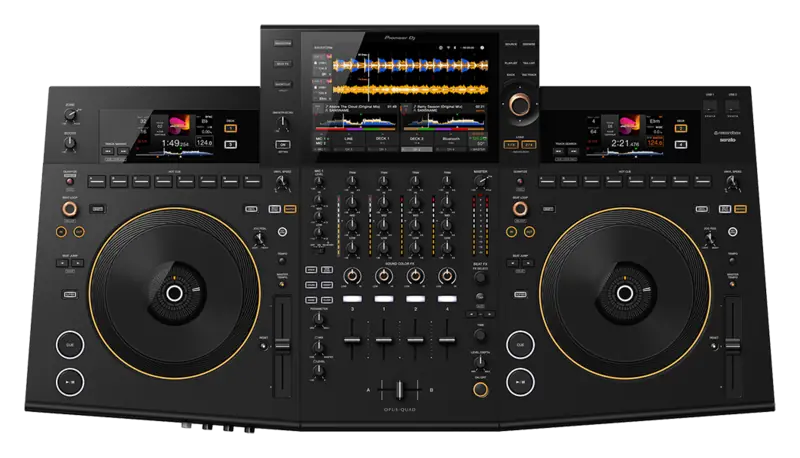
A professional 4-deck standalone system with a 10.1-inch capacitive multi-touch display, full-size jog wheels, extensive onboard FX, Wi-Fi, streaming support, and separate Zone output.
- Excellent 10.1-inch capacitive multi-touch display.
- Full 4-deck standalone playback and mixing.
- Full-size 206 mm jog wheels with CDJ-like feel.
- On-screen X-Y pad for controlling Beat FX.
- Serato DJ Pro and Rekordbox Hardware Unlock support.
- Separate Zone output is useful for mobile and event DJs.
- Works with Rekordbox for iOS and Android.
- Premium pricing puts it well above many other all-in-one systems.
- Local USB tracks still need to be analyzed in Rekordbox for full waveform and analysis data.
- The redesigned form factor will not appeal to everyone.
- The rubbery jog-wheel surface is a matter of taste.
| Mixer | 4 channels; full 4-deck standalone playback |
| Display | 10.1-inch capacitive multi-touch screen |
| Jog Wheels | 206 mm / 8.1-inch full-size mechanical jog wheels with tension adjustment |
| Performance Controls | 8 dedicated Hot Cue buttons per deck; no traditional performance-pad section |
| FX | 14 Beat FX, 6 Sound Color FX, on-screen X-Y control, Smooth Echo |
| Streaming / Cloud | Apple Music, Beatport Streaming, TIDAL, Rekordbox CloudDirectPlay |
| Software | Rekordbox Hardware Unlock, Serato DJ Pro Hardware Unlock, Rekordbox for iOS/Android |
| Wireless | Built-in Wi-Fi plus Bluetooth audio input |
| Outputs | XLR + RCA master, TRS booth, independent XLR Zone output |
| Inputs | 2 line/phono stereo inputs + 2 microphone inputs |
| USB / Network | 3 USB Type-A storage ports, USB Type-C computer connection, Gigabit Ethernet |
| Dimensions / Weight | 925.7 x 499.7 x 142 mm; 13.2 kg / 29.1 lb |
The design and layout changes
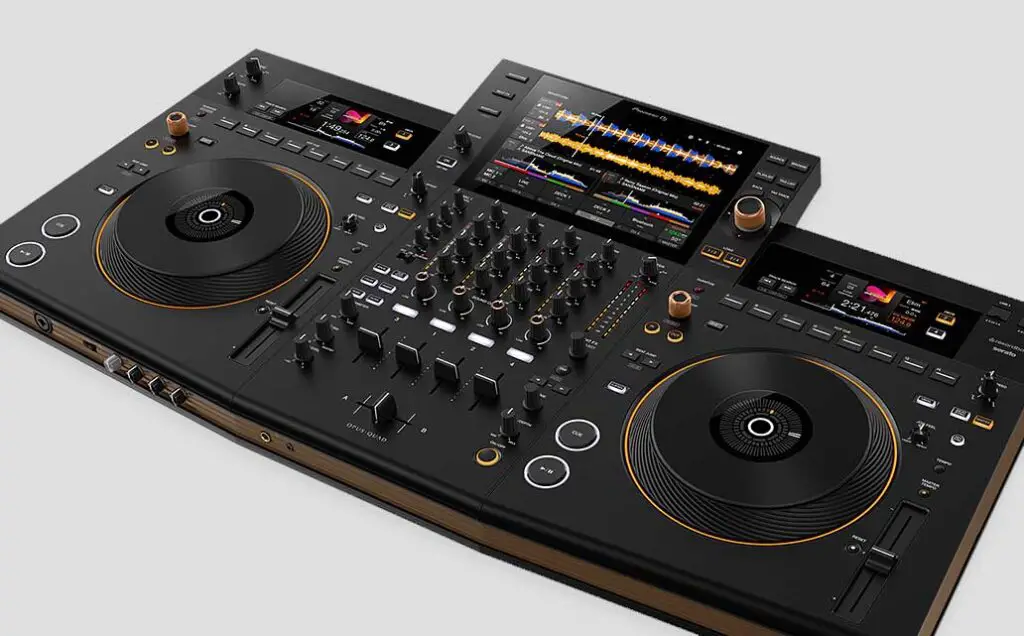
I’ll be perfectly honest right from the beginning. After first hearing about the Pioneer DJ OPUS-QUAD’s release, I really hoped it would be more like the now dated Pioneer XDJ-XZ, which it’s clearly aiming to replace.
The overall design of the device, combined with the naming convention change, made it clear from the start that Pioneer DJ was trying something different here rather than simply recycling the usual XDJ layout.
The OPUS QUAD all-in-one DJ system as a whole makes use of a deep dark grey matte-like finish with beige accents on its sides which is quite an interesting design choice all in all. I personally am not that keen on these color choices which stray further from my rough and straight to the point older Pioneer DJ gear aesthetics.
Other than that, the shape of the device is pretty unique too, as it’s not entirely rectangular as all the previous Pioneer DJ controllers had been, with its two wing-like deck sections which are slightly curved.
But in the end, the design changes with the almost completely new look and feel of the device are overall pretty interesting at first glance. The DJ OPUS-QUAD is sleek, looks fresh, and with its rather minimalistic approach to the front panel layout it still vaguely resembles an actual Pioneer CDJ x DJM club setup, which is the main point of a modern all in one DJ setup.
With that said, let’s get into the nitty-gritty details, shall we?
Standalone capabilities – Worthy XDJ-XZ replacement?
At launch, the OPUS-QUAD was the first Pioneer DJ all-in-one system that let you use all 4 decks without a laptop or PC.
The XDJ-XZ, despite having a 4-channel mixer, only lets you load standalone tracks to two decks. The OPUS-QUAD can play tracks on all 4 decks in standalone mode.
It looked like an obvious XDJ-XZ replacement at the time, but AlphaTheta has since confirmed that the XDJ-AZ is the actual successor to the XDJ-XZ. The OPUS-QUAD was intentionally designed as a separate, more design-focused all-in-one system. For the better or the worse.
You might also like: Pioneer DJ OPUS QUAD vs. XDJ-XZ (A Closer Look)
The 10.1-inch touch screen display + 2 bonus screens
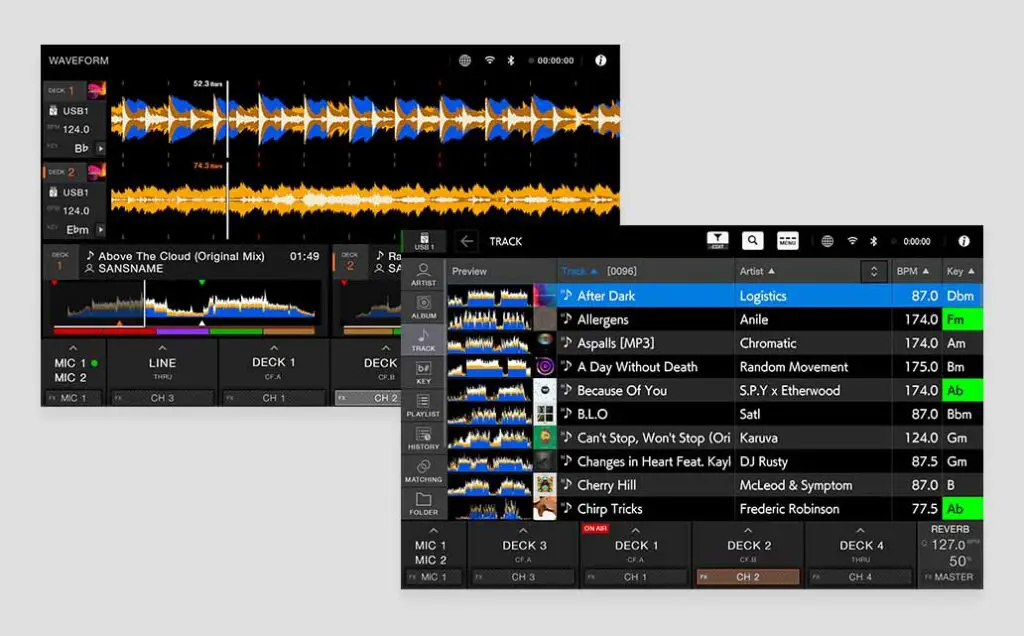
Pioneer DJ OPUS QUAD features a neat 10.1-inch touchscreen on board, which is finally a proper and fully featured multi-touch capacitive display, akin to the ones present on all modern smartphones.
This is a huge deal, as all of the previous Pioneer DJ controllers that featured touch displays, made use of very old and much outdated resistive touchscreen technology which was imprecise in touch tracking, didn’t allow or support any on-screen gestures and had no multi-touch capabilities (this was the case for one, on the Pioneer XDJ-RX3).
The main display on the OPUS-QUAD is a multitouch capacitive display and the two supporting CDJ-like screens over each of the decks are regular LCD displays. The responsiveness of the main screen has been much improved when compared to the mentioned XDJ-RX3, which is a great thing.
If built-in displays are one of your main priorities, I’ve also put together a full lineup of latest DJ controllers with built-in screens here.
Lack of performance pads
You won’t find traditional performance pads on the device. The Pioneer DJ OPUS-QUAD went the CDJ way when it comes to its deck layout, giving you access to 8 hot-cue buttons akin to those present on the Pioneer CDJ-2000 and CDJ-3000 DJ players.
This decision was made by sacrificing the two rows of performance pads under each jog wheel which were a standard in Pioneer DJ controllers up until now.
The complete lack of performance pads on the device might be bad news for DJs who enjoy using their samplers, slicers, or their pre-set loop rolls a lot, and I cannot help but think that there could’ve been space for at least a scaled down version of standard performance pads under the jog wheels if they were moved upwards towards the displays. Well, it is what it is!
Jog wheels – quality redesigned
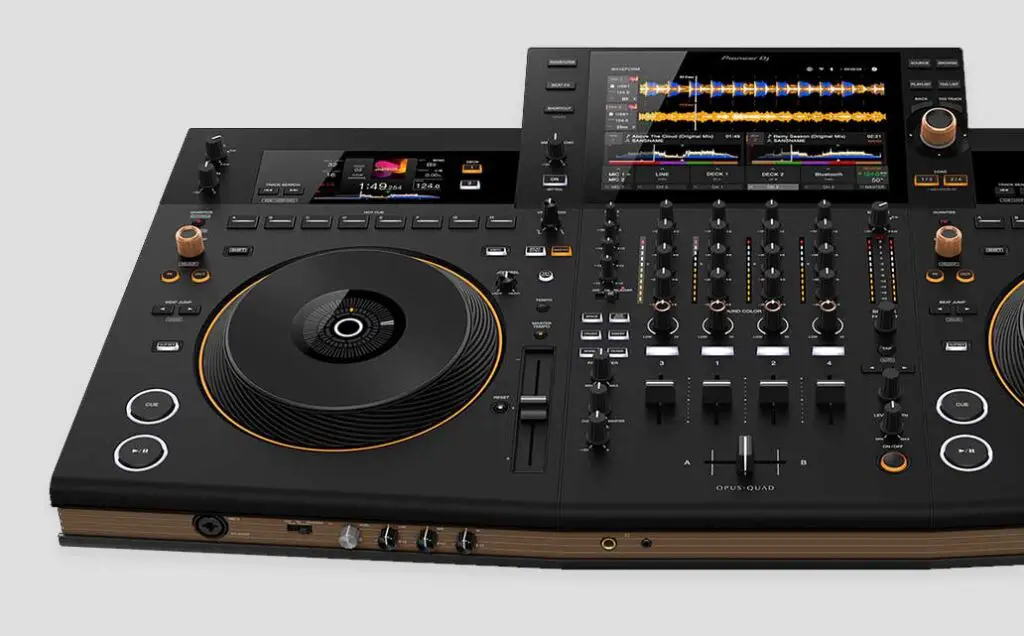
On the unit you will find two ~8.12 in / 206 mm mechanical jog wheels with tension adjust that are directly comparable with the ones present on the club standard Pioneer CDJ-3000 players.
Their top surface is pretty nice and feels kind of like its rubber-coated. Overall, the new jog wheel design holds up pretty well, although not everyone likes the fact that Pioneer DJ decided to go further away from their now classic and recognizable CDJ-2000 styled jog wheel looks.
In terms of the central jog wheel displays, Pioneer DJ has come back to the roots, going back to a simple virtual needle indicator. All the live track info has been moved to the additional displays on top of the deck sections, and this is a nice decision considering the amount of information the supporting displays are able to show.
Audio FX controls
First of all, the Pioneer DJ OPUS-QUAD features a set of 6 classic Sound Color FX – Space, Dub Echo, Crush, Sweep, Noise and Filter. Notably, there are no pitch-based FX here.
Next, it features 14 standard Beat FX, with a classic set of FX parameter controls.
All the Beat FX available on the OPUS-QUAD in standalone mode are: Delay, Echo, Ping Pong, Spiral, Reverb, Trans, Filter, Flanger, Phaser, Pitch, Slip Roll, Roll, Vinyl Break and Helix. A pretty standard and extensive selection.
A huge advantage that the OPUS-QUAD has over for instance the XDJ-RX3 with quite limited on-screen FX controls, is the full-size on-screen X-Y pad for controlling all of the available Beat FX. The parameters on each axis depend on which effect you’re using on the pad. There is also a customizable quick FX bank for 4 effects you want to have on hand at all times.
You probably won’t be surprised to hear that using it is a breeze on the new updated touch display. Good job Pioneer!
Other than that, when it comes to additional features, you can find the Smooth Echo controls on the device. This neat feature simply applies a selected configurable amount of echo on your audio output on a selected action – for example when you move a mixer fader down or press a hot-cue button. Neat and fully configurable!
Zone output on a Pioneer device?
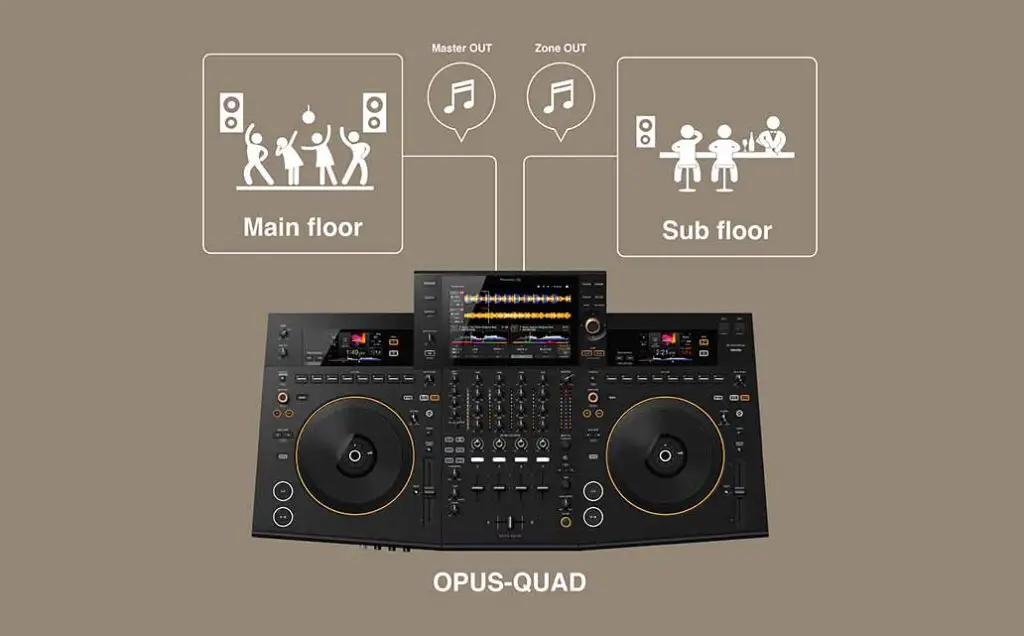
The zone output on the OPUS QUAD lets you send a different audio source to a second set of speakers that can be located for example in a second room, next to the one you’re currently performing in. This way, you can automatically play an entirely different set of tracks in the other part of the venue while you’re mixing away on the main stage.
Although zone outputs are a pretty niche feature used mostly by a selected group of mobile DJs, they are still pretty neat to have on hand.
Another DJ controller that features the zone output that comes to mind would be for instance the Denon DJ Prime 4. Once again, it’s a really nice thing to have on a device of this caliber.
Built-in Wi-Fi, Cloud Library Sync
The Pioneer DJ OPUS-QUAD has a built-in 2.4 GHz / 5 GHz Wi-Fi chip on board. This lets you use Rekordbox CloudDirectPlay to access music from your cloud library, with Dropbox and Google Drive now supported. The controller uses Rekordbox Device Library Plus for prepared USB libraries.
The OPUS-QUAD also works with Rekordbox for iOS and Android, so the mobile integration teased at launch is here now.
Music streaming services integration?
Does the OPUS-QUAD support music streaming services? Yes – this changed after launch. Firmware 1.22 added standalone StreamingDirectPlay support for Beatport Streaming and TIDAL, and firmware 1.30 later added Apple Music.
Beatport Streaming and TIDAL tracks can also be analyzed for BPM and beat grid data when they’re loaded, allowing features such as Quantize and Beat Sync to work with them. This removes what used to be one of the OPUS-QUAD’s clearest disadvantages against Engine DJ systems.
Bluetooth connectivity
Not much to say here really, besides that it’s certainly important to mention that the device has a Bluetooth ver. 4.2 module with SBC and AAC codecs compatibility on board.
In practice, the Bluetooth input is useful for bringing audio from a phone or tablet into the OPUS-QUAD – for example, feeding background music to the Zone Output.
DJ software compatibility
Besides its standalone software, the Pioneer DJ OPUS-QUAD acts as a Hardware Unlock device for Rekordbox on Mac/Windows.
Serato DJ Pro support arrived in July 2023, and the OPUS-QUAD unlocks Serato DJ Pro when connected to your computer. Rekordbox for iOS and Android is supported too.
VirtualDJ support is also available now, although as always, you’ll need a suitable VirtualDJ license for full controller use.
Is the DJ OPUS-QUAD really worth it?
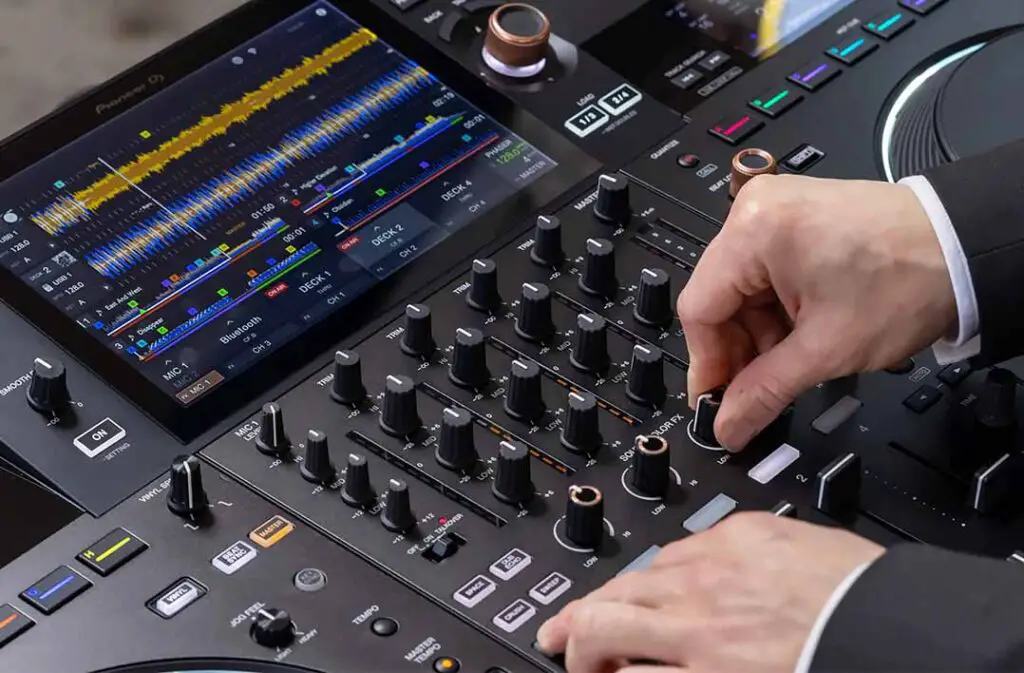
In the end, the Pioneer DJ OPUS-QUAD is still a very capable standalone system, but I wouldn’t call it a direct replacement for the XDJ-XZ anymore. The XDJ-AZ now fills that role, at least officially, while the OPUS-QUAD stays the more unusual, design-focused alternative with 4-deck standalone playback, a large touchscreen and Zone Output.
If you’re looking for a direct competitor to this device, you can go and check out the Denon DJ Prime 4 which is really close to this new device in terms of its feature set.
Read on: If you don’t need standalone operation, my DDJ-FLX10 vs. OPUS-QUAD comparison gets into that choice in much more detail.