

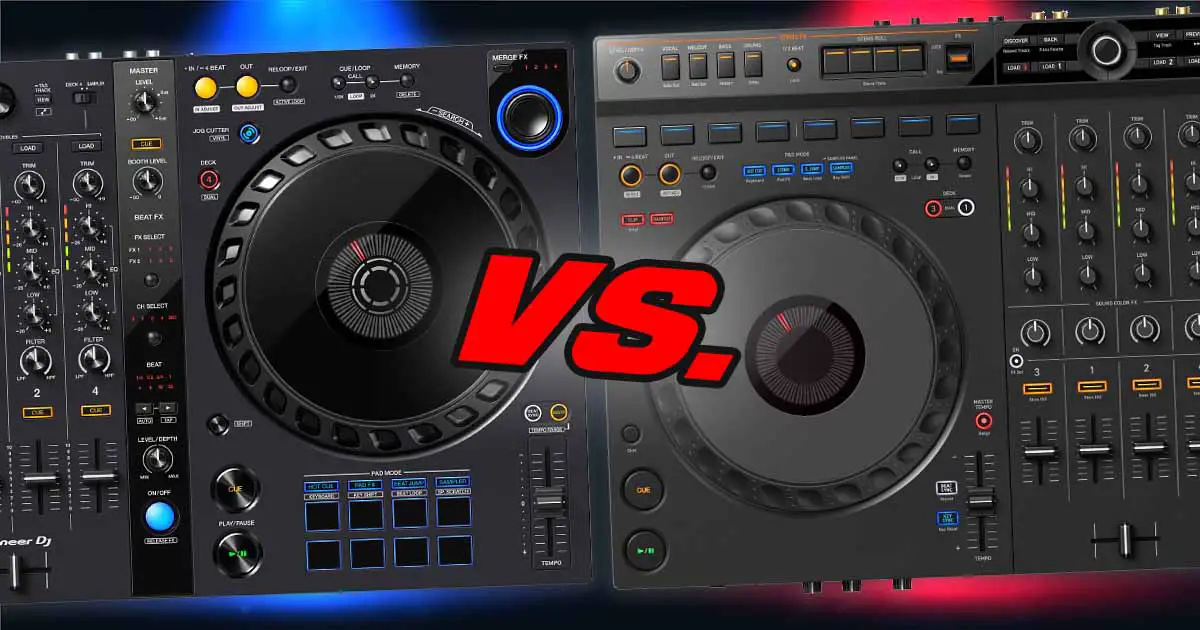
The AlphaTheta DDJ-GRV6 is, in a sense, a direct upgrade to the Pioneer DDJ-FLX6, although there are several important differences between the two, not limited to their price and the exclusive features each one offers. Here, you’ll learn exactly what you need to know before deciding which one to get, whether you’re a beginner looking for an entry-level DJ controller or you’re already searching for an equipment upgrade. Let’s begin.
This web portal is reader-supported and is part of the AliExpress Partner Program, Amazon Services LLC Associates Program, eBay Partner Network, and Guitar Center Affiliate Program. When you buy using links on our site, we may earn an affiliate commission.
AlphaTheta DDJ-GRV6 vs. Pioneer DDJ-FLX6 – full specification comparison
| Specs |
|---|
The Main Differences and Features
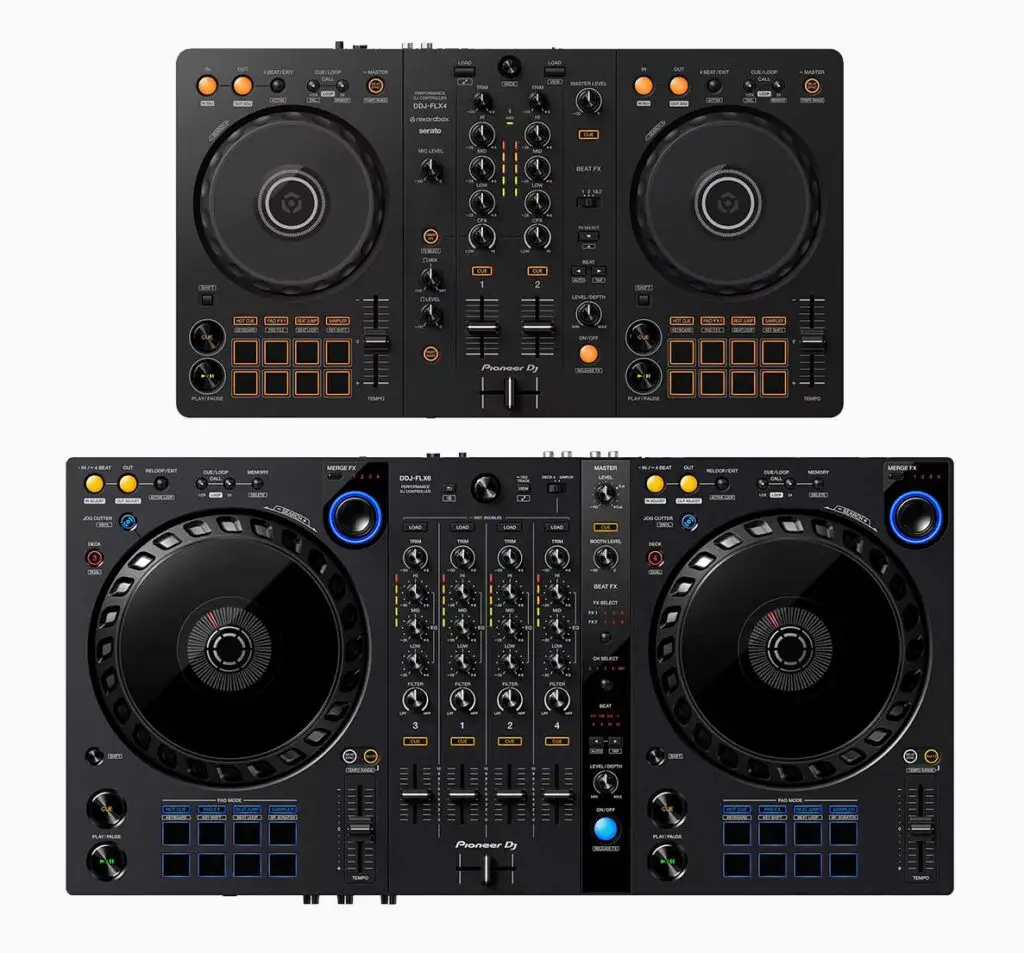
The Pioneer DDJ-FLX6 is often referred to as the next controller in line after the Pioneer DDJ-FLX4, although it was released much earlier on. When compared to the FLX4, it offers two more mixer channels and a few unique features including large full-size jog wheels (albeit still capacitive ones), physical loop controls and the additional Merge FX and Jog Cutter features, which are exclusive to this unit. You can read the full comparison of these two controllers here.
The DDJ-FLX6-GT is an updated graphite-gray version of the FLX6 with the same control layout, but a new jog wheel finish with a rubberized outer ring.
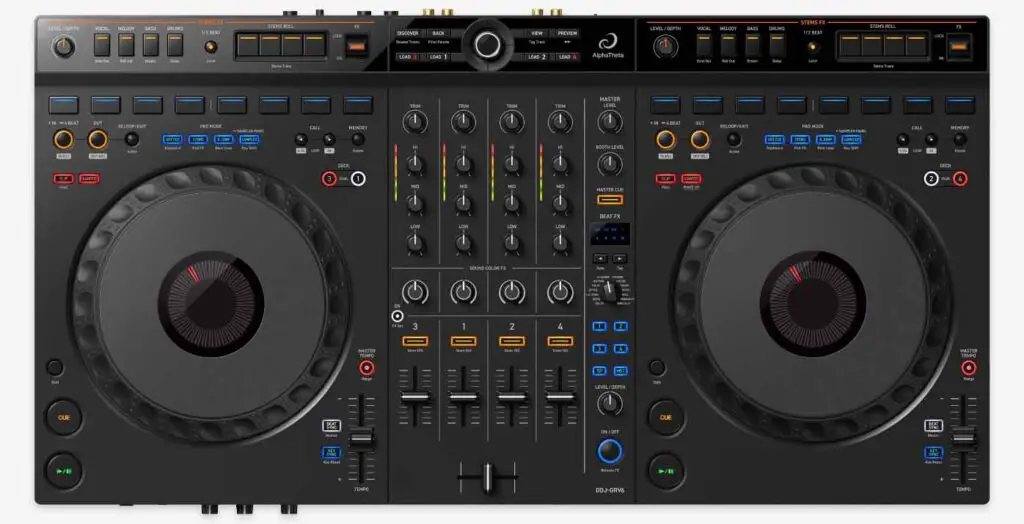
The AlphaTheta DDJ-GRV6 on the other hand is a much more recent DJ controller, which is first and foremost known for its one exclusive feature – the “Groove Circuit” which allows you to swap the drum layers of different tracks in Rekordbox, or, if you’re using Serato DJ software instead – remix your tracks by isolating and mixing their stems.
Even at the first glance looking at the control layout of the DDJ-GRV6, you can tell that it’s much more similar to a standard CDJ-2000/3000 setup with its jog wheel edge design, hot-cue and loop buttons placement, and the extended Beat FX strip. Its build quality is overall a pretty large step up from the FLX6. It’s just a shame that it still only features scaled-down half-size pitch faders on each of the decks.
The AlphaTheta DDJ-GRV6 supports Rekordbox for iOS/Android via USB-C, although only channels 1 and 2 are available in Rekordbox mobile. Since this article was first published, the GRV6 has also gained official djay support on Mac, Windows, iOS and Android. The DDJ-FLX6 is also supported by djay, but not by Rekordbox mobile.
“Groove Circuit” on the DDJ-GRV6
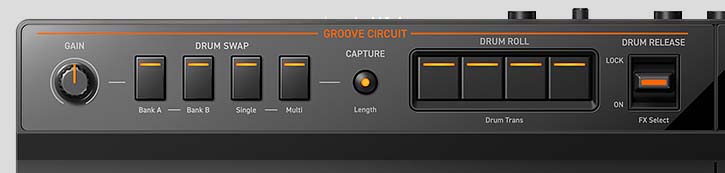
The one unique feature which is exclusive to the AlphaTheta DDJ-GRV6 is the “Groove Circuit” that I have already briefly mentioned in the very beginning.
The two Groove Circuit strips on top of each deck have different functions depending on the software you’re using with your GRV6.
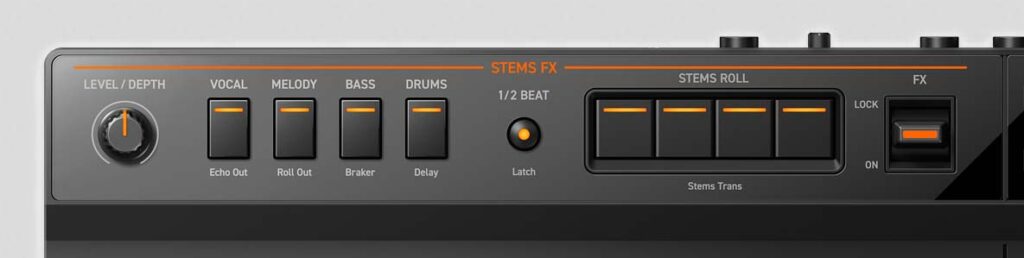
With Rekordbox, you can use the Groove Circuit buttons to freely swap the drums of your currently playing track with either one of the pre-loaded drum sample loops, or the drum tracks extracted from any other song from your Rekordbox music library.
The buttons on the left side are used to select the drum sample that will be used, and the buttons on the right side let you do simple drum rolls on top of your swapped drum loops. The FX paddle on the very right lets you apply a few pre-set FX to the drums of your loaded track. And that’s pretty much it, at least with the Rekordbox software.
While the Serato DJ Pro software doesn’t support the Groove Circuit drum track swapping, you can control the Serato Stems portion of the software using the very same buttons. The GRV6 even comes with a neat sticker overlay (shown applied on the image above) that you can use so that the top button descriptions will match up with what the buttons will actually do in Serato DJ.
The full Groove Circuit drum-swapping feature isn’t available in Rekordbox on mobile devices. Its controls are repurposed for Sampler and Pad FX instead.
This sticker should be fairly easy to remove from the GRV6 when you’re going to be switching to the other software. Still, a rigid magnetic overlay would be preferred here, and it’s really a pity AlphaTheta went with stickers instead.
“Merge FX” & the “Jog Cutter” on the DDJ-FLX6
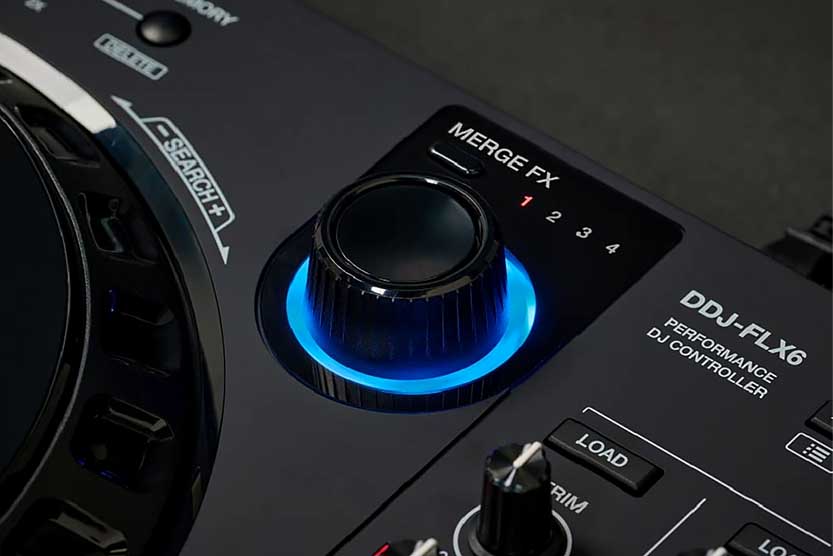
The DDJ-FLX6 features two large Merge FX knobs, one for each deck. These knobs, upon being pressed and turned will initiate a transition between the two tracks currently loaded in and playing on your decks, using one of a few chosen FX presets.
It’s a neat tool aimed mostly at beginner DJs, allowing them to make quick and smooth transitions between tracks with significantly different BPMs (and switch between genres with relative ease).
Merge FX will work both in Rekordbox and Serato DJ, although the FX combinations used during the transitions will differ depending on the software used.
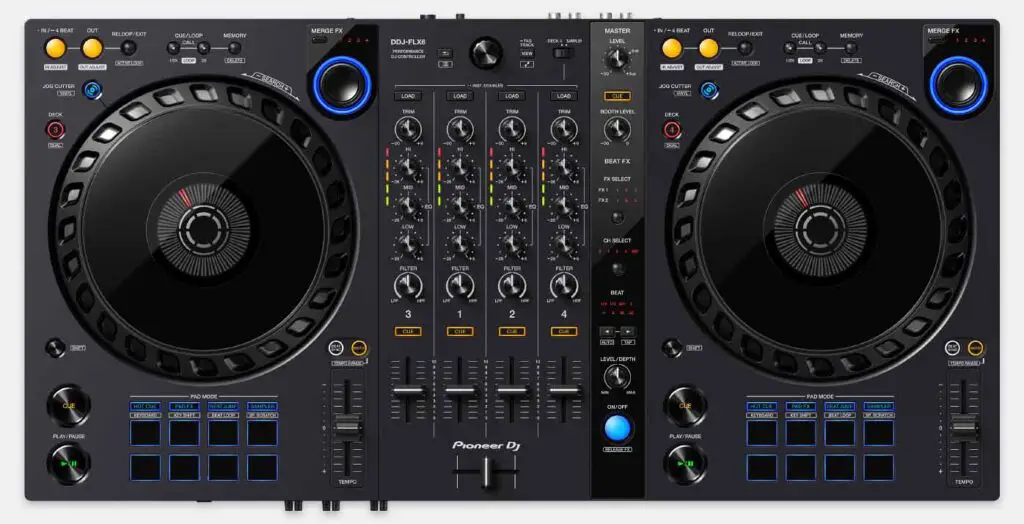
Another trick that the DDJ-FLX6 has up its sleeve is the Jog Cutter mode. Triggered by pressing one of the two Jog Cutter buttons (again, there is one for each deck), it essentially allows you to “fake” scratching by automating the crossfader movements, while leaving the jog wheel platter movement to you.
While this feature is oftentimes frowned upon by professional DJs (and can produce varying results depending on the audio material you use it on), it’s also a nice addition to the FLX6’s feature set, although it becomes redundant when you learn some basic scratching skills yourself.
You can read much more about these two features here, where I cover the Pioneer DDJ-FLX6 in much more detail.
Now let’s move on to the inputs and outputs available on both of the controllers. There are some more important differences here.
Inputs & Outputs, and Connectivity
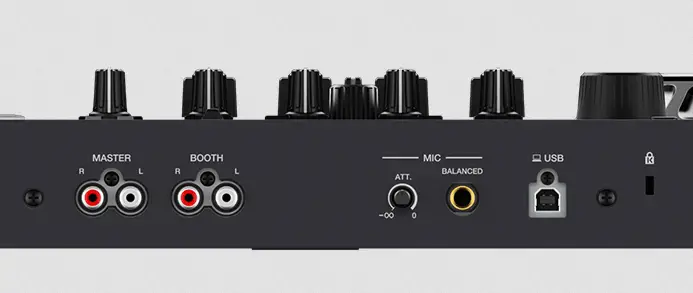
Here, the DDJ-GRV6 takes the lead again. Here is why. The Pioneer DDJ-FLX6 gives you access to two unbalanced RCA outputs – one being the master output, and the second, a booth monitor output (aside from the headphone outputs).
The DDJ-GRV6 not only features these two unbalanced RCA outputs (master and booth), but also adds a balanced 1/4″ TRS master output.
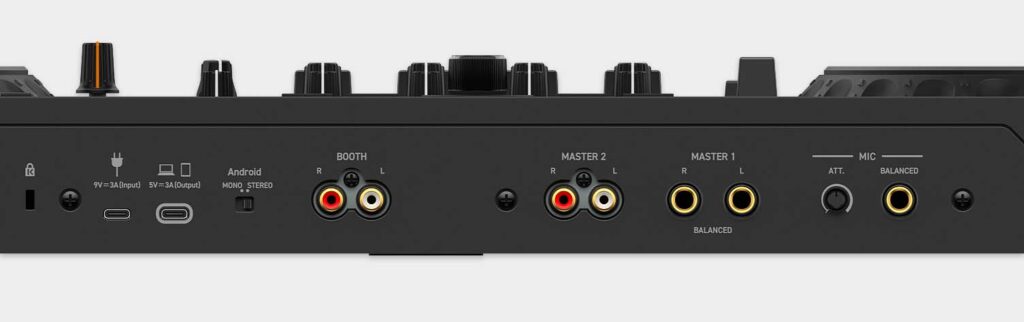
If you’re new to all this, here’s the deal with balanced outputs. When appropriate cables are used, using a balanced output can result in much less noise and interference in the audio, which matters the most when connecting to larger sound systems, for example at a club.
It’s always nice to have, but if you’re a bedroom-only DJ and plan to stay that way for now, you don’t really need to worry about it.
USB Connections & Power
When it comes to the USB connection, as you can see on the images above, the DDJ-FLX6 features a single USB-B port used both for connecting the controller to your computer or your mobile device, and for power.
The DDJ-GRV6 has two USB-C ports on the back, one for the device connection and one for power. When using it with a mobile device, AlphaTheta recommends connecting a compatible USB power adapter or power bank to the power port.
While the Pioneer DDJ-FLX6 can only be powered through its USB-B connection, the DDJ-GRV6 can run on USB bus power from a computer or use a compatible 9 V 3 A USB-C power adapter or power bank when needed. The power adapter is sold separately.
Audio FX Controls
Both of these controllers feature a Beat FX strip, which is a classic FX control solution known from the Pioneer DJM mixers.
While both of the FX strip versions here are cut-down in comparison to the DJM devices, the one present on the AlphaTheta DDJ-GRV6 is much closer to the original idea of Beat FX controls.
The Beat FX strip on the DDJ-FLX6 is really cut-down, and lets you switch the FX and their assigned mixer channels only by pressing the FX select buttons, which can be a tad inconvenient when you need to instantly switch to a chosen effect.
The DDJ-GRV6’s FX strip is more elaborate, and overall much closer to the original idea taken from the DJM mixers, featuring a neat FX selection knob, and individual channel select buttons. This is objectively a much better solution.
Other than that, the only other FX controls available to you on both of these devices are the Pad FX, which let you configure and use chosen audio FX assigned to the performance pads in press-and-hold button mode, and the Color FX, which on the DDJ-GRV6 have to be activated by pressing the CFX button on the mixer, while on the DDJ-FLX6 they work right away after turning the knobs.
Compatible DJ Software
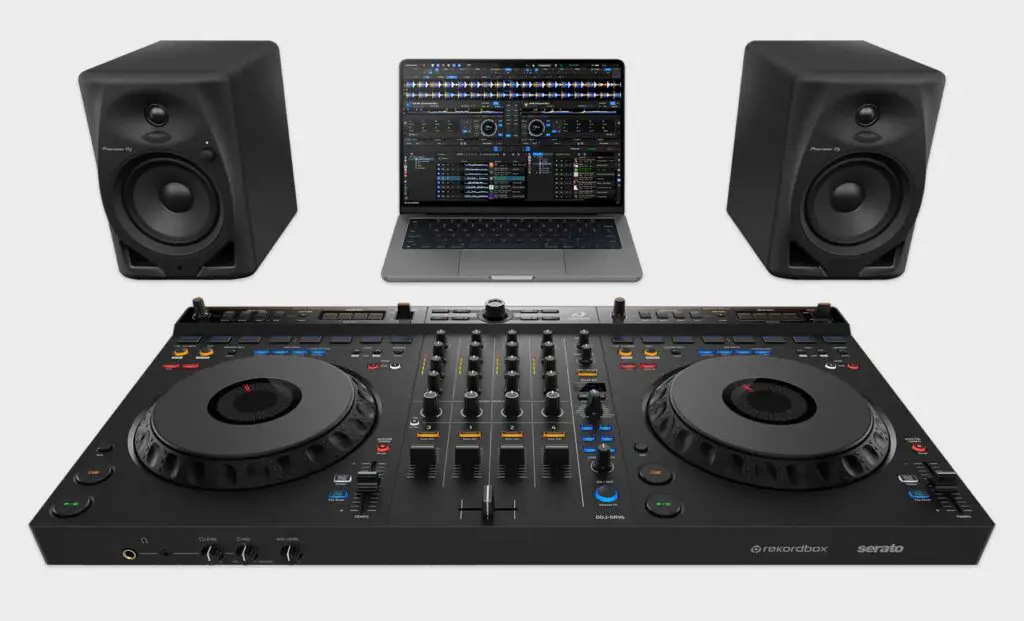
When it comes to DJ software compatibility, both the Pioneer DDJ-FLX6 and the AlphaTheta DDJ-GRV6 are Hardware Unlock devices for Rekordbox, and both also unlock Serato DJ Pro when connected to your computer.
As already mentioned, on the DDJ-FLX6 the Merge FX and Jog Cutter features will function differently depending on the DJ software you’ll decide to use, and on the DDJ-GRV6, the Groove Circuit will change its functionality depending on the software used.
Both controllers also work with djay. The GRV6 now officially supports djay Pro on Mac/Windows and djay on iOS/Android, while the FLX6 is also natively supported by djay. The FLX6 isn’t supported by the Rekordbox mobile app.
The Verdict – We Have a Winner
While the Pioneer DDJ-FLX6 is by no means a bad piece of DJ gear, it’s clearly a controller marketed as an entry-level device aimed at beginners who have either outgrown their more basic gear such as the Pioneer DDJ-FLX4 or the Pioneer DDJ-400, or are looking for their first DJ controller with 4 mixer channels.
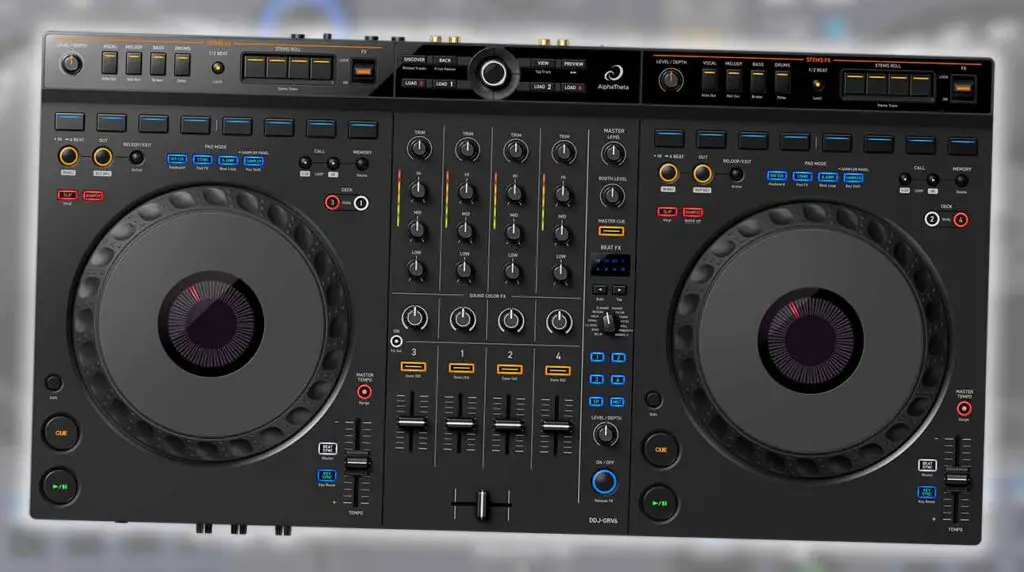
The AlphaTheta DDJ-GRV6 on the other hand, is a large step up from its predecessor, not only due to its higher build quality, but also an extended feature set, updated layout with more physical controls, jog wheels much closer to their CDJ counterparts, better FX control and an additional balanced master output.
Still, if you do prefer the control layout with the performance pads on the bottom of each deck, or you can find the DDJ-FLX6 at a better price, and you don’t mind missing out on some of the aforementioned improvements, it might be a better choice for you.