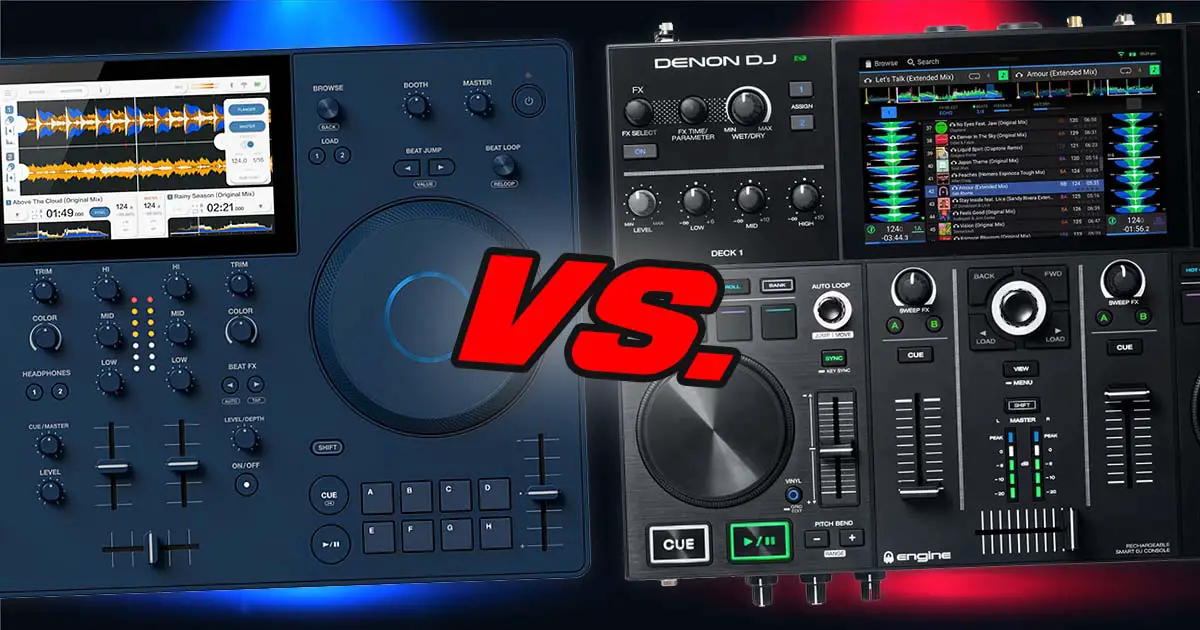
I’m going to start by saying that I’m not here to shill the device from AlphaTheta. Rather, I want to compare it point by point with the Denon DJ PRIME GO to see which one is a better pick if you want a small-form-factor standalone DJ controller. My preference still leans toward the PRIME GO layout, but some of the advantages it had when this article was first written have since changed. Here is my take on all that.
Check out my full review of the AlphaTheta OMNIS-DUO here – AlphaTheta OMNIS-DUO – My Final Take (No Sugarcoating)
This web portal is reader-supported and is part of the AliExpress Partner Program, Amazon Services LLC Associates Program, eBay Partner Network, and Guitar Center Affiliate Program. When you buy using links on our site, we may earn an affiliate commission.
AlphaTheta OMNIS-DUO vs. Denon DJ PRIME GO – full specification comparison
| Specs |
|---|
The Main Differences
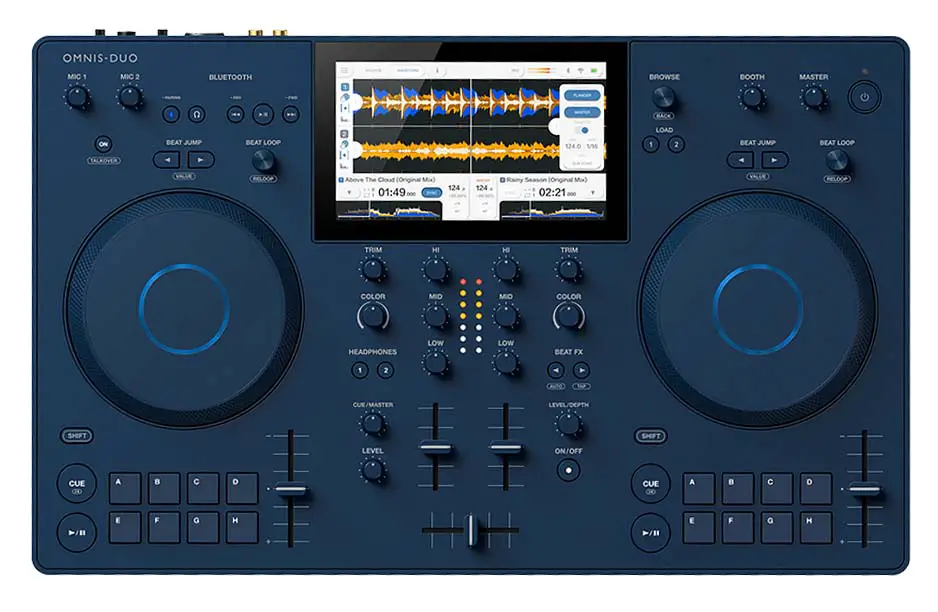
First of all, if it wasn’t clear already, these two controllers, alongside with the slightly less powerful Numark Mixstream Pro GO, fill the niche of portable standalone all-in-one DJ controllers that can be used on the go without having to plug them into a laptop to mix music live.
Just because of the fact that these devices are so similar when it comes to their feature sets, but still somewhat apart in price, I thought that this comparison would be helpful to some of you out there. Especially if you’re confused about the rather steep price of the AlphaTheta OMNIS-DUO (as I was, and still am, quite honestly).
Here is everything you should know before deciding to get yourself one of these professional DJ controllers, and there are some important things to cover.
OMNIS-DUO is a portable standalone DJ system from AlphaTheta. It can output audio over Bluetooth, and it can also be used wirelessly with the WAVE-EIGHT through the speaker’s separate low-latency SonicLink transmitter.
The Denon DJ PRIME GO, on the other hand, is essentially a smaller, portable and somewhat cut-down member of Denon’s PRIME series. It has since been succeeded by the PRIME GO+, but the original GO is still supported by current Engine DJ software.
While in terms of the basic functionality that they provide, these units are pretty similar, there are some quite important differences between them you should be aware of if you’re considering getting yourself either of them. Let’s get to it.
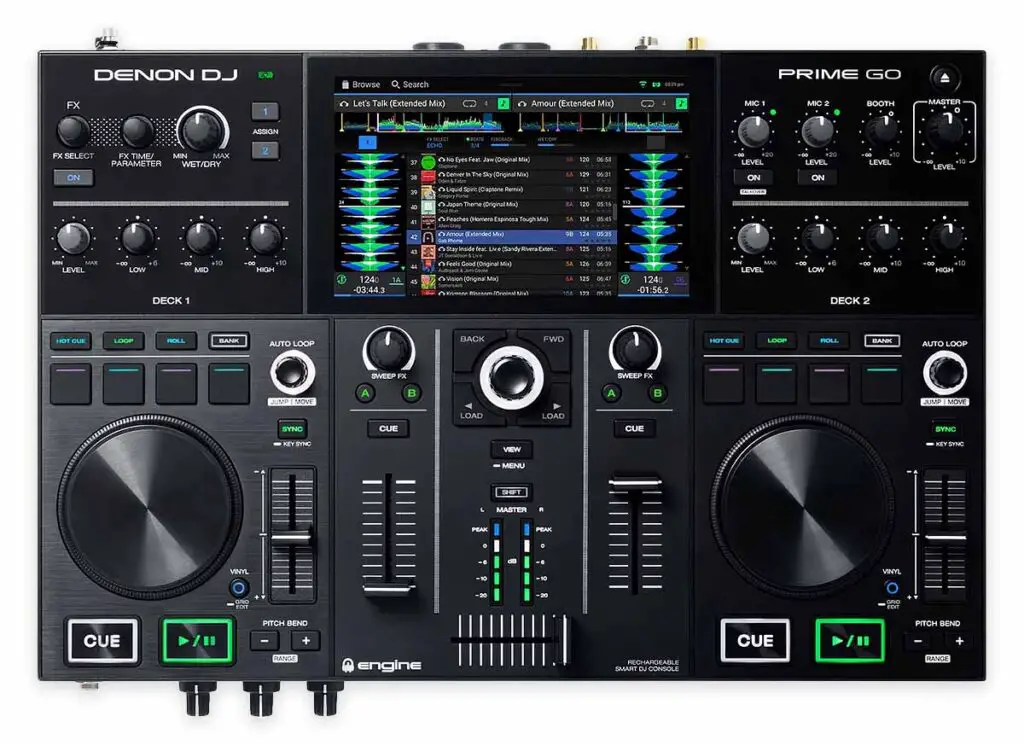
Aside from the obvious differences when it comes to the control layout, such as the PRIME GO having its equalizer knobs above each deck instead of in a conventional central mixer layout, and featuring 4 dual-layer performance pads per deck, the functionality of the front panel controls doesn’t really differ much between the OMNIS-DUO and the Prime GO.
The casing of the Prime GO is also made out of metal, in comparison to the mostly plastic case of the OMNIS-DUO. This is the first thing that makes the Prime GO feel a little bit more professional and less like a toy, at least in my opinion, aside from its button layout design giving a less minimalistic feel.
The Denon controller is also notably smaller than the device from AlphaTheta, which does make it more portable.
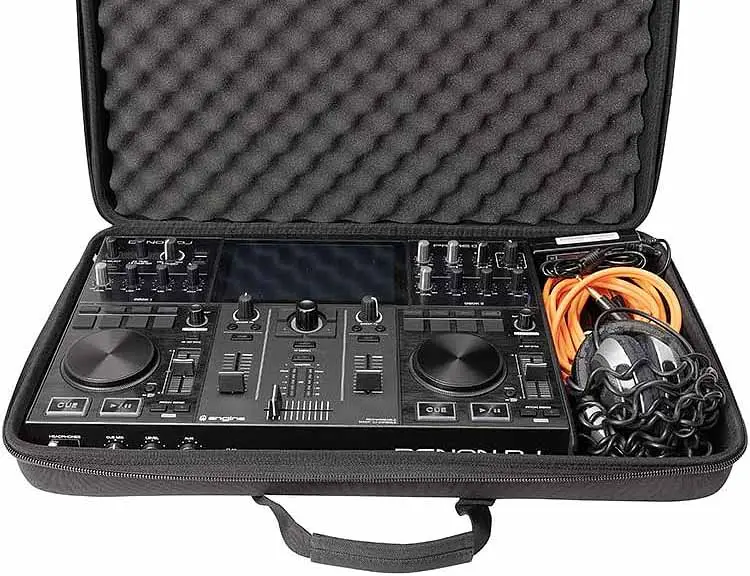
When it comes to the smaller jog wheels of the Prime GO, yes, these are not made for scratching in mind, and yes, they are not exactly a pleasure to use if you’re like me, used to at least the half-scale size standard of the DDJ-FLX4 / DDJ-400 jog wheels. But then again, the size of the controller does compensate for that in a way.
For now, there is no option to change the waveform view from horizontal to vertical on the OMNIS-DUO, while the Prime GO has this feature readily available. The only thing you can adjust about the audio visualization on the AlphaTheta device are the colors of the displayed waveforms. This option on the other hand, is not there on the Denon controller.
Another thing is that you have access to microphone EQ settings only on the OMNIS-DUO (through the use of on-screen controls). The Denon DJ Prime GO sadly does not offer you any kind of equalizer controls for its microphone input, which is honestly quite surprising. Just another thing to note.
The Performance Pads
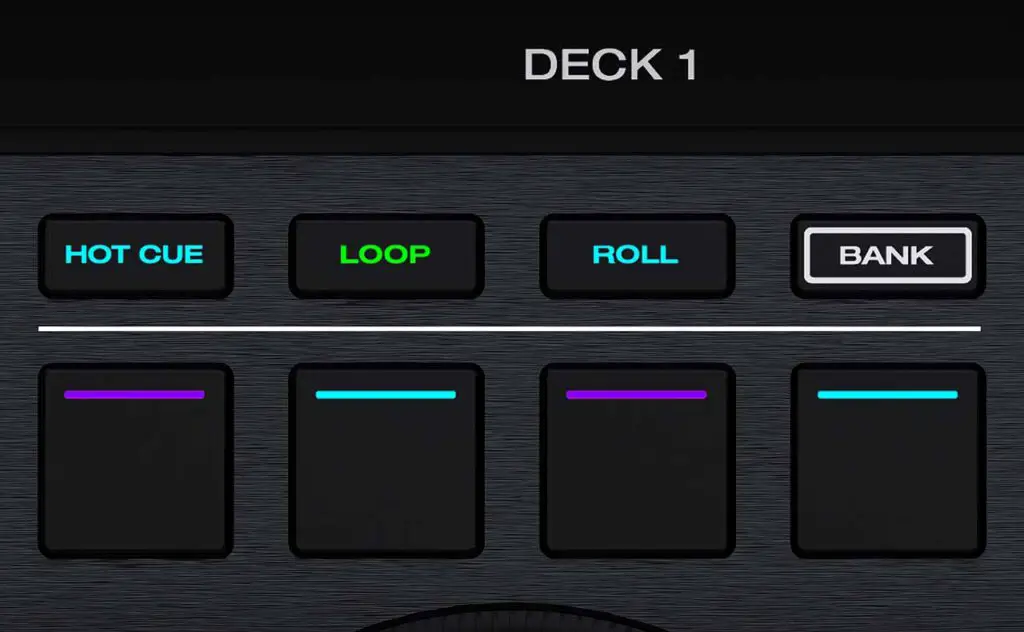
The Denon DJ Prime GO does have 4 distinct performance pad modes you probably already know from other DJ controllers, and that is the hot cue mode, loop presets, loop roll mode and sampler.
The OMNIS-DUO takes a different approach. It has 8 dedicated Hot Cue buttons per deck, alongside separate Beat Jump and Beat Loop controls, rather than the multiple pad modes found on the PRIME GO.
While the PRIME GO only has 4 physical pads on each deck, they use dual layers, so you can access additional cue, loop and sampler slots without adding another row of pads.
Last things last, the OMNIS-DUO doesn’t use RGB-colored pads in the same way as the PRIME GO. The Prime GO has small RGB light strips on its pads, letting you color-code your loops, hot-cues and samples. Pretty neat.
Bluetooth Audio Output
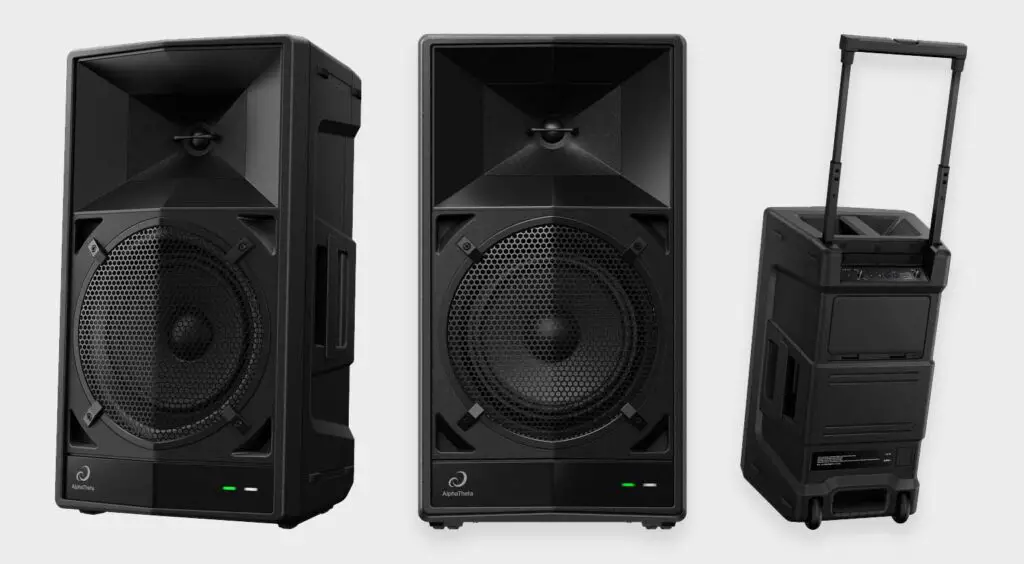
Both the OMNIS-DUO and, with current Engine DJ software, the original PRIME GO can output audio to Bluetooth speakers. Regular Bluetooth latency is still generally too high for comfortable beatmatching though.
The WAVE-EIGHT that you can see on the images above, gets around this with AlphaTheta’s SonicLink system. Its included transmitter connects to the audio output of your DJ gear and sends the signal wirelessly with much lower latency than Bluetooth.
You can use the WAVE-EIGHT SonicLink transmitter with either controller, so that low-latency capability that the WAVE-EIGHT grants you is not exactly an OMNIS-DUO exclusive.
DMX Lighting Controls
This, on the other hand, is an advantage of the PRIME GO. Engine Lighting is built into Engine OS and can control supported smart lighting, while DMX fixtures can be controlled using compatible SoundSwitch hardware. The OMNIS-DUO doesn’t have an equivalent integrated lighting system.
Operating Systems & DJ Software
The OMNIS-DUO runs on the AlphaTheta OS, while the Denon DJ Prime GO utilizes the Engine OS. The differences between them are mostly in their user interfaces, but both are responsive and have a similar set of basic features and settings that you can tweak to personalize your mixing experience.
Notable things here are the lack of microphone EQ controls on the Prime GO, and the lack of support for vertical waveform view on the OMNIS-DUO.
When it comes to the DJ software supported by these devices, the OMNIS-DUO works with Rekordbox and unlocks Serato DJ Lite, with Serato DJ Pro available as a paid upgrade.
The Denon DJ PRIME GO works with VirtualDJ with a suitable VirtualDJ Pro license, but doesn’t support Rekordbox or Serato DJ. If you want a standalone Denon DJ controller which can be used with Serato, you might wanna take a look at the main Denon DJ Prime 4 series.
Streaming Services Support
On the original Denon DJ PRIME GO you can use Beatport, SoundCloud GO+, TIDAL and Dropbox, provided you have the appropriate subscriptions.
The OMNIS-DUO has caught up considerably since its release. StreamingDirectPlay now supports Apple Music, Beatport Streaming and TIDAL directly on the unit, while CloudDirectPlay supports your own cloud library.
USB-C Power Supply?
The OMNIS-DUO has one huge advantage that the Prime GO does not have. It’s the fact that it can be powered using a compatible USB-C Power Delivery supply rated for 45W, which is a big plus. That also makes using a suitable USB-C power bank much easier.
With the Denon DJ Prime GO, you have to rely on the power brick it comes with, and you’re pretty much stuck with that. To use your Prime GO with an external powerbank, you’d have to utilize a separate, third party USB-C to Barrel Plug adapter, like the one mentioned in this Reddit thread.
One thing to keep in mind if you’re buying new is that Denon has since released the PRIME GO+. It keeps essentially the same compact format while adding Bluetooth input/output, wider streaming support and around 25% better battery life. So today, that’s the current model I’d also compare with the OMNIS-DUO before buying.
What About The Numark Mixstream Pro GO?
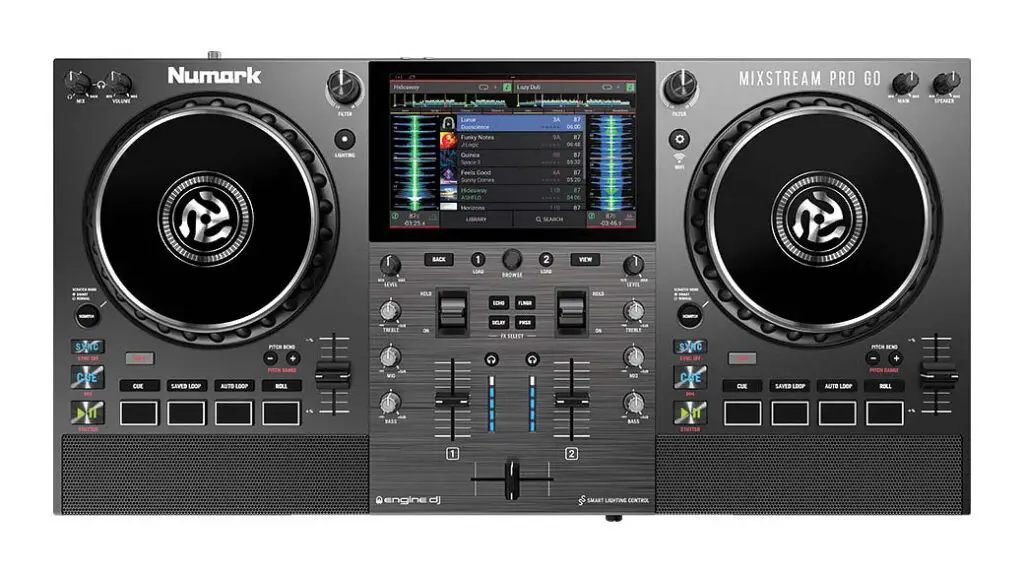
The Numark Mixstream Pro GO is a neat cheaper alternative to both the OMNIS-DUO and Prime GO, and it comes with two built-in stereo speakers. It’s also fully standalone, meaning that you don’t need to carry a laptop when you’re using it, and it also has a built-in battery, which the original Mixstream Pro didn’t have.
It takes a slightly different approach from both controllers here, but remains a worthwhile cheaper portable standalone alternative, especially if the built-in speakers appeal to you.
So… I’ve Got My Winner
As you might have probably guessed, I still prefer the Denon DJ PRIME GO’s smaller form factor, metal casing and control layout over the rather minimalistic approach to the physical controls on the OMNIS-DUO. The difference isn’t as clear-cut as it was when this article was first written though, because the OMNIS-DUO has since gained proper third-party streaming support.
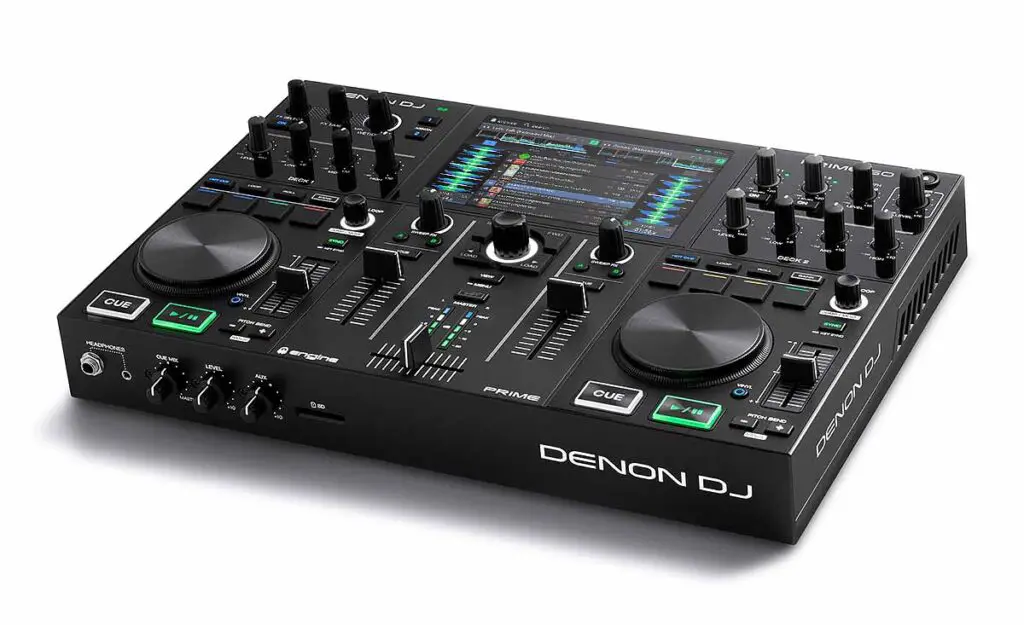
Not having larger jog wheels, a microphone equalizer or built-in speakers isn’t really an issue for me. The newer PRIME GO+ has since arrived, although it keeps the same basic compact control philosophy. Nevertheless, if you’re looking for a perfect portable DJ controller for mixing on-the-go, this is one of my good recommendations for you.