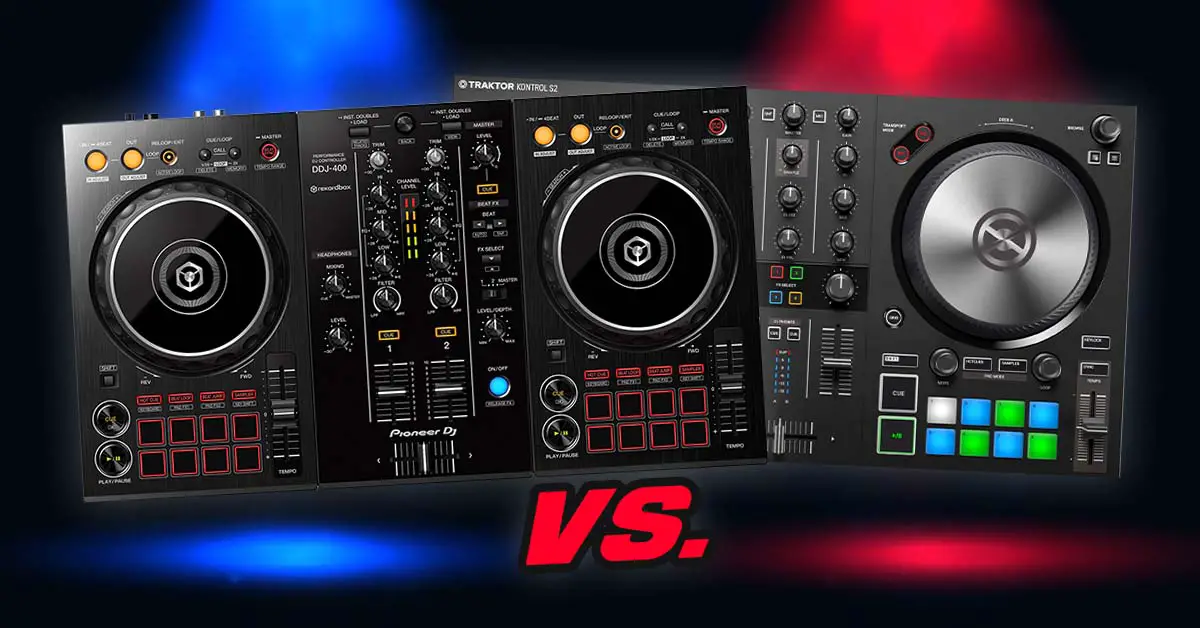
Traktor Kontrol S2 MK3 vs. Pioneer DDJ-400 – which one is better? Both are older 2-channel beginner controllers that still make perfectly usable practice setups, although the DDJ-400 has been long replaced by the DDJ-FLX4 and Native Instruments has since released the newer Traktor MX2. Still, if you’re choosing between a used DDJ-400 and S2 MK3 today, here’s how they compare.
This web portal is reader-supported and is part of the AliExpress Partner Program, Amazon Services LLC Associates Program, eBay Partner Network, and Guitar Center Affiliate Program. When you buy using links on our site, we may earn an affiliate commission.
Pioneer DDJ-400 vs. Traktor Kontrol S2 MK3 – full specification comparison
| Specs |
|---|
Control layouts & build quality
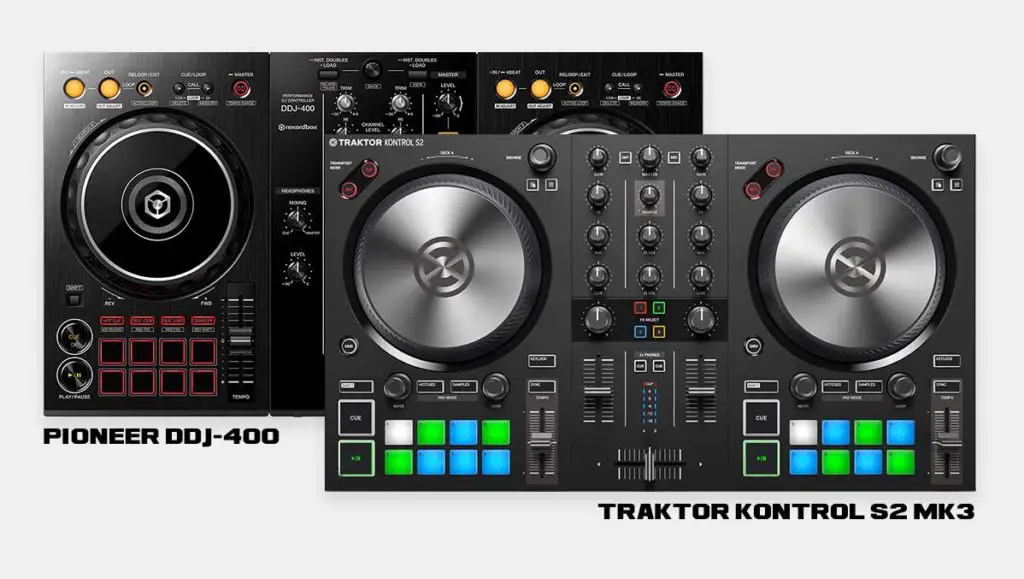
On the Pioneer DDJ-400, the general workflow during a live performance slightly resembles the one from the flagship Pioneer DJ CDJ players and DJM mixers that are considered a club standard in many venues.
The control layout on the DDJ-400 is made to resemble a 2xCDJ player x 1xDJM mixer setup and so it can make a future transition from an entry-level DJ controller to an actual club setup a tad easier.
You might also like: DDJ-200 vs. DDJ-400 (Which Is Better For You?)
The Traktor Kontrol S2 MK3 has its own layout that is really not that different from the DDJ-400’s one. There are some differences such as the S2 MK3 having a separate library browse knob for each deck or it having just a simple one-knob FX solution instead of a classic FX section or a Beat FX strip.
What’s also important, is that while the DDJ-400 has the classic audio loop control buttons that you might recognize from the Pioneer CDJ players, the S2 MK3 lets you control your loops by using a loop knob present on each deck.
The S2 MK3’s loop control solution is certainly fun to use, but it may not suit people who prefer the simple in/out/reloop button scheme present on most DJ controllers these days.
The other thing is that the Traktor Kontrol S2 MK3 features RGB backlit performance pads, while the Pioneer DDJ-400 only has its basic red edge backlight for this part of the device.
The build quality of both these controllers is fine for their price. Don’t expect overly sturdy mixer knobs that don’t wiggle around a bit or any kind of outer case reinforcement. It is what it is and it’s perfectly good for this price range and the intended use of these devices.
You won’t be disappointed with the build quality of either of these, however you cannot really compare them to slightly more pricey units.
The mixer sections
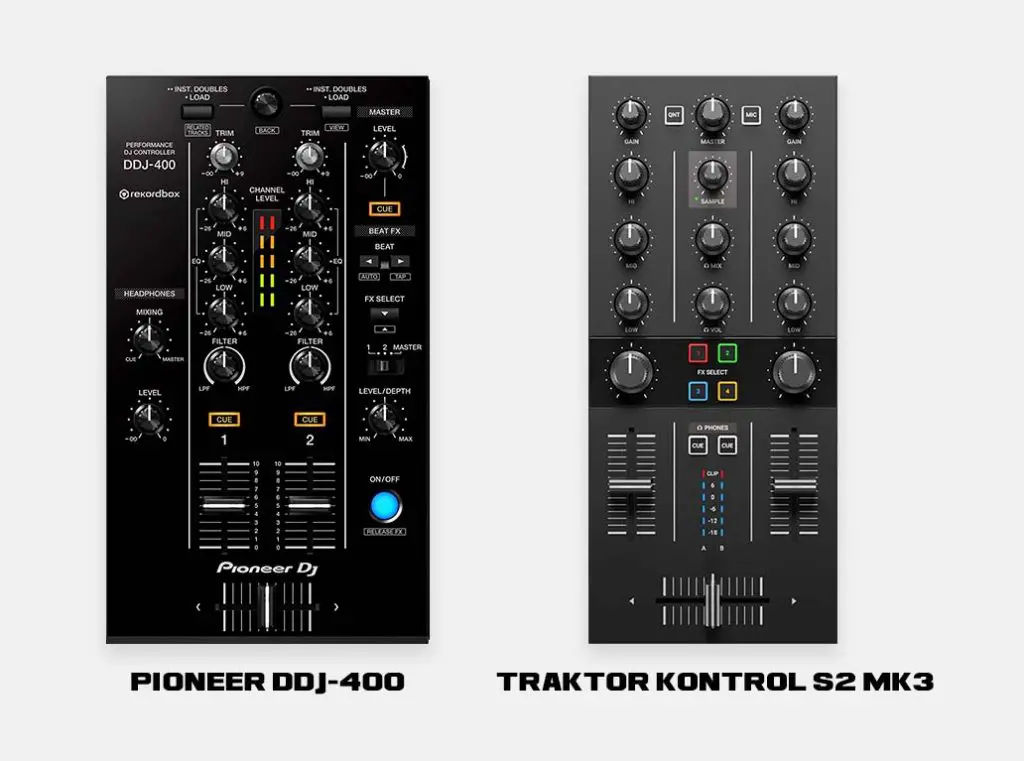
Both these devices feature 2 mixer channels and neither of them let you easily control virtual decks 3 and 4. On the Traktor Kontrol S2 MK3, to do this you’d have to resort to 3rd party MIDI mappings, and on the Pioneer DDJ-400, while using Rekordbox DJ software you cannot access the decks 3 and 4 at all.
If you specifically want comfortable 4-deck mixing, I’d look at a controller with 4 physical mixer channels instead.
If you want to stay in the Traktor ecosystem but move up to a much more capable controller, I’ve also taken a detailed look at the Traktor Kontrol S4 MK3.
The biggest difference between the two mixer sections is the way the FX are controlled.
Audio FX controls
The Pioneer DDJ-400 features a classic simplified version of the Beat FX strip you might recognize from the high-end Pioneer DJM mixer series. Using the Beat FX strip, you can activate one effect at a time on the audio channel of your choice.
Other than that, you have access to the high-pass/low-pass filter knobs on the mixer (one for each mixer channel), and 2 customizable Rekordbox Pad FX preset pages accessible via the performance pads.
The Traktor Kontrol S2 MK3 has quite a different approach to FX controls. On this device, you won’t find a traditional FX control section. The only way you can apply effects to your tracks using the S2 MK3 controls is to use the FX knobs in the mixer section and 4 customizable FX preset select buttons.
This makes the Traktor Kontrol S2 MK3 quite limited when it comes to the FX handling experience, as you don’t really have much freedom when it comes to applying effects to your tracks compared to the Pioneer DDJ-400.
Pitch faders
Both the DDJ-400 and S2 MK3 use short pitch faders with reasonable accuracy enabling you to set your track’s tempo up to 0.01 BPM without much trouble.
In this price range, most DJ controllers don’t feature full-size pitch faders. There is one exception though, if you’re interested check out the Numark Mixtrack Platinum FX.
Performance pads and pad modes
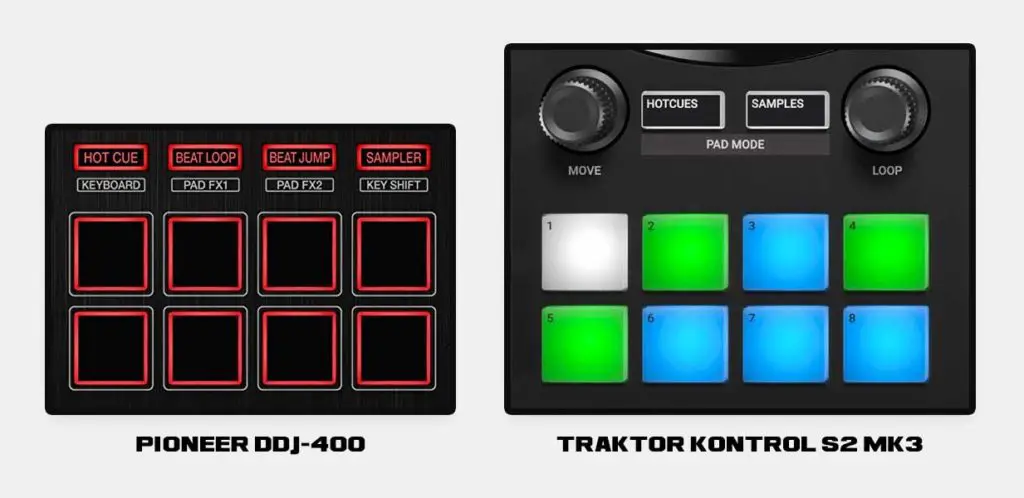
When it comes to performance pads, the main thing that makes these two devices different, is the number of functions that the performance pads let you control, which is quite limited on the S2 MK3.
When it comes to the size and feel of the pads on both controllers, they are very similar. The pads on the Pioneer DDJ-400 and the Traktor Kontrol S2 MK3 are rubberized and make a distinct “click” sound when pressed down. No large differences here.
As mentioned before, the Traktor Kontrol S2 MK3 features RGB backlit performance pads, while the Pioneer DDJ-400 only has the red edge backlight available.
The Pioneer DDJ-400 when used with the Rekordbox DJ software gives you access to 8 performance pad modes in total. With the S2 MK3’s native Traktor workflow, the pads are mainly used for Hot Cues and Samples.
Both controllers now officially work with Serato DJ Lite and Pro. In Serato, both also gain access to newer pad functions including Stems.
Performance pad modes on the Pioneer DDJ-400:
- Hot cue – a standard hot-cue mode allowing you to set hot cue points remembered by the software.
- Beat loop – a set of secondary loop controls.
- Beat jump – a function that lets you jump a set amount of beats forwards or backwards throughout your track.
- Sampler – a standard sampler utility with 8 sample slots available.
- Keyboard – a mode allowing you to easily pitch-shift set points in your track for all kinds of tone-play routines.
- Pad FX 1 – fully customizable Pad FX presets.
- Pad FX 2 – the second bank of customizable Pad FX presets.
- Key shift – simple track pitch-shifting utility.
Performance pad modes on the Traktor Kontrol S2 MK3:
- Hot cues – a standard hot-cue mode, no differences here.
- Samples – a sampler utility that lets you control decks 3 and 4 in the form of Traktor software Remix decks. Nifty feature for all the DJs that incorporate lots of audio samples or song stems into their mixes.
Jog wheels
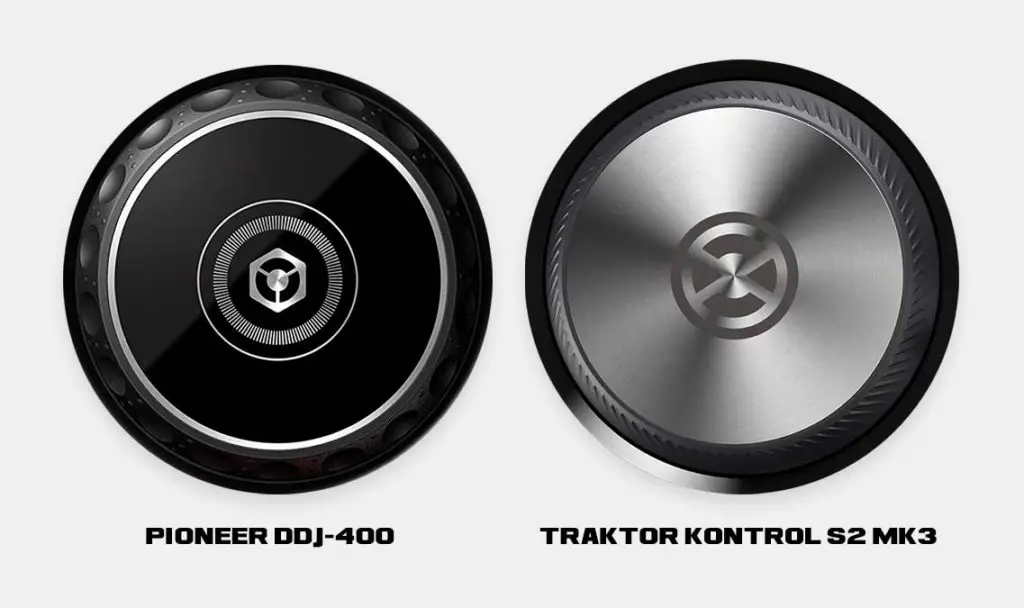
The jog wheels on both the DDJ-400 and the S2 MK3 are similarly sized and there aren’t many substantial differences here. In my opinion, the S2 MK3’s jogs feel a little sturdier than the DDJ-400’s. They will both still serve their purpose just fine and they are similar in terms of their feel. The jog wheels on these devices are not motorized as expected at this price point.
| Pioneer DDJ-400 on eBay: |
| Traktor Kontrol S2 MK3 on eBay: |
Inputs and outputs
The Pioneer DDJ-400 and the Traktor Kontrol S2 MK3 feature all the inputs and outputs typical for a standard entry-level DJ controller and they both can be powered solely via the USB connection.
Pioneer DDJ-400:
| Inputs | 1x microphone input (1/4″ TS Jack) |
|---|---|
| Outputs | 1x master output (RCA) 1x headphones output (1/8″ stereo mini jack) |
| Other | 1x USB B port (for laptop connection and power) |
Traktor Kontrol S2 MK3:
| Inputs | 1x microphone input (1/4″ TS Jack) |
|---|---|
| Outputs | 2x master output (RCA and 1/8″ stereo mini jack) 1x headphones output (1/8″ stereo mini jack) |
| Other | 1x USB B port (for laptop connection and power) 1x USB A port (for iOS devices connection) 15V/1.2A optional power adapter input (power adapter not included) 1x Kensington security slot |
While the Traktor Kontrol S2 MK3 can be powered via USB only, it can also be powered using a dedicated power supply. A power brick however isn’t bundled with the device and you’d have to purchase it separately if you decide you need it for one reason or the other.
The S2 MK3 can run from USB power when connected to a computer. It also has an input for an optional 15 V power supply, which is required for certain iPad setups.
Software compatibility
The DDJ-400 was originally designed around Rekordbox, while the S2 MK3 was designed around Traktor. That is still where each controller feels most at home, but their official software compatibility is much broader now.
The DDJ-400 is still a Rekordbox Hardware Unlock device, so connecting it unlocks Rekordbox Performance mode without a paid subscription. Since 2024, it also officially unlocks Serato DJ Lite, with Serato DJ Pro available as a paid upgrade.
The Traktor Kontrol S2 MK3 integrates directly with Traktor Pro 4, and new units have been bundled with Traktor Pro 4. It also now officially unlocks Serato DJ Lite, likewise with a paid upgrade available for Serato DJ Pro.
Both controllers are supported by VirtualDJ as well. The S2 MK3 also has official djay support through its User MIDI mode.
So the software split between these two controllers isn’t nearly as strict as it used to be. Rekordbox vs. Traktor is still the main ecosystem decision, but both units can now be used with Serato too.
Want to know more about Serato, Traktor and their differences? I’ve got you covered: Serato DJ Pro vs. Traktor – DJ Software Direct Comparison
The MIDI mode on the Traktor S2 MK3
To use the Traktor Kontrol S2 MK3 as a generic MIDI controller, you first need to put it into User MIDI mode. You can do so by pressing and holding the left FLX button on the S2 MK3 while connecting it to your computer.
Once enabled, the S2 MK3 can send standard MIDI messages to compatible third-party software.
The conclusion – which one should you choose?
Both the Pioneer DDJ-400 and Traktor Kontrol S2 MK3 are still perfectly capable beginner controllers, but todat I’d mainly consider them as second-hand buys.
I’d lean toward the DDJ-400 if you prefer the Pioneer/Rekordbox workflow, its more extensive hardware FX controls and its larger selection of native Rekordbox pad modes. The S2 MK3 makes more sense if you specifically want the Traktor workflow, RGB pads, loop encoders and Native Instruments’ deeper software customization.
The price is the deciding factor now. The DDJ-FLX4 has replaced the DDJ-400, while Native Instruments has released the newer Traktor MX2. If either old controller is priced too close to its modern alternative, I’d go with the newer version instead.