

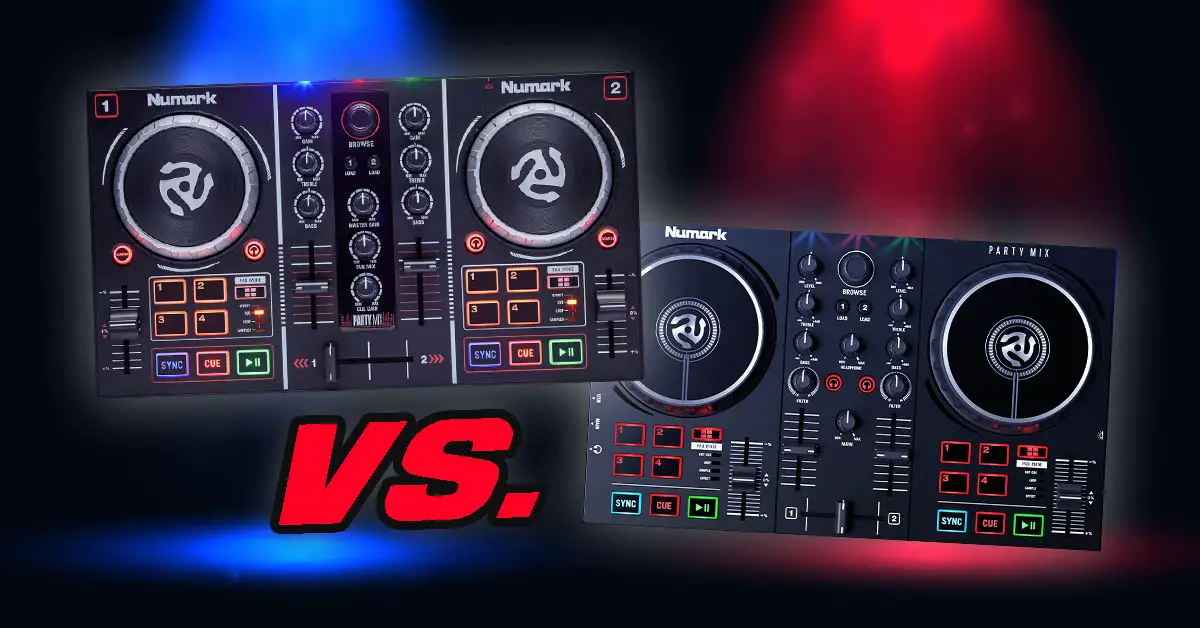
Numark Party Mix vs. Numark Party Mix II + Party Mix Live. Are these worthwhile entry-level DJ controllers? Which one is best for you? Find out in my detailed illustrated product comparison.
July 2026 update: Numark has now released the newer Party Mix III. This article compares the original Party Mix, Party Mix II and Party Mix Live, which are still useful to compare if you’re choosing between these models or shopping second-hand. If you’re planning to get a brand-new controller in this form factor from Numark, keep in mind that the Party Mix III is now the newest model in the series.
This web portal is reader-supported and is part of the AliExpress Partner Program, Amazon Services LLC Associates Program, eBay Partner Network, and Guitar Center Affiliate Program. When you buy using links on our site, we may earn an affiliate commission.
Numark Party Mix vs. Party Mix II vs. Party Mix Live – full specification comparison
| Specs |
|---|
What about the Numark Party Mix Live?
Its important to note that other than the Numark Party Mix and the Numark Party Mix II, there exists another model – that is the Numark Party Mix Live. It has all the features of the Numark Party Mix II plus built-in speakers for track playback.
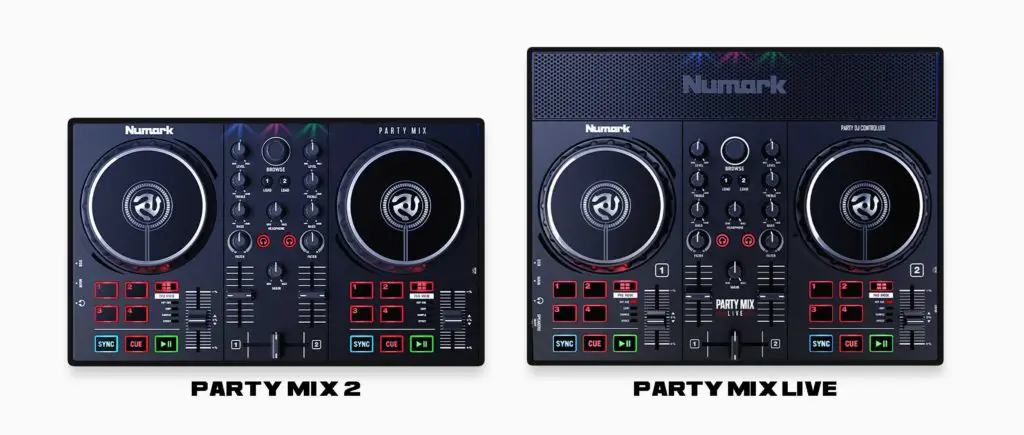
The main difference between the Party Mix II and the Party Mix Live is that, unlike its two predecessors, the Party Mix Live needs a power supply to function – it cannot be powered by the USB cable alone, so keep that in mind.
The built-in speakers on the Party Mix Live are two 5W 2-inch drivers wired in stereo. They are pretty small in size, point straight up and sadly seem to distort sound when the levels on the controller are set too high.
The speakers on the Party Mix Live can be freely turned on and off using a switch on the side of the device and they won’t turn off automatically when you connect external speakers so you can use both of them at the same time.
Numark did a far better job designing an integrated speaker for their Numark Mixstream Pro standalone controller than on the Party Mix series but that’s totally to be expected given the vastly differing price points of the devices.
There is a 1/8-inch (3.5 mm) jack audio output present on the Party Mix Live, so you are not compelled to use the built-in speakers all the time if you don’t wish to do so.
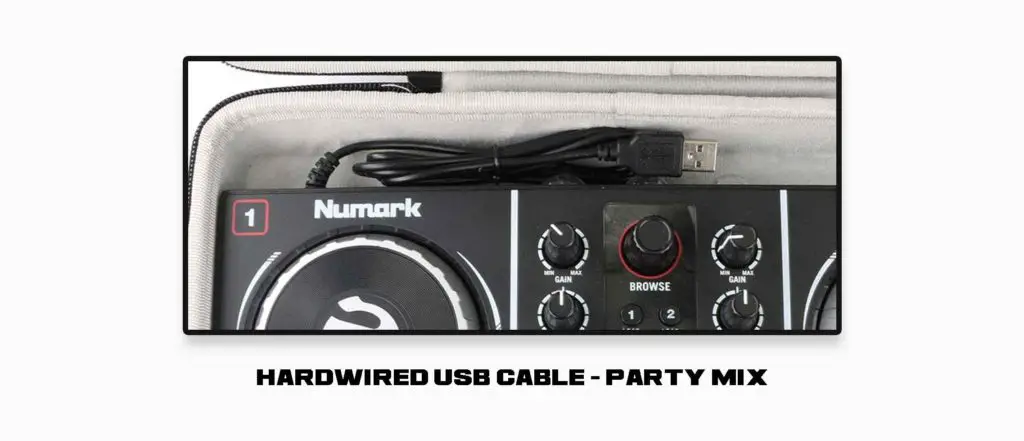
Hardwired USB cable on the original Party Mix
Original Party Mix controller has to be connected to a laptop using a USB cable that is integrated with the controller and you aren’t able to remove it. This means that during transport you’d have to wrap it around the device to prevent it from flying around in your bag or transport case, and when it gets damaged it’s going to be hard to replace.
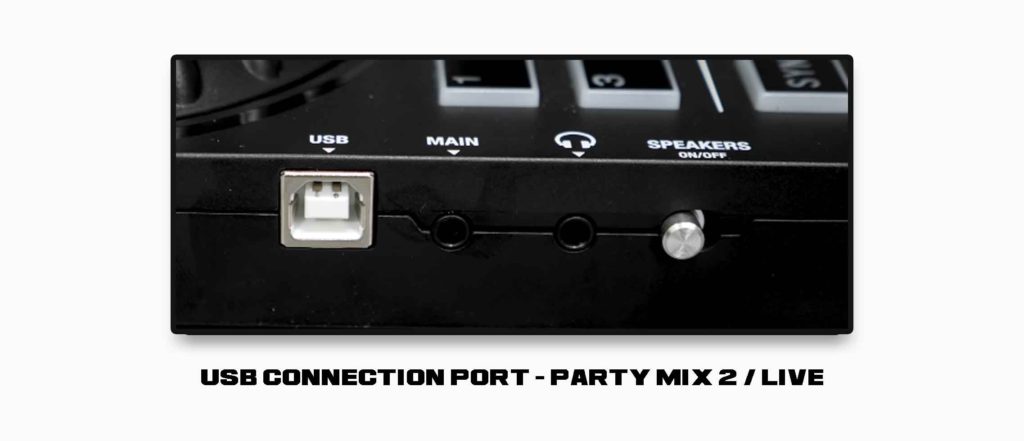
The Numark Party Mix 2 and the Party Mix Live feature standard detachable USB cables that can be freely removed from the controller. This is a huge improvement, as hardwired cables on portable devices can often be a weak spot when it comes to wear and tear or mechanical damage.
Main audio outputs
The original Party Mix features an RCA output, while the newer Party Mix II and Party Mix Live feature a single 1/8-inch (3.5 mm) jack audio output.
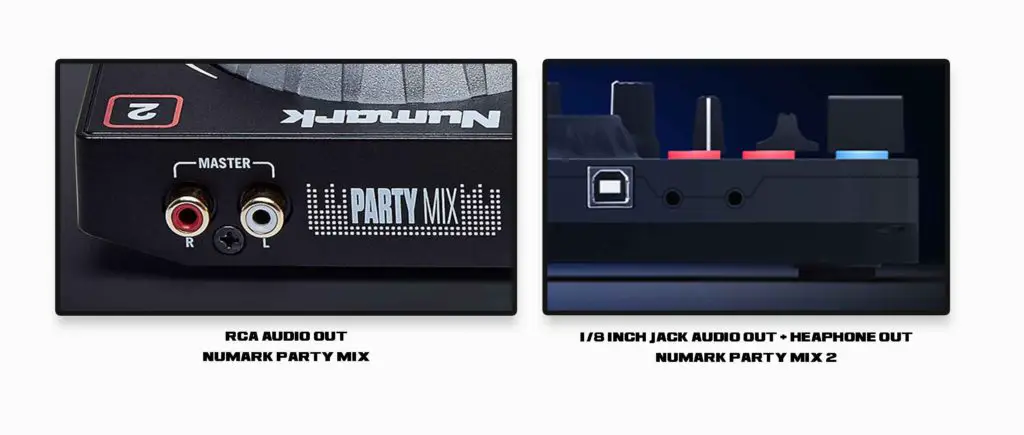
This change doesn’t inherently affect the audio output quality, and some may appreciate it because it simplifies connection to portable speakers (only a simple aux cord is required to do so on the Party Mix II / Live). Nevertheless, it doesn’t really matter much, as most output preference problems can be fixed with a simple cable adapter if needed.
The outputs on the original Party Mix are located on the back and in the newer Party Mix 2 they are placed on the left side of the device.
Hi-pass / low-pass filter knobs
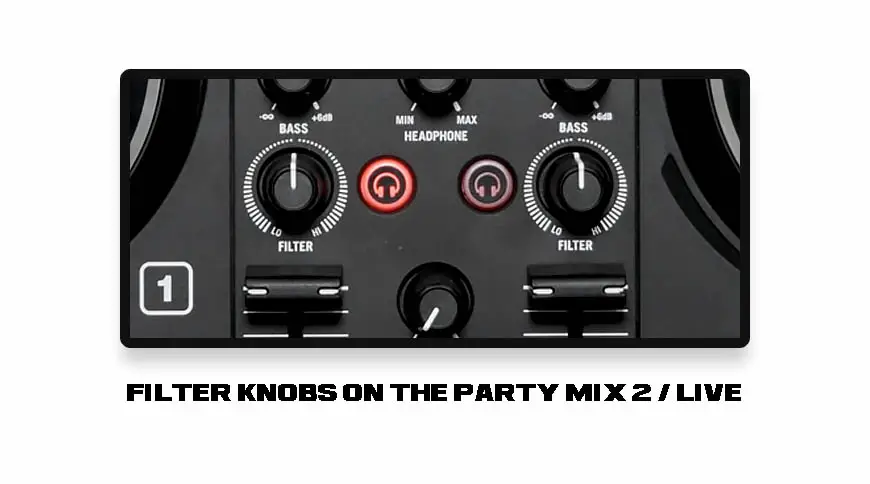
Party Mix II features two hi-pass/low-pass filter knobs, one for each mixer channel, while the original Party Mix doesn’t have those at all. The filter effect on the original Party Mix can be triggered from the performance pads level, albeit only in button hold mode.
Jog wheel size / platter differences
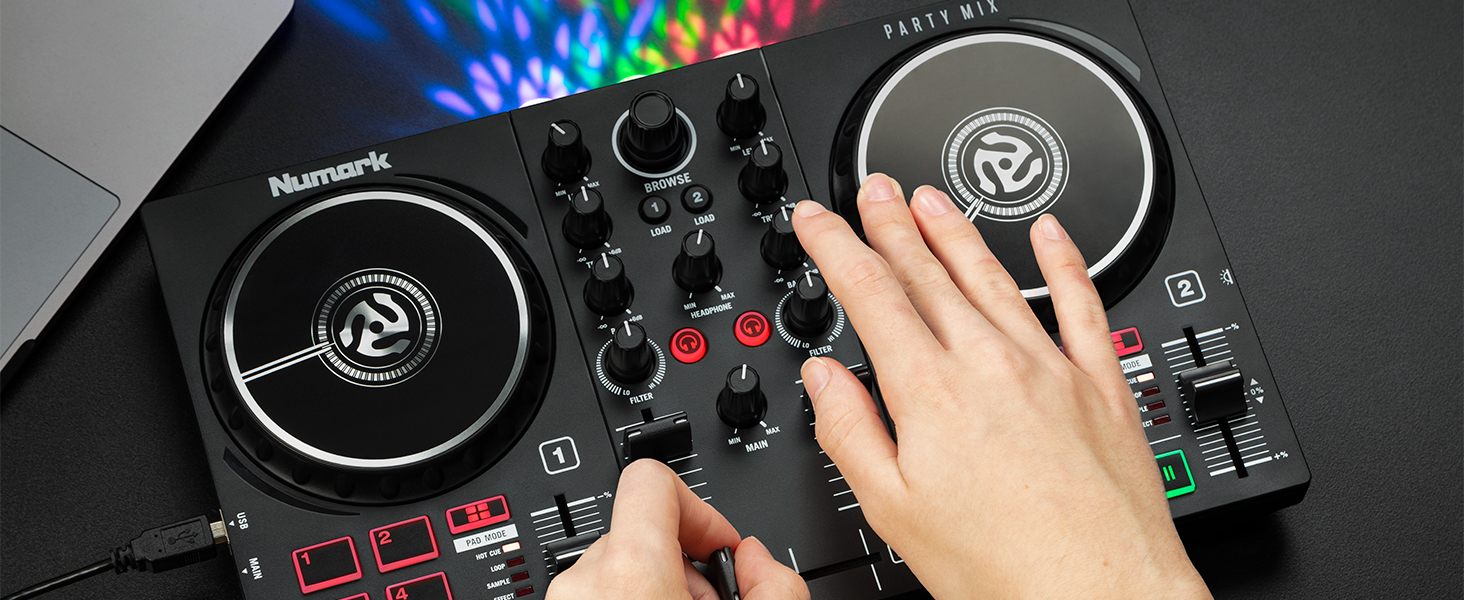
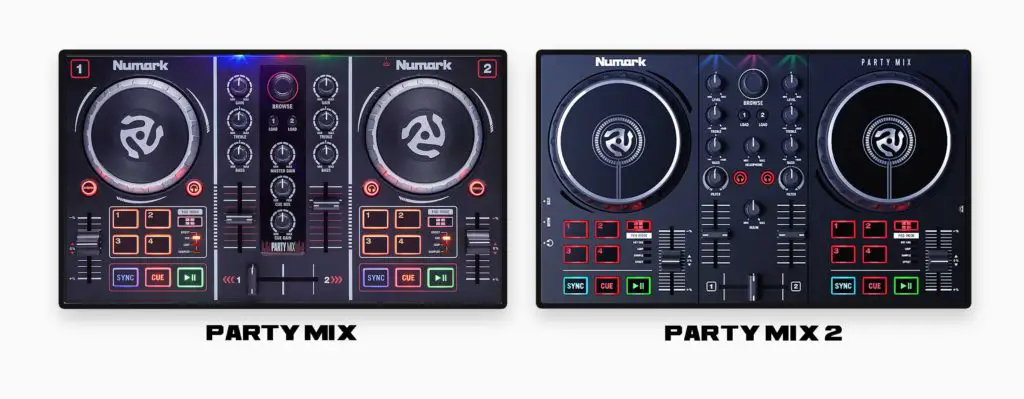
In comparison to the original Party Mix, the jog wheels on the Party Mix II / Party Mix Live are larger, their surface is touch-sensitive and they feature a line that enables you to keep an eye on the position of a track while scratching.
Most importantly the jog wheels on the new Party Mix II are capacitive. You scratch by touching the top of the platter and pitch bend by nudging the jog wheel’s side rim.
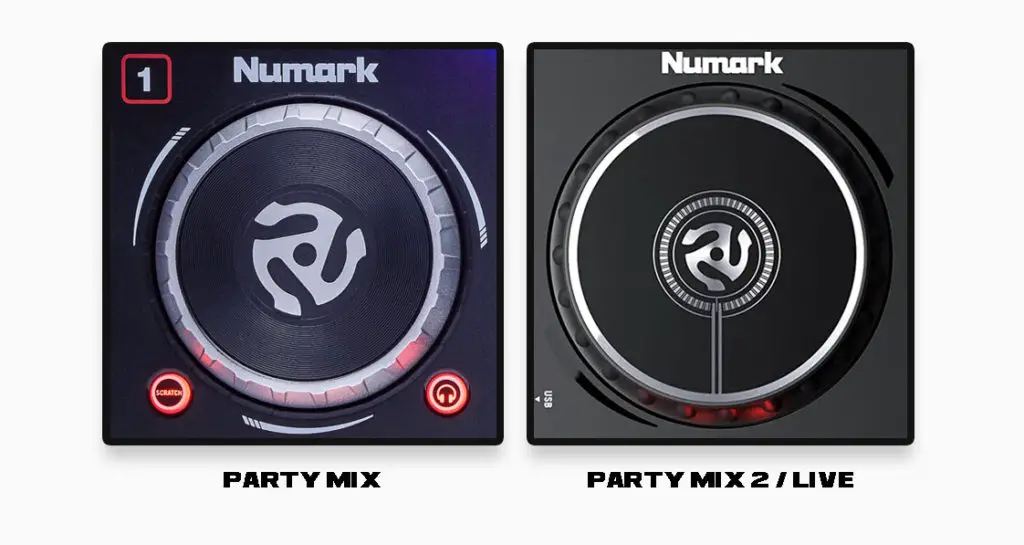
Because of those changes, there is no Scratch Mode button on the newer Party Mix II / Party Mix Live that switches between pitch bending and scratching.
This also means that if you’d like to “disable” the jog wheel’s scratching capabilities for a while to mitigate accidental platter touches, you won’t be able to do that.
4 Performance pads
The 4 performance pads on all of the devices can work in several modes such as hot-cue mode which works as a standard hot-cue setting mode.
None of the Party Mix devices feature a standard shift button. The Party Mix devices mitigate the lack of the shift button by letting you press and hold the pad mode button and then for instance hit a set hot-cue to remove it or hit the sync button to turn off the tempo sync on a chosen deck.
The second performance pads mode is the loop mode, which enables you to trigger four different loop sizes with the press of each individual pad. The available loop lengths can be adjusted from inside your DJ software. There is a slight disadvantage here too because there is no easy access to other loop sizes (such as 1/2 beat or more than 4 beats) from this part of the device.
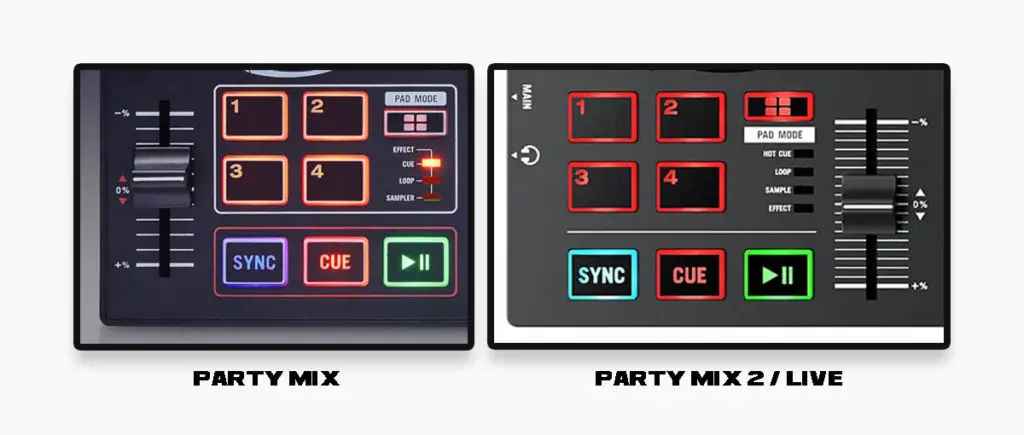
Another pad mode is the effects mode that makes the performance pads act like triggers for three audio FX at a time, functioning in hold mode – the effect works as long as you press the pad down.
While pads 1, 2 and 3 trigger the effects, the 4th pad is used for setting the effects tempo/cycle speed (standard “beats knob” functionality). You can choose your preferred effects inside of your DJ software.
There is also a sampler present and accessible from the performance pads level which is pretty straightforward and again works exactly the same on every Party Mix device.
The performance pads on the Numark Party Mix controllers are not velocity sensitive.
The equalizer / the mixer section
Party Mix devices feature only 2-band equalizer controls – this means that you will be able to control only treble and bass on each playing track and you’ll have no separate control over the middle frequency range.
Above the equalizer you can find standard gain/trim knobs used for controlling the individual track’s levels.
The music library controls in their simplified form stay exactly the same on every Party Mix device.
Curiously the headphone cue buttons (that let you choose which channel you’ll hear in your headphones) on the original Party Mix are located on each separate deck while on the Party Mix 2 and the Party Mix Live they are placed more conveniently in the middle of the mixer section.
As I’ve pointed out before, the original Party Mix doesn’t feature hi-pass/low-pass filter knobs, which are present on the newer Party Mix II and Party Mix Live.
While the original Party Mix had an easily accessible headphone mix control knob located in the middle of the mixer section, the newer Party Mix II and Party Mix Live feature only a master audio output knob and the general headphone volume control knob on the top panel. There is no cue mix control knob present on the newer devices – although you can still access this setting in the software.
Small pitch faders
Party Mix devices feature only small pitch faders – while this isn’t the most convenient thing, it is the case with most portable devices.
The pitch faders on the Party Mix 2 / Live are also placed asymmetrically (both are located on the right side of a corresponding deck).
The portability factor
The devices are really small, and all except the Party Mix Live can work on USB power only. The Party Mix Live needs an additional power adapter to function (it comes with the device).
Built-in lights
The built-in light show is also very similar on each of the Party Mix devices, providing the best results when the controller is placed a few meters from a wall indoors.
Although the row of three lights in front of the Party Mix controllers may not look promising from the outside, it works out really nicely in small, dark indoor spaces.
The lights on each Party Mix device can be easily turned on and off as needed.

The basic light modes available are as follows:
- Color-controlled
- Beat-controlled
- Fixed-timing random
- All on
- All off
Additional beat-controlled light modes can be found inside the Serato DJ or Virtual DJ software on your laptop and you can cycle through the modes with the light switch button on the side of your Party Mix.
Audio interface
Despite their small size, all the Numark Party Mix controllers compared here feature a built-in audio interface. This means that you won’t need an external sound card or an audio splitter to make use of the headphone cueing and all the controllers have their own dedicated audio outputs.
DJ software compatibility
The Numark Party Mix controllers compared here work with Serato DJ Lite out of the box. There is also a possible paid upgrade to Serato DJ Pro if you want more features unlocked. The devices are also compatible with VirtualDJ.
All three Party Mix controllers compared here are also compatible with Algoriddim djay and DJ Player Pro.
All the Party Mix devices can be custom mapped as long as the software you’re using supports custom MIDI function mapping.
Which one should you choose?
Both of these DJ controllers are suitable both for beginners and for users that want a small portable device to use with their laptop or smartphone.
The Party Mix II is a revised version of the original Party Mix and a huge step forward with larger capacitive jog wheels and filter knobs, while the Party Mix Live adds built-in speakers to essentially the same control layout.
This doesn’t mean, however, that the original Party Mix is necessarily a bad entry-level controller – especially if you can find one used at a good price.
| Numark Party Mix 1 & 2 on Ebay: |
| Numark Party Mix Live on Ebay: |
Ultimately the decision is up to you and while can’t go wrong with either of the devices we advise to go for the updated Party Mix 2.
If you’re buying brand new today, you should also compare the Party Mix II with the newer Party Mix III before making your final choice. The Party Mix III is now Numark’s newest entry-level Party Mix controller and adds quite a few features that aren’t available on the models covered here.
If you’re still comparing inexpensive beginner controllers, you might also want to check out my AlphaTheta DDJ-FLX2 vs. DDJ-200 comparison. For a broader look at what you actually need to get started, see my beginner DJ equipment guide.
If you consider getting the Party Mix Live for its built-in speakers then I have to point out that for the little price difference between the Party Mix 2 and the Party Mix Live you can most probably get a better sounding external speaker to use with the Party Mix 2 instead.