
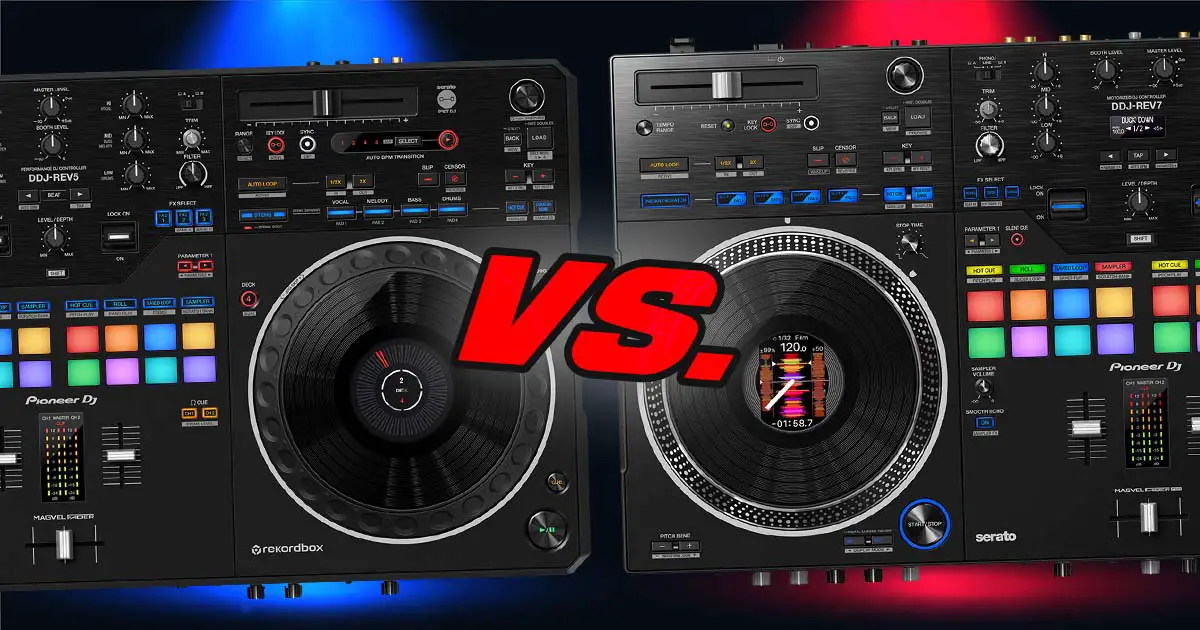
The Pioneer DDJ-Rev5 and DDJ-Rev7 despite the similar names are quite different from each other. In short, the Rev7 makes more sense if you want motorized platters, hardware FX and external deck inputs, while the lighter Rev5 gives you 4-deck software control, Piano Play and Auto BPM Transition. Both now support Serato DJ Pro and Rekordbox, so software compatibility is no longer the big divider it once was. Here’s how the important differences actually play out.
This web portal is reader-supported and is part of the AliExpress Partner Program, Amazon Services LLC Associates Program, eBay Partner Network, and Guitar Center Affiliate Program. When you buy using links on our site, we may earn an affiliate commission.
Pioneer DDJ-REV5 vs. Pioneer DDJ-REV7 – full specification comparison
| Specs |
|---|
What Is Actually Different? – First Things First
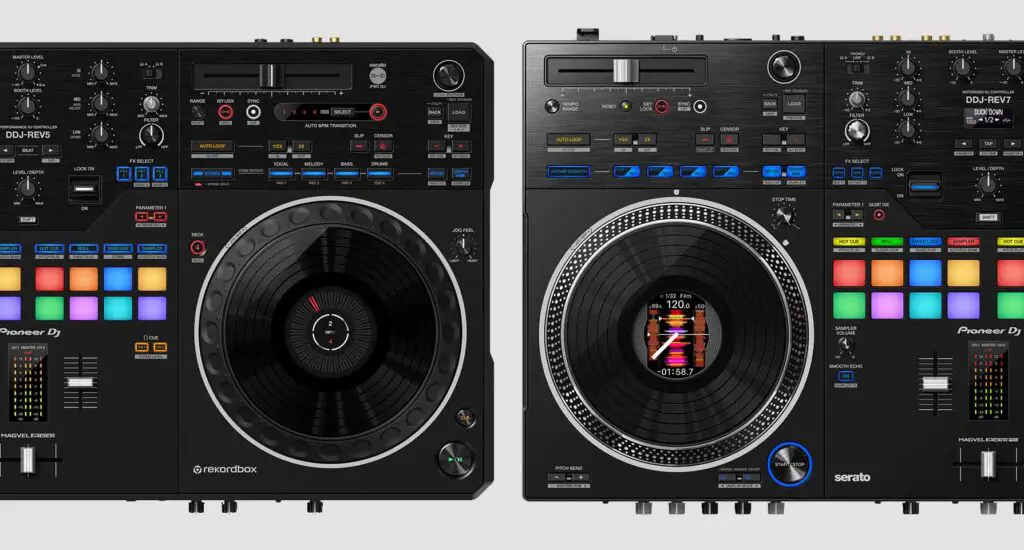
While the Pioneer DDJ-Rev7 has standalone audio mixer features and its own PHONO/LINE deck inputs, the DDJ-Rev5 is essentially a regular high-end software controller. It has a stereo AUX input and two microphone inputs, but no PHONO/LINE inputs for external decks.
What this means is that with the Pioneer DDJ-Rev5 you won’t be able to mix using external audio devices such as 3rd party turntables or CD players (like Pioneer CDJs), as you would be able to with the DDJ-Rev7.
For external music sources, the Rev5 has the already mentioned AUX input, which can be conveniently used as a backup input for a device such as your smartphone, for instance for unexpected song requests.
So, is the DDJ-Rev5 just a stripped down version of the DDJ-Rev7? Well, not exactly. The Rev7 still remains a go-to choice for mobile scratch DJs (alongside the Rane One and Rane Four), while the Rev5 is an interesting option for all the digital DJs who are interested in a neat feature upgrade. More on the new features in a short while.
The Rev5 doesn’t feature motorized jog wheels, built-in hardware FX or a mixer with standalone capabilities, and it doesn’t quite have the sturdiness of the Rev7 unit. What it does have is 4-deck control, Piano Play and Auto BPM Transition. The Rev7 has since gained direct Serato Stems controls through a firmware/software update, so Stems are no longer a Rev5-only advantage.
The DDJ-Rev5 is also USB powered, and it comes with a simple 45W USB charger. DDJ-Rev7 on the other hand has a proprietary charger in a form of a rather less convenient (and much heavier) power brick. A clear win for the Rev5 here!
The DDJ-Rev5 is also much lighter than the DDJ-Rev7, and all in all feels less heavy-duty compared to its bigger older brother. Whether you prefer a heavier and more sturdy chassis or a lighter and just a little bit easier to transport device, it’s your call!
The DDJ-Rev7 also has the Slicer Loop and Saved Flip performance pad modes, while Piano Play remains exclusive to the DDJ-Rev5. Serato Stems are now supported directly on both controllers, although the implementations differ. Read on and see for yourself!
Performance Pads – Modes Swap
Pitch Play – This is a pad mode present on both the Pioneer DDJ-Rev7 and DDJ-Rev5 which lets you after selecting one of your hot-cues use the 8 performance pads on the active deck to change the pitch of the chosen cue point.
Piano Play – A Pioneer DDJ-Rev5 exclusive mode where all the 16 performance pads essentially become a piano keyboard with white and black keys marked by LED backlight. After choosing a hot-cue point you are free to play around with it using the “pad keyboard”. You can move the octaves around and change the available musical scales using the parameter buttons.
While this may be a subtle difference for some, if you absolutely need to have access to the Piano Play performance pad mode, it’s only available on the DDJ-Rev5 and it gives you much more control over your pitch play routines that you would have on the Rev7.
Now let’s move on to the DJ software support!
Software Compatibility – DDJ-Rev5 With Rekordbox?
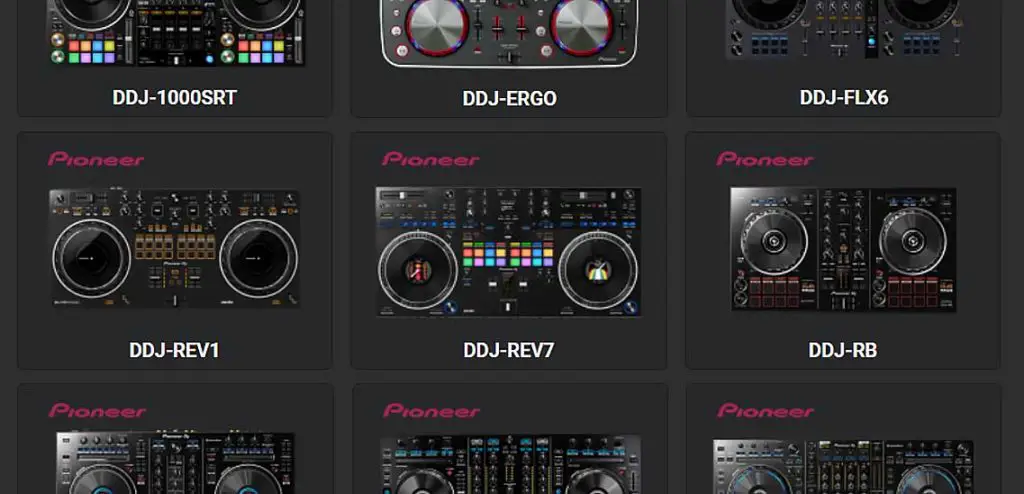
Both the Pioneer DDJ-Rev5 and DDJ-Rev7 officially support Rekordbox as well as Serato DJ Pro. The Rev7 gained Rekordbox support in March 2024, alongside new direct controls for Serato Stems. Both controllers also work as Hardware Unlock devices for Rekordbox.
VirtualDJ officially supports both controllers too, although you’ll need an appropriate VirtualDJ license for full controller use.
You can also attempt to use both of these controllers with Traktor, provided you either make your own MIDI mapping for them, or you find an appropriate mapping file online.
You might also like: Pioneer DDJ-Rev7 vs. Rane One (Ultimate Comparison)
| Pioneer DDJ-Rev7 on Ebay: |
| Pioneer DDJ-Rev5 on Ebay: |
Dual Deck Capabilities – 4 Decks?
The Pioneer DDJ-Rev5 is capable of handling 4 virtual decks at once – via a simple deck change button mechanism present on many previous Pioneer DJ controllers.
While this mechanism isn’t the most convenient way to experience what mixing on 4 decks is like, the DDJ-Rev7 doesn’t give you the chance to use it at all.
If you find yourself using 4-deck capabilities on 2-deck controllers often, the DDJ-Rev5 might be a better choice for you. If you don’t particularly care for this feature, let’s get to the next point – the new Serato Stems feature implementation on the Rev5.
Serato Stems Implementation on the DDJ-Rev5
Serato Stems is a real-time audio separation feature that lets you isolate vocals, melody, bass and drums inside Serato DJ Pro.
On the DDJ-Rev5, there are controls that are dedicated to the Serato Stems feature. You can separate the vocals, bass, melody and/or drums and play the selected combinations of these stems live just by pressing the designated stem buttons which are present on each deck.
This is extremely convenient if you want to do original mashups using separated stems from your favorite tracks without relying on tedious pre-mix stem exports!
The DDJ-Rev7 originally launched without direct Serato Stems controls, but firmware 2.01 and Serato DJ Pro 3.1.2 added Stem Mute, Stem Separate and Stem Level control. Stems are therefore no longer a Rev5-only feature, although the Rev5 was designed around them from the start.
Jog Wheels – This One’s Important!
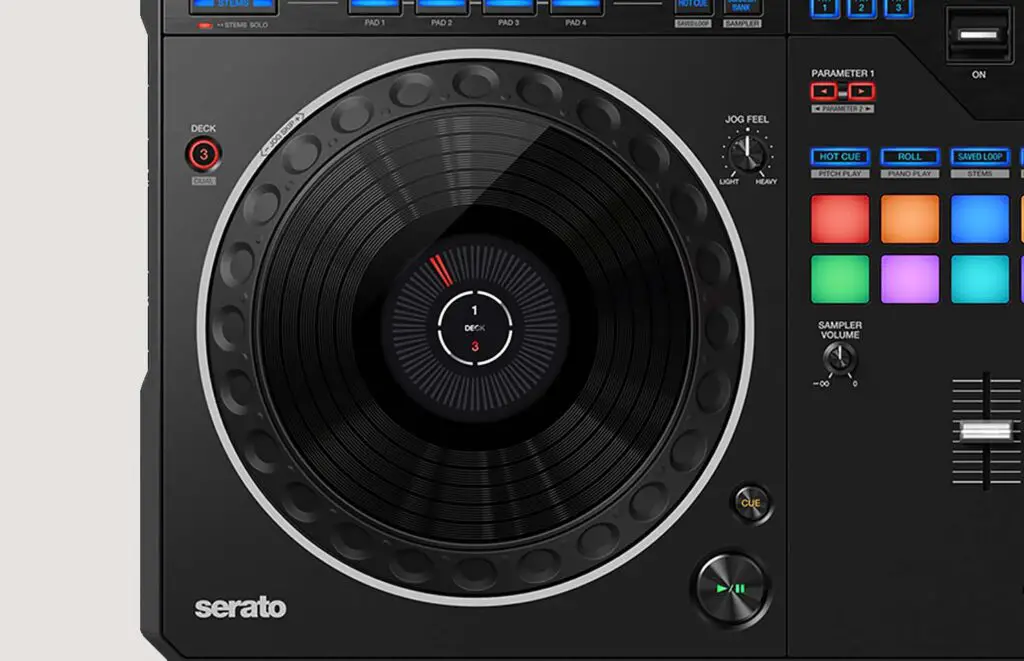
The DDJ-Rev5 features simple CDJ-style jog wheels – not motorized platters, more akin to the FLX series jogs than to any form of vinyl-like jog wheel surfaces on controllers such as the Rev7 or the RANE ONE.
On the Rev5 jog wheels you can find single LED needle markers and deck number indicators in the middle, but no actual high-res LCD screen is present on the device.
In conclusion, the Pioneer DDJ-Rev5 features jogs similar to DDJ-1000 / DDJ-FLX10 in terms of feeling and looks. These are high quality mechanical jog wheels that won’t let you down during your live performances.
Their feel/tension is also adjustable, which is pretty much a standard when it comes to the higher-end Pioneer DJ hardware. The Rev7 however, has a bit more to offer in that regard!
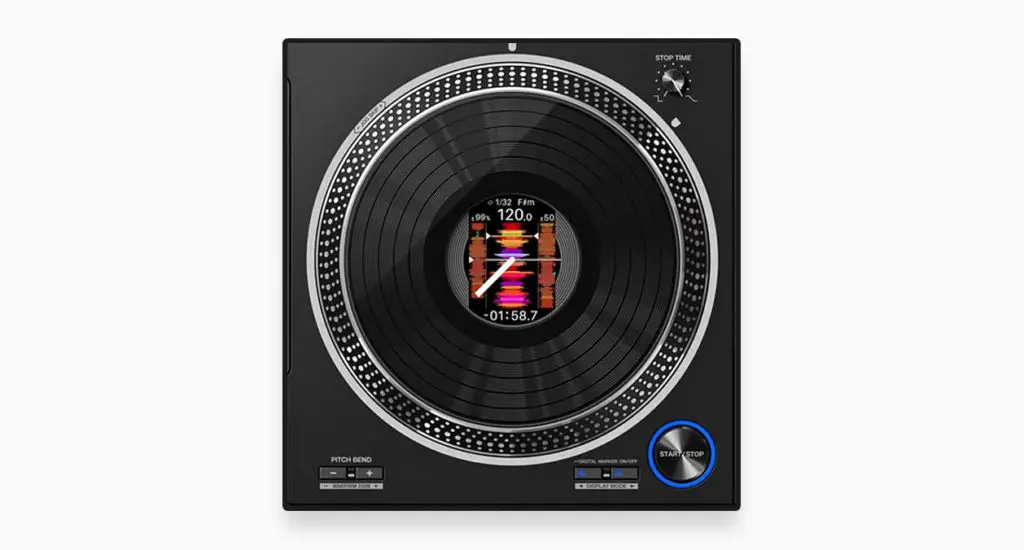
On the Pioneer DDJ-Rev7, you have fully motorized jog wheels with built-in LCD displays able to display various additional track information such as the current BPM, time remaining until the end of the song, the needle indicator and most importantly – the track’s waveform view.
These jog wheels have adjustable stop time, tension and speed and are all in all geared towards digital scratch DJs who are in need of a controller emulation of a direct vinyl mixing experience.
If you want an experience closest to actual vinyl setup, the Pioneer DDJ-Rev7 or the RANE ONE are your best picks!
I have these two compared right here: Pioneer DDJ-Rev7 vs. Rane One (Gear Comparison)
Auto BPM Transition Function
The auto BPM transition feature which is exclusive to the newer DDJ-Rev5 allows you to automatically gradually change BPM of two tracks simultaneously with a touch of a button. It’s essentially a neat little tool to automagically mix two tracks with vastly differing tempos together.
It works by slowly changing one track’s BPM to match the other playing track for a smooth transition. You set how many bars the transition should take, and you can even choose which stems should be muted when the transition takes place.
Very neat thing to have, although I would consider this feature another simple Pioneer-style controller gimmick like the DDJ-FLX6’s Merge FX.
Audio FX Selection – No Hardware FX?
The Pioneer DDJ-Rev5 doesn’t have hardware FX on board. The only way you’re able to use audio FX on this device is to resort to software FX which can be easily controlled using the designated buttons and FX paddles on the front panel.
There are two FX modules on the DDJ-Rev5, each giving you access to 3 audio FX from the Serato DJ software FX collection. From the hardware you have access to 2 FX banks which you can switch between, so in total you can have access to 12 different audio FX at one time.
Both Rev5 and Rev7 give you access to all the basic FX controls and the FX paddles.
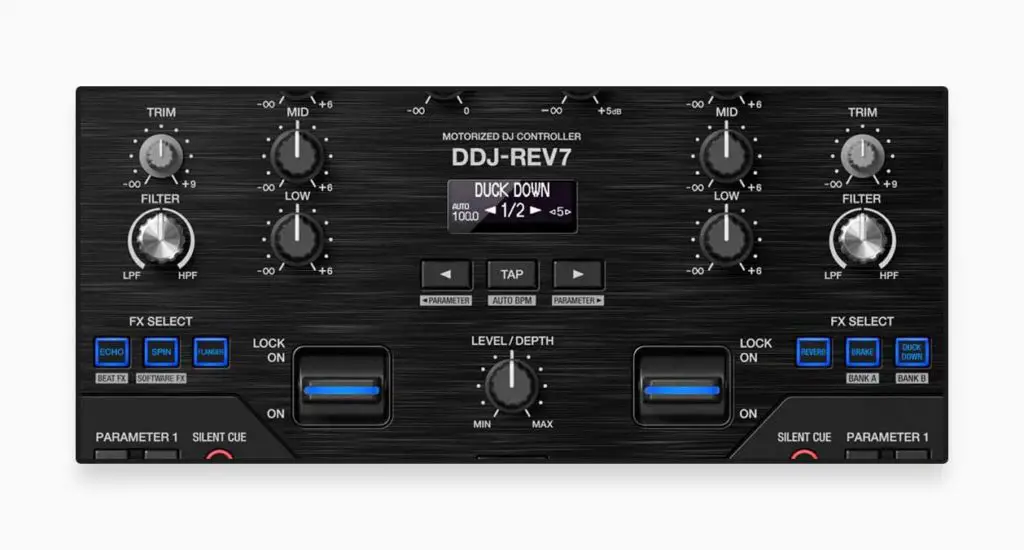
The DDJ-Rev7 however, gives you access not only to the full range of Serato DJ software FX, but what’s better, 22 hardware FX which you won’t find in the Serato FX Selection.
As hardware FX are processed locally on the device and the Rev7 features a standalone mixer, you’re able to use them on external audio too!
So, Which One Is Better For You?
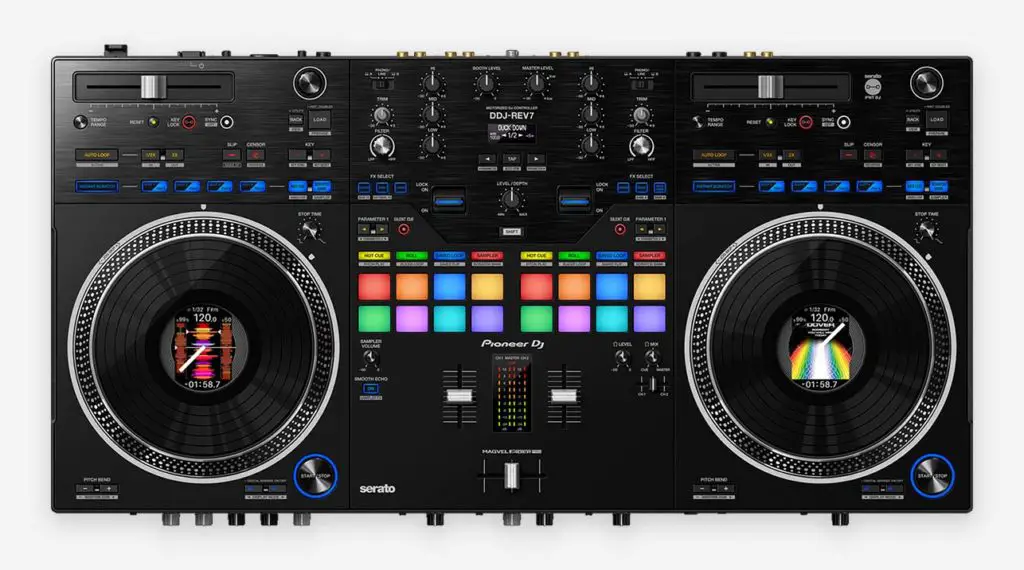
If I were to sum up this comparison, the Pioneer DDJ-Rev5 stands out because of its lighter design, 4-deck control, Piano Play and Auto BPM Transition, while the DDJ-Rev7 is best known for its motorized jog wheels, standalone mixer capabilities and hardware FX. Both now have proper Serato Stems and Rekordbox support.
The DDJ-Rev7 also has actual audio inputs on its mixer (which is able to function in standalone mode), and it processes its audio FX on the device with a set of high quality hardware FX which can be used on external audio sources. The DDJ-Rev5 falls behind in that matter, as the only input it features besides the microphone input, is the single AUX input.
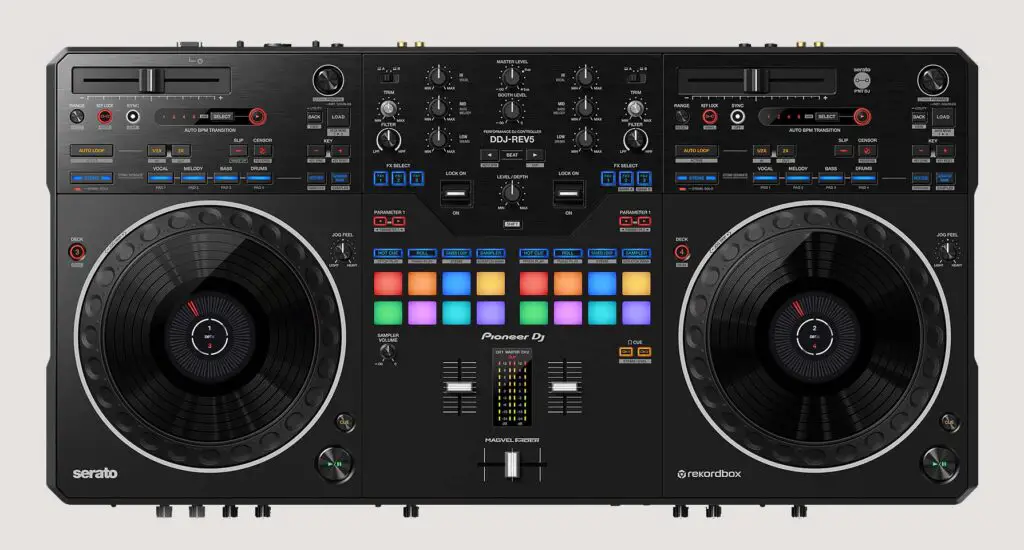
All in all, if you’re more of a scratch DJ and you care about emulating the traditional vinyl experience, the DDJ-Rev7 is the better choice. If you don’t need motorized platters and would rather have a lighter controller with 4-deck control, Piano Play and Auto BPM Transition, I would go straight for the DDJ-Rev5.