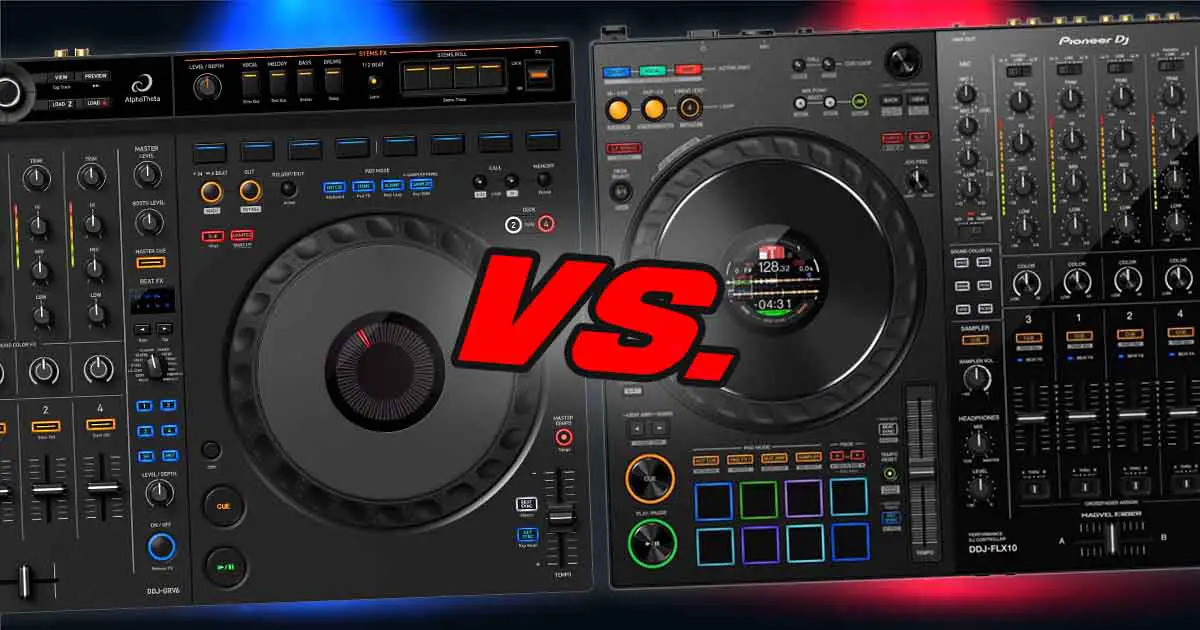
The Pioneer DJ DDJ-FLX10 in general is the much better controller here spec and feature-wise. If you know that you’re serious about DJing, want the most complete hardware workflow, and can comfortably afford it, I would go straight for it. The AlphaTheta DDJ-GRV6 does make sense when the FLX10 is simply outside your budget, or when you specifically value its lower weight, USB bus power, and mobile-device support. It is not, however, a cut-price FLX10, and it still remains an entry-level device. In a word, the two units occupy visibly similar amounts of desk space, but they do belong to vastly different hardware classes. Now let’s get into a little bit more detail.
DDJ-FLX10 vs. DDJ-GRV6 – Full Specification Comparison
Pioneer DDJ-FLX10 vs. AlphaTheta DDJ-GRV6 – full specification comparison
| Specs |
|---|
Why Even Compare These Two?
The GRV6 and FLX10 both unlock Rekordbox and Serato DJ Pro, both now have official djay support, and both use 206 mm jog wheels (albeit of different types). Their deck layouts are directly based on the current Pioneer DJ and AlphaTheta club gear, with separate loop controls, memory cue controls, Beat FX sections, and four-deck switching. But these are pretty much the only notable similarities here.
If you’re, say, moving up from a DDJ-FLX4 or a DDJ-400, you will of course notice the difference right away with both devices. Still, it’s important to keep in mind that only the DDJ-FLX10 is a true “premium” model with build comparable to the DDJ-1000 series. Both the finish and the overall feel of the DDJ-GRV6 will be closer to what you get on the DDJ-FLX6 than to the more advanced controllers from Pioneer DJ.
So, if you’re wondering whether the DDJ-GRV6 will be just enough for you, or if expanding your budget towards the FLX10 is a better decision, here is how it is.
The Real Hardware Differences
Mechanical vs. Capacitive Jog Wheels
The jog wheels are one of the first important differences here that can be a little bit “hidden” at first, especially if you don’t know about different jog wheel types on controllers like these. They are approximately the same size on both units (“full-size” – ~206 mm – CDJ-style), but they neither work or feel the same, and they do differ in terms of their internal components.
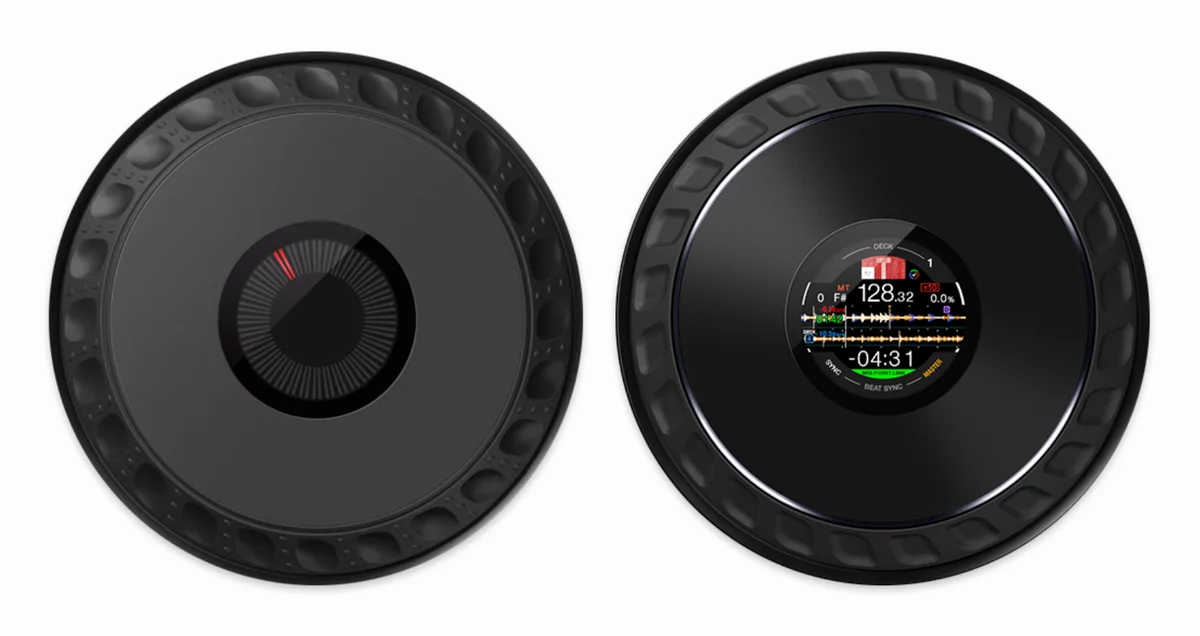
- DDJ-FLX10 has mechanical jog wheels with adjustable resistance, multicolor outer rings, and built-in displays. This is a similar jog wheel type to that present on a CDJ-3000.
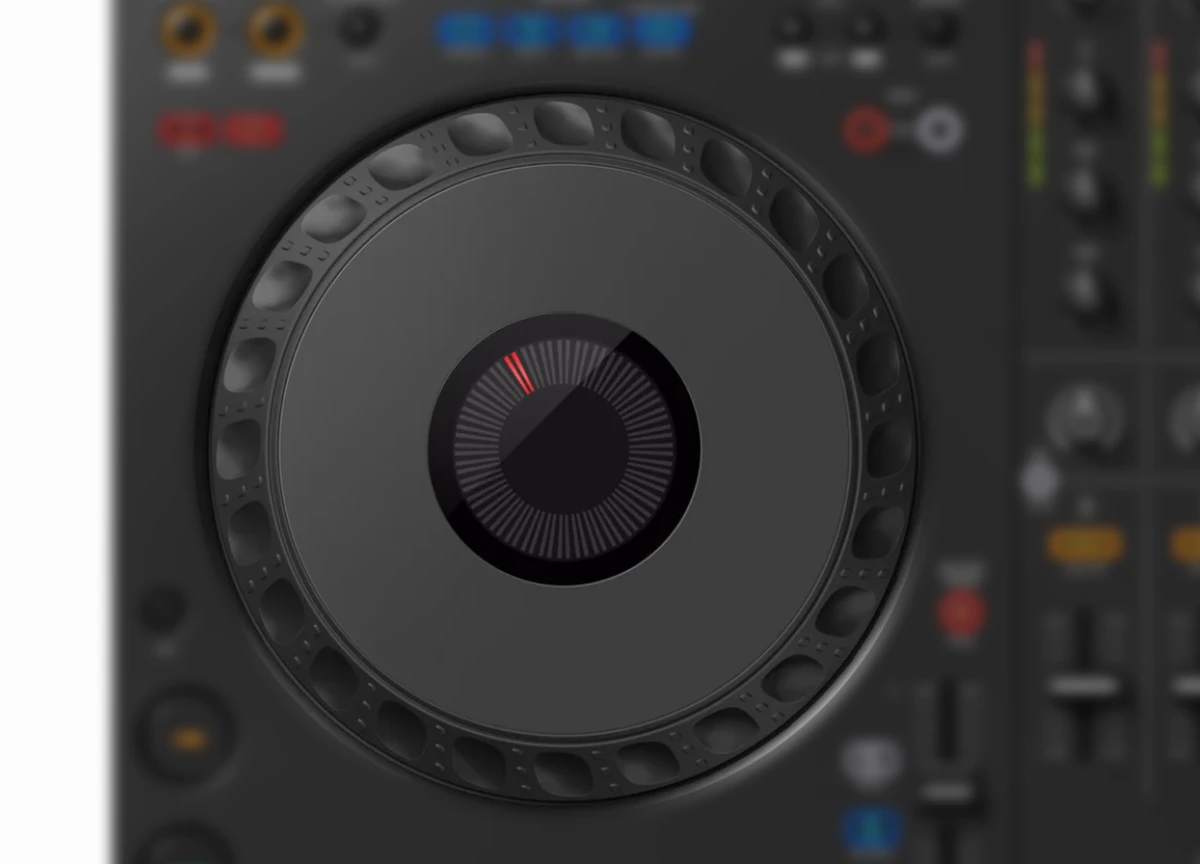
- DDJ-GRV6, despite similar look of the platters, features simple capacitive touch-sensitive jog wheels with no tension adjustment and no center displays. This type of jog wheel is present on most entry-level devices.
The GRV6 platters are designed to resemble CDJ-style jog wheels when it comes to their looks, but they are in principle, different mechanisms. A capacitive controller detects touch on the platter surface to engage vinyl control. The FLX10 uses the pressure-dependent mechanical system found on higher-tier Pioneer DJ equipment. Its resistance can also be directly adjusted with the Jog Feel knobs.
If you want to learn more about different jog wheel types, you can do that here: Jog Wheel Types Explained – DJ Equipment Guide
The GRV6 Tempo Faders Are Short
The GRV6’s short tempo faders are what’s commonly called “half-size” pitch faders, and are at the same time one of its most notable and visible compromises. Half-size faders are mostly used on smaller units such as the DDJ-FLX4, just because of a smaller amount of space available on the control surface. Here they really can feel out of place, especially as the GRV6 is a device that is supposed to be a slight step-up from the “usual” beginner-level gear like the FLX4 and FLX6. A short physical throw gives you less room for fine manual pitch adjustments, and this is never ideal.
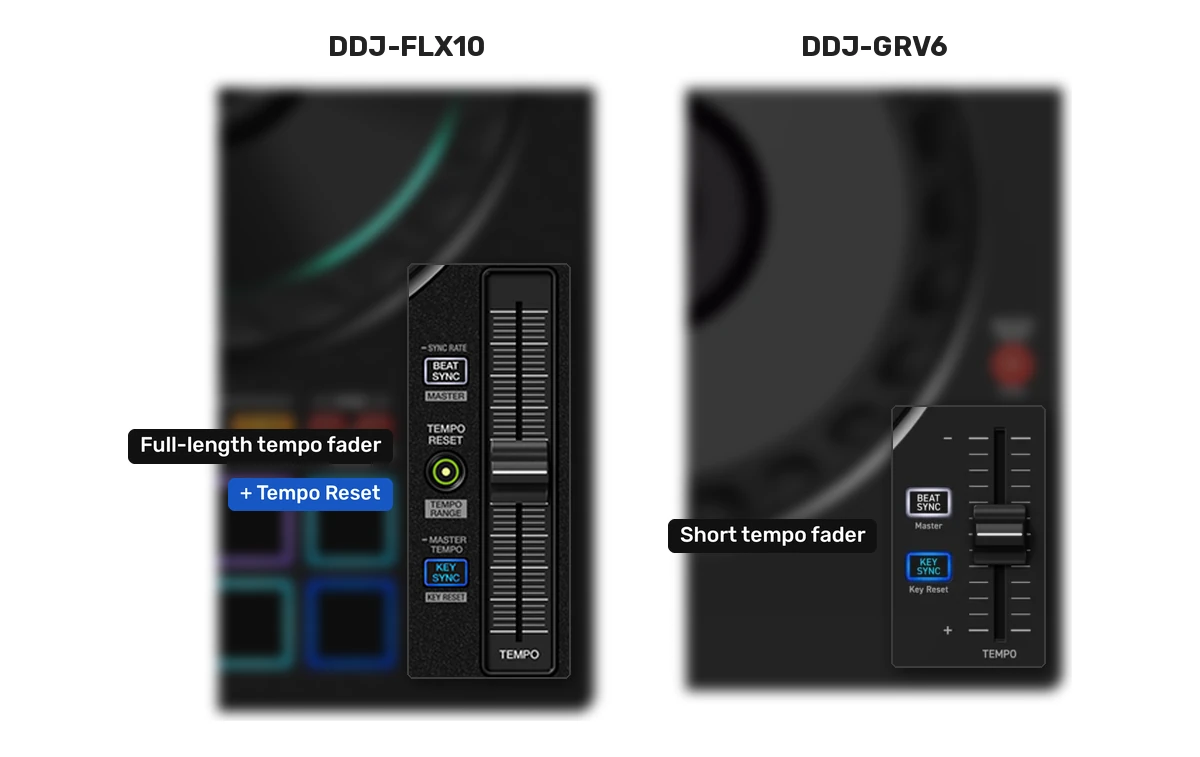
The DDJ-FLX10, as one would expect from a device in this price range has regular, full-size tempo faders and dedicated Tempo Reset buttons. It’s generally the way to go for most professional workflows.
Performance Pads Above or Below the Jog Wheels
The FLX10 keeps its eight pads beneath each jog wheel, which is the “traditional” pad positioning for this type of devices, and it will feel natural if you are used to most DDJ controllers. The GRV6 moves them above the jogs, most likely in an attempt to echo the hot-cue position on current-gen CDJ players.
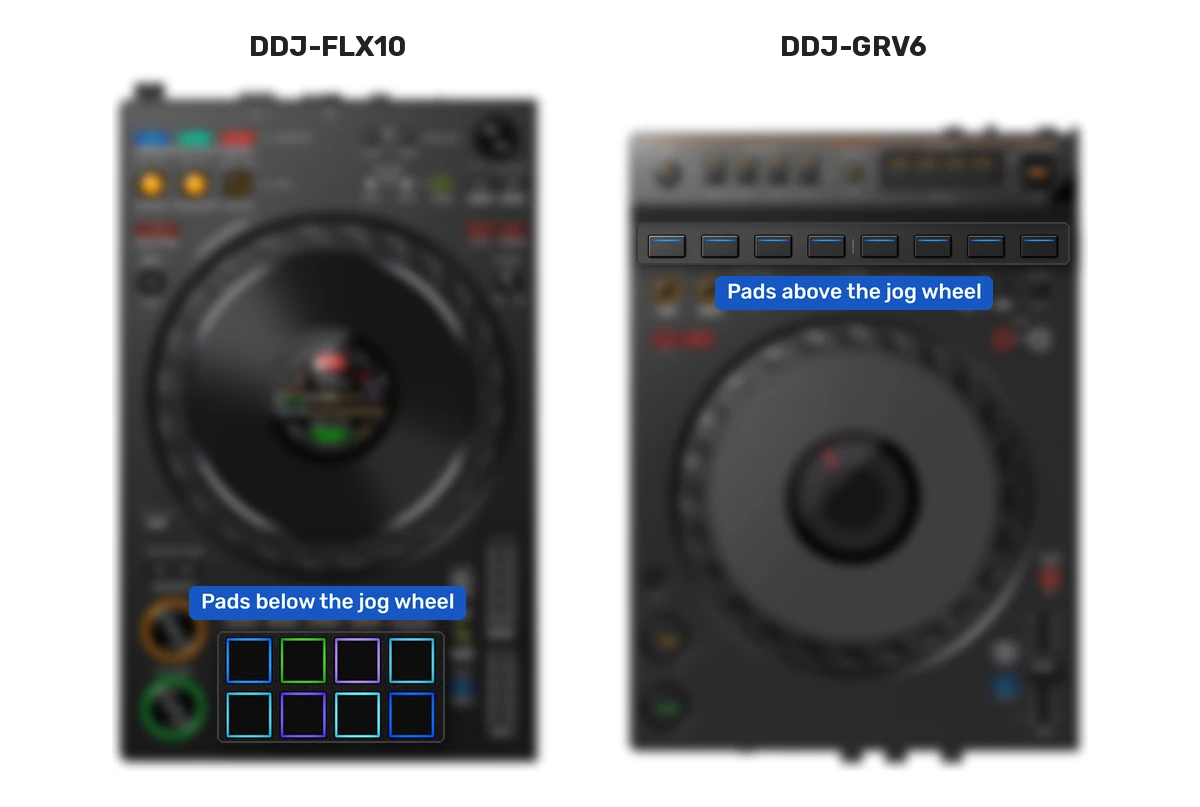
This is, of course, largely a matter of preference. One thing to note is that the GRV6’s pads are also rather close to the upper edge of each capacitive platter. AlphaTheta raised the Groove Circuit and pad area in an effort to reduce accidental contact, but energetic pad work could still, in theory, place your fingers uncomfortably close to a jog that instantly reacts to touch.
This “CDJ-style” position and the size of the pads is also less convenient for pad drumming than the familiar pads-under-jogs layout. Just another thing to keep in mind.
Build, Faders, and General Feel
Both controllers have plastic outer construction, but the FLX10 is a heavier and more substantial unit at 6.7 kg, compared with 4.6 kg for the GRV6. Weight alone is not proof of quality, although here it accompanies a much more complete internal mixer, mechanical jog assemblies, more connections (more on that below), and an external power supply. There is no point in hiding that the FLX10 is, compared to the GRV6, a professional DJ controller, rather than an entry-level device.
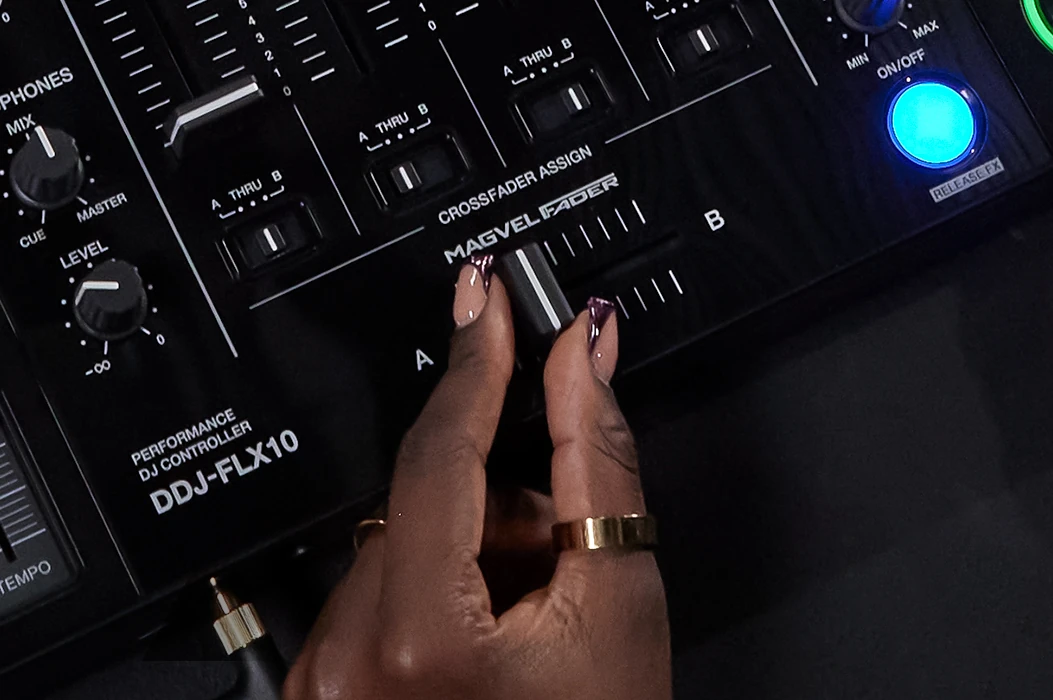
The FLX10 also uses a four-sensor MAGVEL crossfader. The GRV6’s faders are perfectly serviceable, and its overall construction is an improvement over the old DDJ-FLX6, but the controller still feels built to reach a price rather than to serve as the center of a professional mobile or hybrid setup. Once again, a clear distinction between different hardware leagues, so to speak.
Stems on the DDJ-GRV6 and DDJ-FLX10
Stem extraction, when it comes to any device, is handled by the software – Rekordbox, Serato, or djay, on the connected computer or mobile device. If both controllers use the same software, settings, source track, and computer, the underlying separated audio will naturally be the same. What changes is how much direct control the hardware gives you.
DDJ-GRV6 Stems in Rekordbox
Rekordbox divides a track into three controllable parts on the GRV6, that is Vocal, Instrumental, and Drums. Pressing the Stems pad-mode button assigns the first three pads to turning those parts on and off. Pads 5 through 7 select which parts receive an effect.
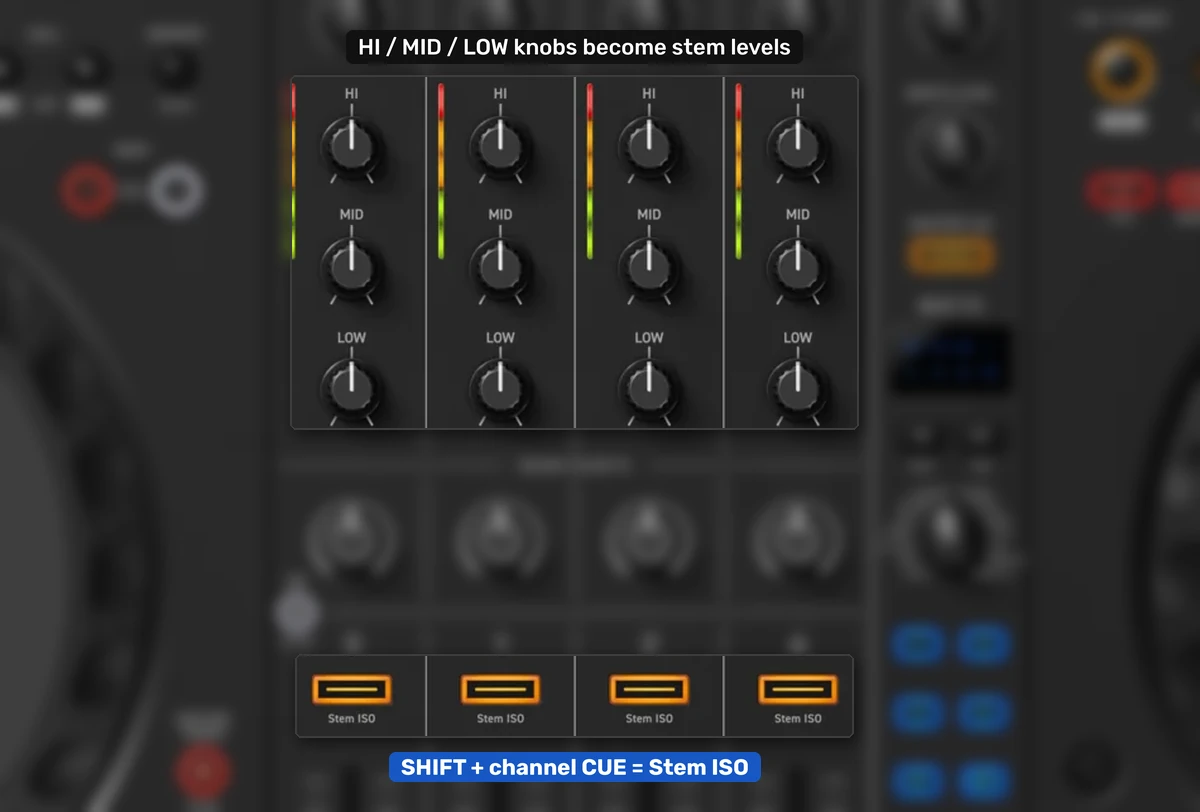
There is also a useful control that is very easy to miss, because it is only marked by a small secondary “Stem ISO” label under each channel Cue button. Hold Shift and press a channel Cue button to switch that channel’s three EQ knobs between normal EQ and Stem ISO mode. In the default Rekordbox layout things look like this:
- High controls the Vocal stem.
- Mid controls the Instrumental stem.
- Low controls the Drums stem.
You can change the assignment in Rekordbox preferences. This effectively gives the GRV6 a three-knob Part ISO (isolation) mode similar in principle to the FLX10, but apart from that small printed label, there is no dedicated switch to remind you which mode each channel is in.
DDJ-FLX10 Stems in Rekordbox
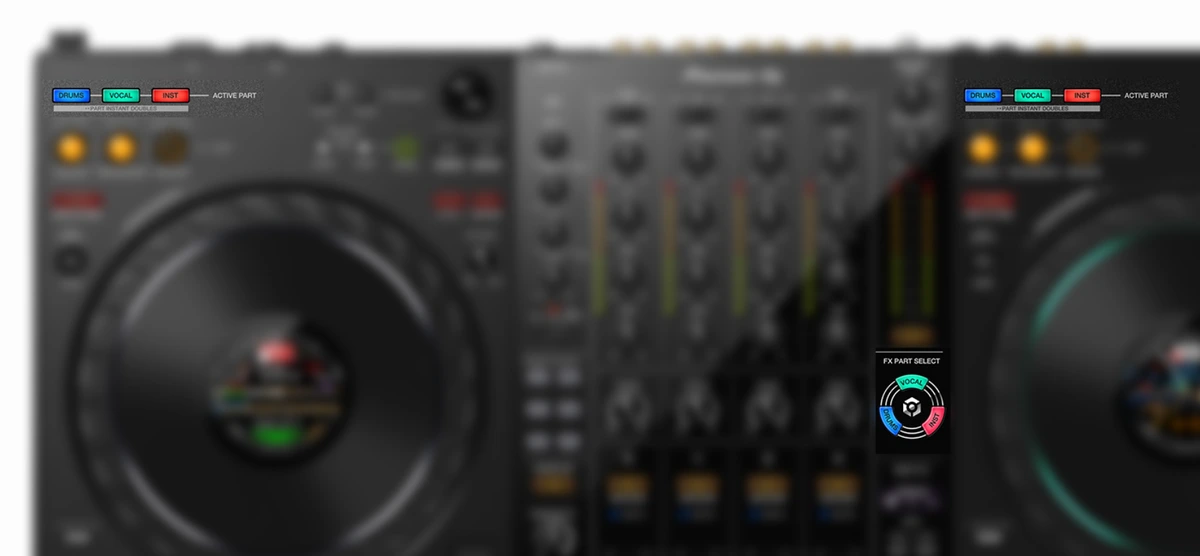
The FLX10 was fully designed around the Rekordbox Track Separation feature, and thus gives the feature permanent controls on its top panel:
- Active Part: mute or solo Drums, Vocal, and Instrumental.
- Part ISO: switch the channel EQ knobs to individual stem-level controls.
- FX Part Select: choose which stems receive Beat FX or Sound Color FX.
- Part Instant Doubles: move an isolated part to the paired deck layer at the same playback position.
You can remove a vocal, reduce the drums rather than fully muting them, apply an echo only to the vocal, or duplicate one part onto another deck without first remembering a shifted command. The multicolor jog rings can also indicate the active track parts. If you know you’re going to be using stems and stem isolation a lot, it can make your life a lot easier. When it comes to the native stem workflow support, the DDJ-FLX10 is in my eyes a much better choice.
How Stems Work in Serato DJ Pro
Serato DJ Pro separates tracks into four stems: Vocals, Melody, Bass, and Drums. Both controllers unlock Serato DJ Pro when connected, but once again, their control schemes differ.
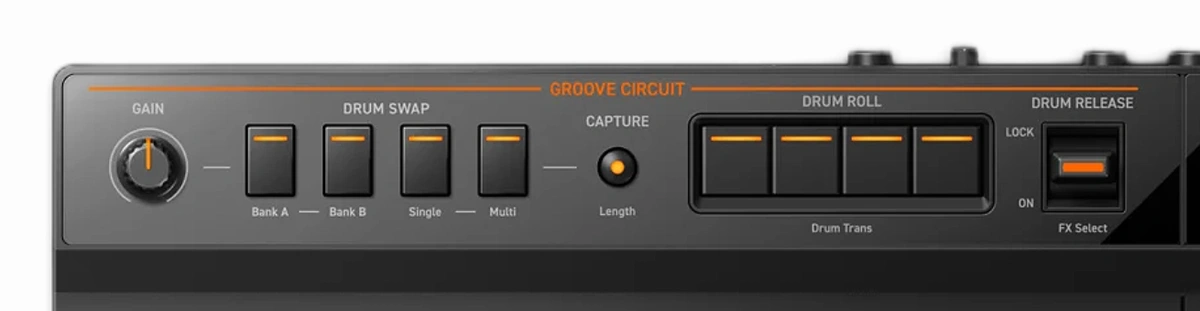
On the DDJ-GRV6, Stems pad mode uses pads 1 through 4 to switch those four stems on and off. Pads 5 through 8 trigger Serato Stem FX presets: Vocal Echo, Instrumental Echo, Instrumental Braker, and Drums Echo. The upper Groove Circuit area becomes a separate Stems FX section: the four Drum Swap buttons select Vocals, Melody, Bass, or Drums; the four Drum Roll buttons apply Roll or, with Shift, Trans; and the release lever can trigger Echo Out, Roll Out, Braker, or Delay.
The same Shift + channel Cue shortcut works here and switches the EQ knobs to what Serato calls Stems Level mode. High controls Vocals, Mid controls Bass and Melody together, and Low controls Drums. The combining of Bass and Melody is necessary because the physical mixer has three EQ knobs while Serato exposes four stems.
On the DDJ-FLX10, the three dedicated part buttons map Serato’s four stems into Drums, Vocal, and Instrument – with Bass and Melody grouped under Instrument. So, you get one less button for stem isolation, which is caused by the fact that the FLX10 hardware layout was optimized for Rekordbox’s 3-stem system rather than Serato’s 4-stem software engine. You retain the dedicated mute/solo, Part ISO, stem-targeted FX, and instant-double workflow. The FLX10 also has dedicated buttons for you to apply effects directly to the isolated stem tracks.
What About djay Pro?
Both controllers have official djay support, and a paid djay Pro subscription is required on desktop for you to use them. On mobile, the GRV6 officially supports djay on iPhone and iPad (Rekordbox covers both iOS and Android), while the FLX10’s official djay integration is aimed at Mac and Windows, but it can control Algoriddim’s Neural Mix stem separation features in djay just as well.
Rekordbox mobile is limited to channels 1 and 2 on the GRV6, and the full desktop Groove Circuit drum-replacement workflow is not carried over unchanged, if that’s something that bothers you, it’s yet another important thing to remember.
The Groove Circuit on the DDJ-GRV6
Groove Circuit is a feature that’s exclusive to the DDJ-GRV6. In Rekordbox desktop, Groove Circuit can replace the drum part of the playing track with one of the supplied loops or with drums captured from another track. You can roll or transform that replacement, adjust its level, and use the release lever to create a simple breakdown. In Serato, the same physical area is repurposed for Stems FX.
It works, and some DJs will make creative use of it. The quality of the loop “cutouts” can vary greatly from track to track, and you can hear many examples of that online. I still see it as a gimmick in much the same way as Merge FX and Jog Cutter on the older DDJ-FLX6. It is a prominent, product-defining feature that can be fun during demonstrations and routines that incorporate it well, but it likely won’t become a tool you use day-to-day, especially with how hit-or-miss the drum sampling is at this moment. Just my few cents here.
Mixer, Inputs, and Outputs
This is where you can see how the DDJ-FLX10 introduces features that move it way beyond the extended entry-level category. The situation is as follows.
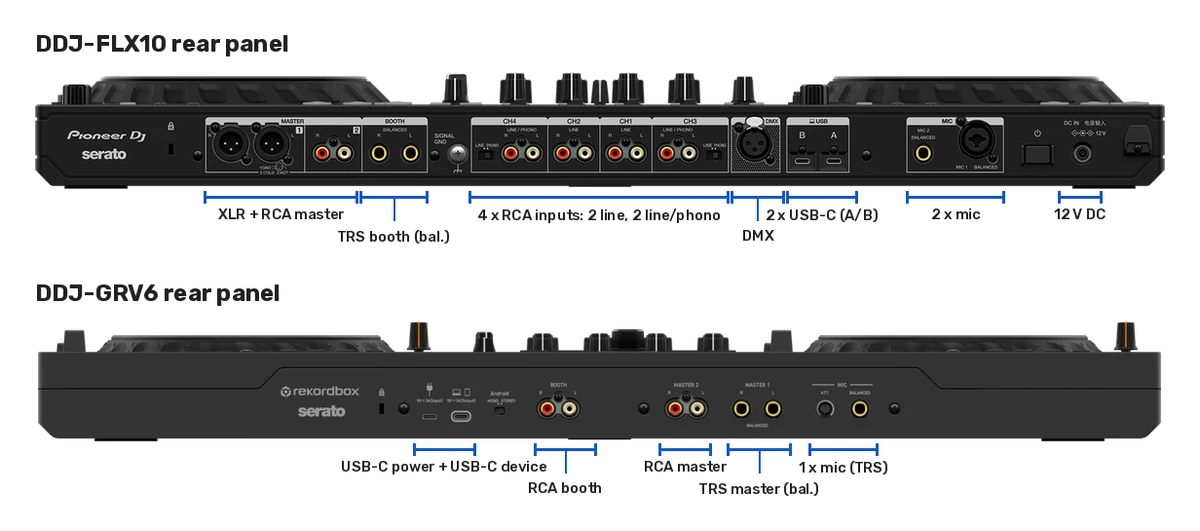
External Players and Turntables
The GRV6 has no line or phono inputs for external decks. Its four mixer channels control software decks, and they cannot turn the unit into a hub for a pair of turntables or media players if you’d like to extend your setup that way.
The FLX10 has four stereo RCA channel inputs. You get two line-level inputs and two switchable line/phono inputs. Its four-channel hardware mixer can mix those sources without routing them through the computer. This lets you add turntables, CDJs, other media players, or a backup audio source.
DVS control is also available, although Rekordbox and Serato require an appropriate paid plan, expansion, or suite for DVS. If you are planning to build a hybrid setup sometime in the future, the difference here is notable. For a clear explanation of the control-signal side, see my guide to DVS and timecode.
Master, Booth, Headphone, and Microphone Connections
- FLX10: balanced XLR master, RCA master, balanced TRS booth output, two headphone sockets, two microphone inputs, microphone EQ and talkover.
- GRV6: balanced TRS master, RCA master, unbalanced RCA booth output, two headphone sockets, and one 1/4-inch microphone input.
The GRV6 is not limited to an RCA master output, which is important. Its main TRS pair is balanced and perfectly usable with suitable professional equipment. The compromise is the RCA booth connection, the lack of XLR, and the much simpler microphone section.
For a bedroom setup, this doesn’t really change a thing. For mobile work, events, streaming with guests, or installations, the FLX10 can be easier to integrate cleanly into larger and more powerful sound systems. That’s really it.
Dual-Computer Handover
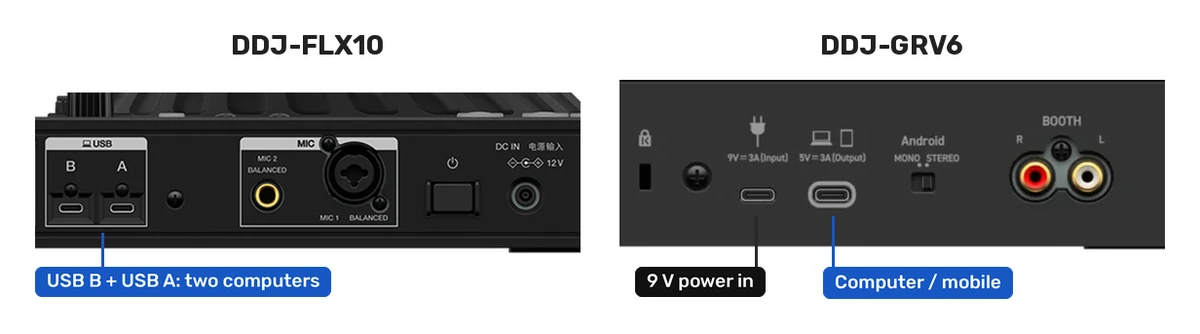
The two USB-C sockets on the FLX10 can connect two computers, with A/B input selection on the mixer channels. This supports DJ handovers and provides a practical backup path if that is something you need.
The GRV6 also has two USB-C sockets, but they do not provide the same function. One is the computer or mobile-device connection and the other is a separate power input. You cannot connect two DJ laptops to it for an FLX10-style handover here despite there being two physical USB ports on the device.
FX, Browsing, and Other Workflow Differences
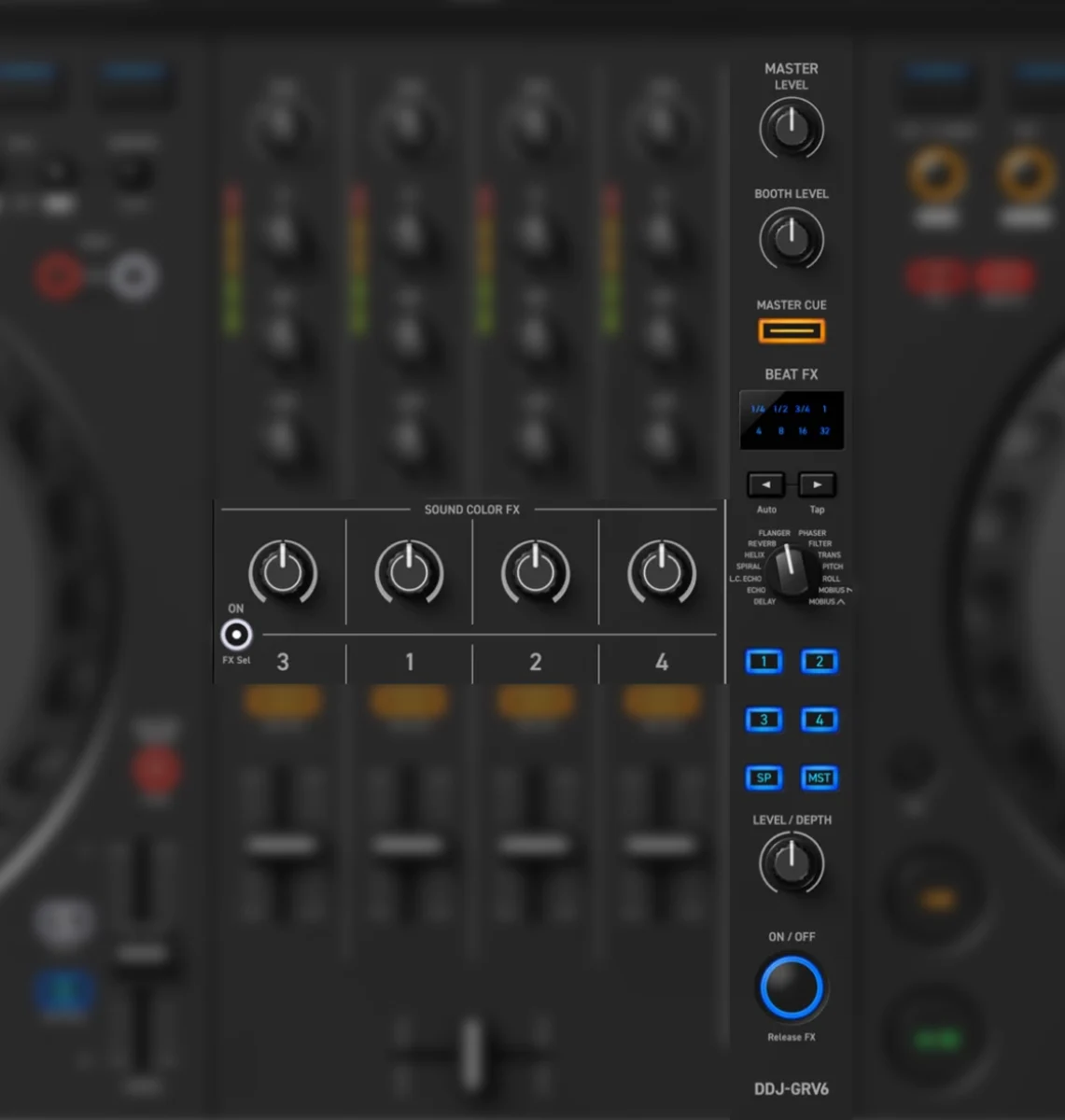
Both controllers have a familiar Beat FX section and per-channel Sound Color FX controls. The GRV6’s Beat FX strip is a welcome improvement over the very limited one present on the FLX6, and it uses clear, direct channel-selection buttons rather than forcing you to step through assignments. It is a reasonably good implementation for the price.
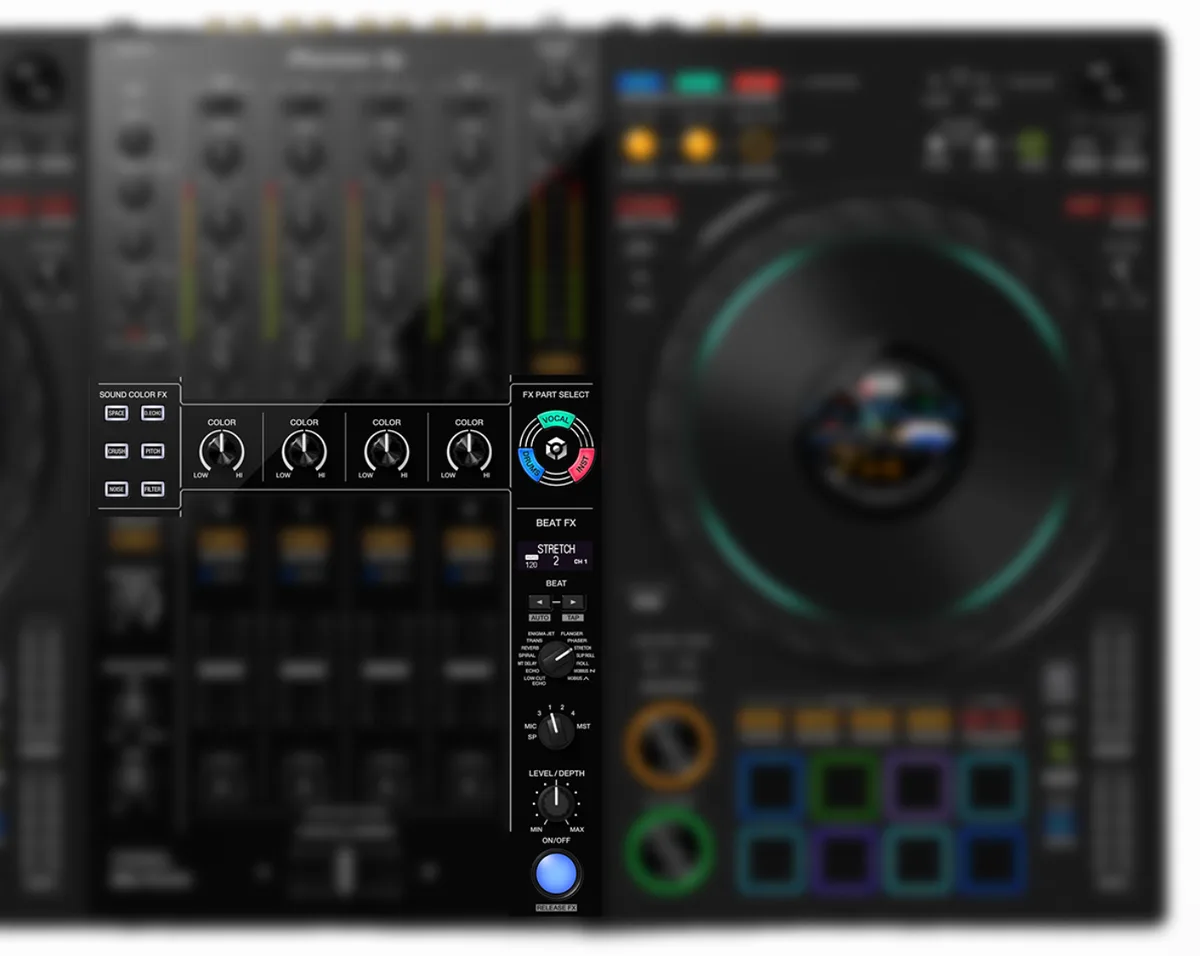
The FLX10 goes much further than this. It offers six selectable Sound Color FX, dedicated FX Part Select controls for stems, and most importantly hardware FX that also work on its external inputs and microphones.
The GRV6 has one unusually good browsing control, and that is its Smart Rotary Selector that can rotate, press, and in addition tilt in four directions (allowing you to skip larger portions of tracks or enter/exit menus), which in theory can make it faster to move through Rekordbox’s library tree and Track Suggestion view (which also has a dedicated button here).
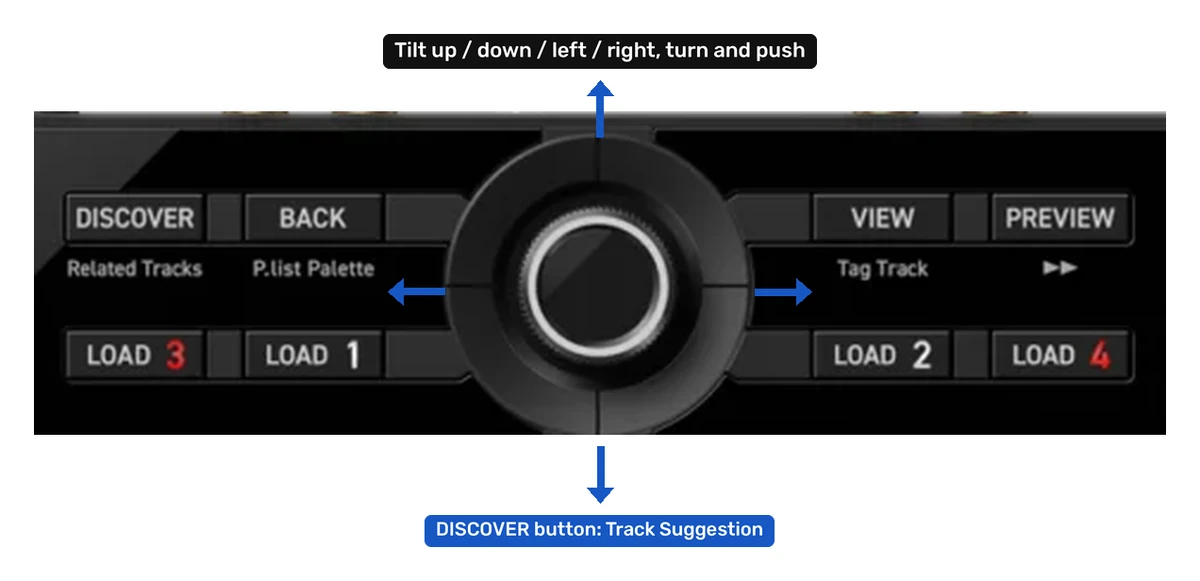
On the DDJ-FLX10 the library navigation is implemented in a more traditional way, without the tilting movement of the track selection encoder. This, of course, is a perfectly serviceable and tested mechanism that is equally easy to use, and can be made even more convenient if you manage your playlists the right way and keep your library and crates clean.
Lastly, the FLX10 has an additional DMX output for Rekordbox Lighting and supports Mix Point Link in Rekordbox. DMX will be irrelevant to many bedroom DJs, but it can remove the need for a separate lighting interface in a mobile setup. Mix Point Link can trigger the next track from a prepared point when the playing track reaches another chosen point. Both are quite understandably specialized features that might not be worth paying extra for if you don’t have a good reason to do so.
Portability and Mobile Use
The GRV6 is only slightly narrower and shallower, so neither controller is compact in a similar way that the DDJ-FLX4 is. It is, however, 2.1 kg lighter and can run from USB bus power. A compatible USB-C power adapter or power bank can be used when the connected device does not supply enough power. The required power adapter, however, is not included with the unit.
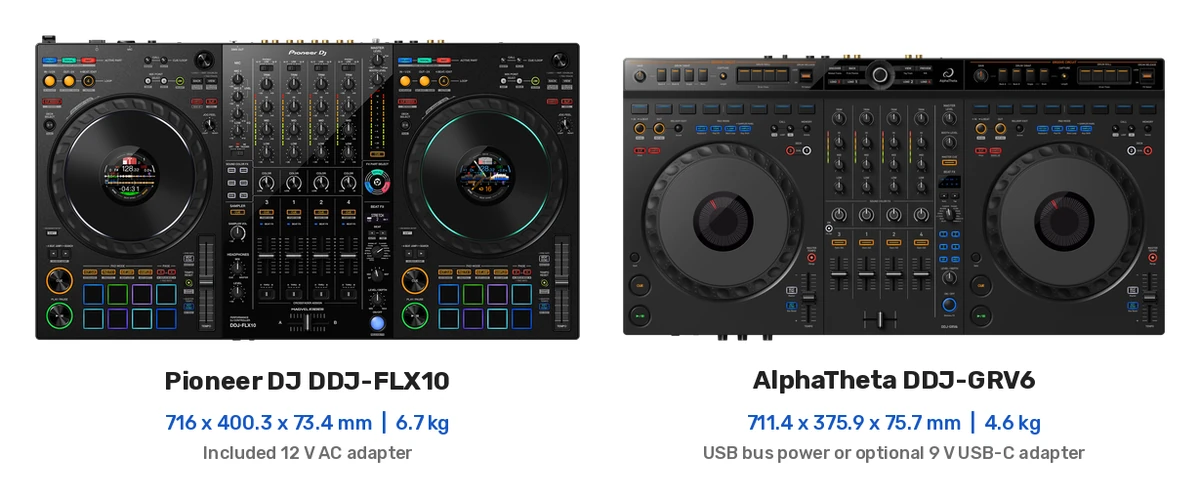
The FLX10 requires its included AC adapter, and cannot run without it. That is the trade-off for a larger, more fully featured unit and a mixer that can function in standalone mode with external inputs (and offers hardware FX), but it does make the GRV6 the easier unit to move around the house, take to casual practice sessions, or use in an intentionally minimal mobile setup. The GRV6’s support for Rekordbox and djay on compatible phones and tablets extends that advantage even further.
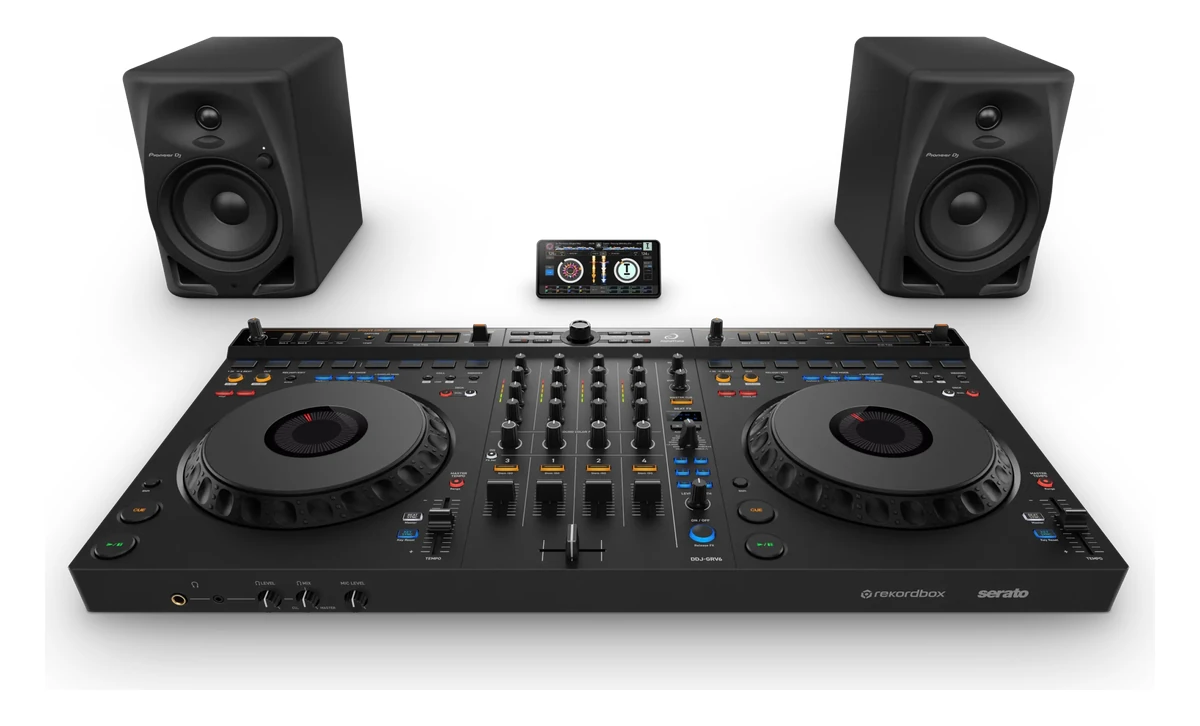
Still, don’t confuse portable-device support with standalone operation. The GRV6 still needs software running on a computer, phone, or tablet. If you want to leave the computer ecosystem behind entirely, you should be looking at standalone DJ systems with built-in screens instead.
The GRV6’s Awkward Price Position
At the time of writing, the DDJ-GRV6 is approximately half the price of a brand new DDJ-FLX10. This, of course, directly corresponds to the fact that the GRV6 is considered an entry-level device, while the FLX10 is widely classified as a professional DJ controller.
That, in a sense, makes the GRV6 both easy and difficult to recommend. It is easy to recommend to someone who needs four software channels, large jogs, and broad software support but has a firm sub-$1,000 budget. It is harder to recommend as a long-term upgrade for someone already bothered by entry-level compromises, as it doesn’t really bring that many new features to the table.
If you decide to get the GRV6, you are paying substantially more than DDJ-FLX4 money while still receiving short pitch faders, capacitive jogs, no external deck inputs and no XLR master output, which are quite a few compromises to make at this price point.
Taking into account a second-hand DDJ-1000 can also complicate the decision, especially for a Rekordbox user who does not care about native Serato support or dedicated stems hardware. My DDJ-FLX10 vs. DDJ-1000 comparison explains exactly what the newer controller adds to the mix (pun intended). Used prices and condition vary, so it would not be my automatic go-to recommendation, but it is a relevant alternative in the gap between the GRV6 and a new FLX10.
Who Should Get the DDJ-GRV6?
Get the DDJ-GRV6 if most of the following can be applied to you:
- You want four-deck control and large jog wheels without spending double the price.
- You will use software decks only and do not need external turntable or media-player inputs.
- A balanced TRS master output is sufficient for your setup.
- You value USB bus power, lower weight, or phone and mobile device support.
- Short tempo faders don’t bother you that much.
- You want a major control-surface upgrade from a two-channel beginner unit, knowing that it’s not the most fully-featured option on the general upgrade path.
Who Should Get the DDJ-FLX10?
Get the DDJ-FLX10 if any of the following matter to you:
- You want the better controller and can afford it without stretching out your budget too far.
- You care about having full-size pitch faders and mechanical jog-wheels on hand.
- You plan to use stems often and want controls that make them a first-class part of the mixer workflow.
- You want to have the option to connect turntables, media players, a second laptop, two microphones, or professional PA to your setup.
- You would rather buy once than replace an intermediate controller after discovering its limitations.
If you are still learning, the FLX10 will not make you a better DJ by itself, as you probably know. It will, however, remove far more hardware limitations as you improve, and in my eyes, can easily become your “endgame” device for the upcoming years if you stick around. It is also one of the strongest current choices for anyone who wants to move between Rekordbox and Serato without much trouble. You can see some other worthwhile dual-software options in my guide to DJ controllers compatible with both Serato and Rekordbox.
My Verdict
Get the DDJ-FLX10 if you are serious about DJing, want to maximize features and hardware flexibility, and have the money to spare. This is one of those comparisons where the more expensive product is not merely a little better. Its jog wheels, pitch controls, stem workflow, external inputs, hardware mixer, outputs, microphone section, dual-computer connection, and expansion options make it a much more complete device.
Get the DDJ-GRV6 if the FLX10 is too expensive and you’re sure that you know exactly what you are giving up. It remains a good route into four-channel mixing, especially for home use and software-only setups. Its hidden Stems Level mode also makes it more capable than the surface labels suggest. I just would not let the large jogs, club-inspired styling, or Groove Circuit convince you that it delivers an FLX10-class experience for half the money.
And that’s pretty much it!