
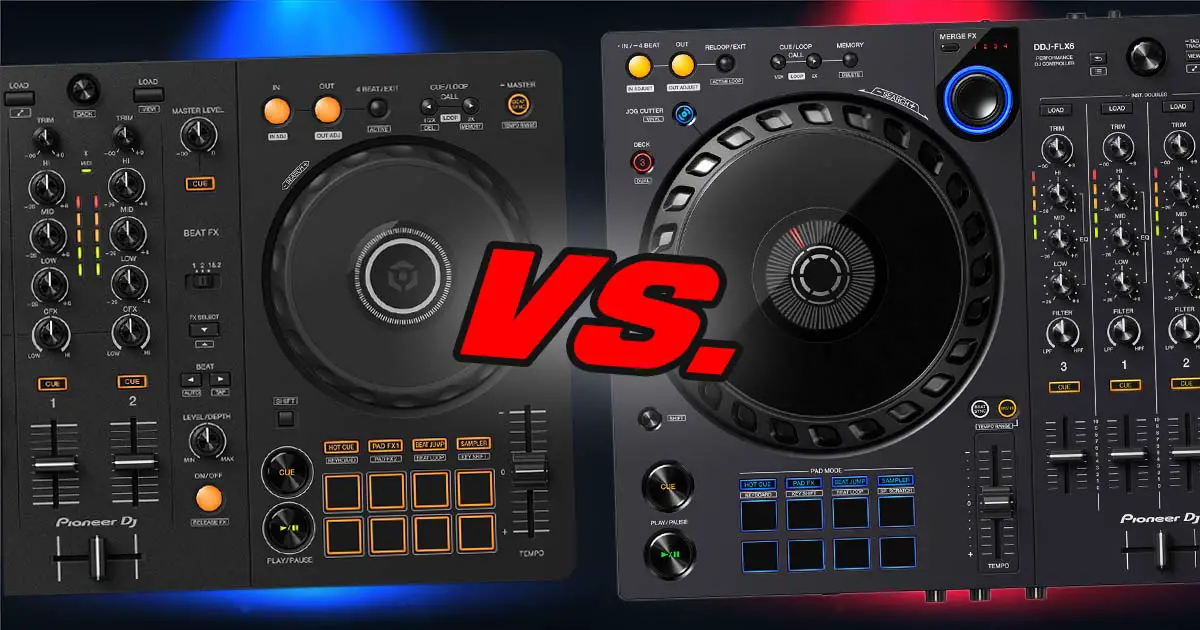
The Pioneer FLX series has taken the market by storm and it’s no wonder. The DDJ-FLX4 is the better pick for most beginners, while the older DDJ-FLX6 mainly makes sense if you specifically want 4 mixer channels and larger jog wheels. In this hands-on comparison I’m going to take a closer look at both controllers and see which one is better for your needs.
This web portal is reader-supported and is part of the AliExpress Partner Program, Amazon Services LLC Associates Program, eBay Partner Network, and Guitar Center Affiliate Program. When you buy using links on our site, we may earn an affiliate commission.
Pioneer DDJ-FLX4 vs. Pioneer DDJ-FLX6 – full specification comparison
| Specs |
|---|
Should you start with the FLX4 or FLX6?
Well, while the Pioneer DDJ-FLX4 and FLX6 follow the same naming convention, they are actually really different in terms of what they have to offer.
Pioneer DDJ-FLX6 is a DJ controller which while it’s also classified as an entry-level device, features 4 mixer channels, larger jog wheels and in general, a larger chassis. It’s also sold in an updated grey color variant.
The Pioneer DDJ-FLX4, released two years after the FLX6, is an entry-level DJ controller featuring two mixer channels, support for Rekordbox, Serato DJ, djay and Traktor Play, and a nice half-portable form factor with Rekordbox mobile app support.
Each of these controllers also has its own extra features which I’m going to talk about below.
You can read more about the DDJ-FLX6-GT here: Pioneer DDJ-FLX6-GT – Is It Any Different From The FLX6?
First things first – the size & weight
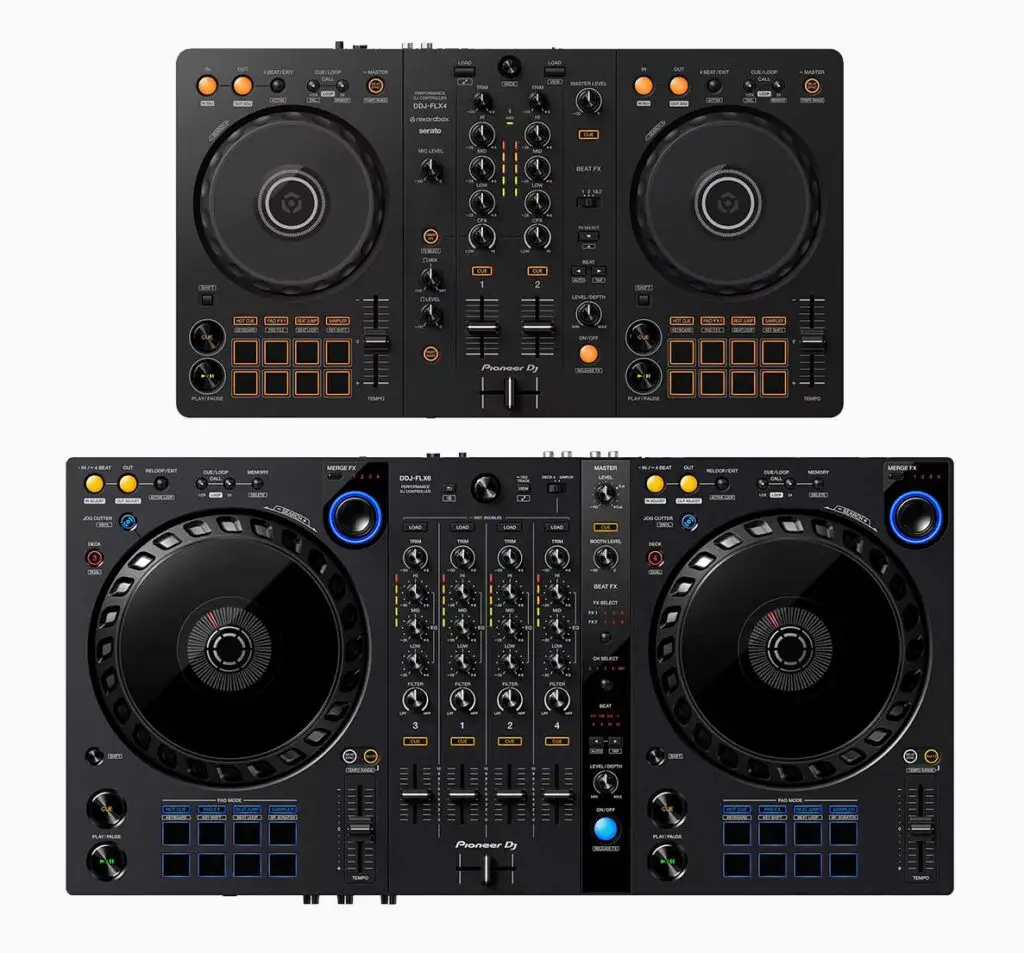
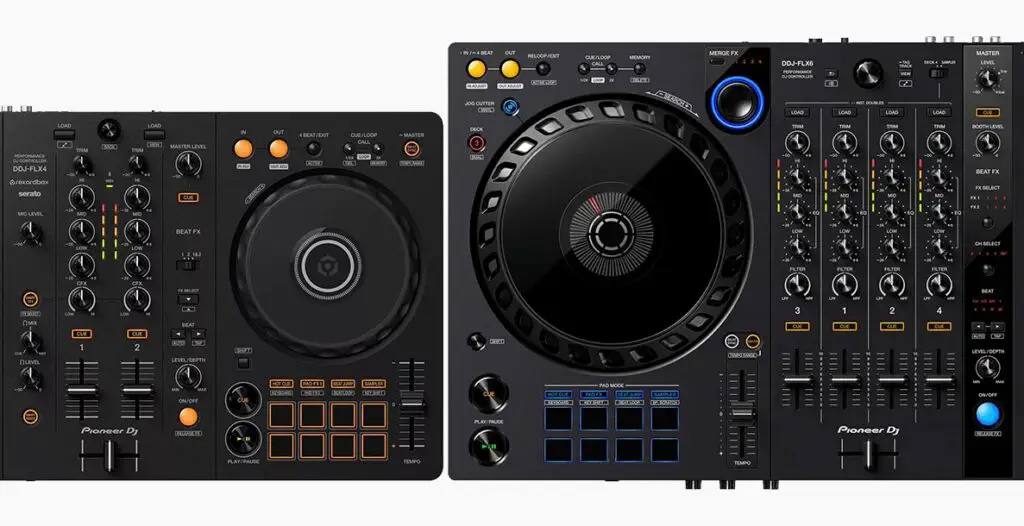
In the picture above you can see the actual side-by-side size comparison between the Pioneer DDJ-FLX4 and DDJ-FLX6. When it comes to the weight of these controllers, the FLX4 weighs around 4.63 lb (2.1 kg), and the FLX6, around 8.38 lb (3.8 kg) – so almost twice as much.
As you can see in the supplied image, the Pioneer DDJ-FLX6 is closer in size to higher-end DJ controllers such as the Pioneer DDJ-1000. The Pioneer DDJ-FLX4 on the other hand is almost the exact same size as its predecessor – the Pioneer DDJ-400.
While none of these devices are exactly portable when it comes to their sizes, as you will see in a while, the FLX4 is compatible with the Rekordbox mobile app on both iOS and Android.
2 vs. 4 Mixer Channels
With 4 available mixer channels on the FLX6 you’re generally going to have a little bit more flexibility than on the FLX4.
Having 4 mixer channels is great in terms of future-proofing your setup, however when it comes to entry-level gear you don’t really have to worry about that much – especially as a beginner.
Having 4 mixer channels is great in terms of future-proofing your setup, but if you’re buying new and already know you want 4 channels, the newer AlphaTheta DDJ-GRV6 is now a much more relevant step-up to consider. If you’re looking at older used Pioneer DJ gear, the DDJ-1000 and DDJ-1000SRT are still worth comparing too.
Jog wheels – main differences
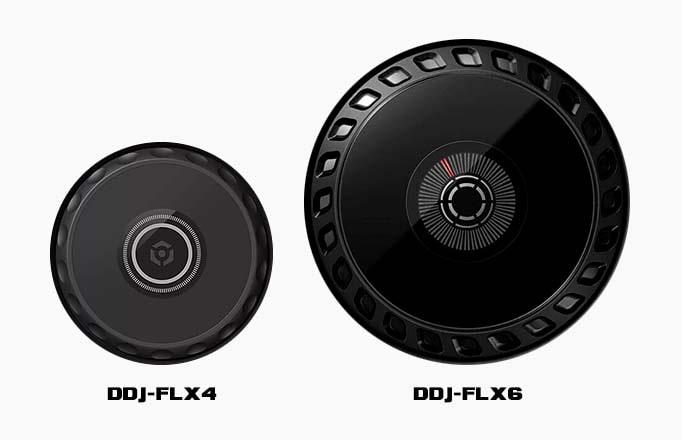
The capacitive jog wheels on the Pioneer DDJ-FLX4 are the same size as the ones present on the DDJ-400 – so around 5″. Their surface is a little bit less of a “fingerprint magnet” than the ones on the DDJ-400 and the DDJ-FLX6 but otherwise in terms of sheer functionality these are close to the same.
The Pioneer DDJ-FLX6 has two 8″ jog wheels which are almost the exact same size as the ones present on Pioneer CDJ-2000/3000 players. Don’t let them fool you however, the jog wheel platters on the FLX6 are not mechanical – they make use of the very same capacitive touch detection mechanism that most entry-level DJ controllers utilize.
In summary, the Pioneer DDJ-FLX6 has the slight advantage of bigger jog wheel size and the LED virtual needle indicator in the middle of the platter.
You can learn more about different jog wheel types here: Jog Wheel Types Explained – DJ Equipment Guide
FX controls – pretty similar
In terms of audio FX controls, both devices make use of a traditional Pioneer DJ “Beat FX strip” approach in which all main FX controls are located on the right side of the mixer section.
Both DDJ-FLX4 and FLX6 feature much simplified Beat FX implementations which while pretty pleasant to use, don’t come close to the Beat FX strips on the Pioneer DJM mixers (and this is expected at these price points).
In that matter, in terms of basic audio FX controls the FLX4 and the FLX6 are rather similar (and so is the DDJ-400).
Exclusive features of both controllers
Each of these devices has its own extra features that you’ll have to choose between if you decide on picking just one of them.
The Pioneer DDJ-FLX4 has its unique Smart CFX and Smart Fader functions, while the Pioneer DDJ-FLX6, has the exclusive access to the Merge FX & Jog Cutter features. Let’s quickly go over all of these.
Smart CFX & Smart Fader on the DDJ-FLX4
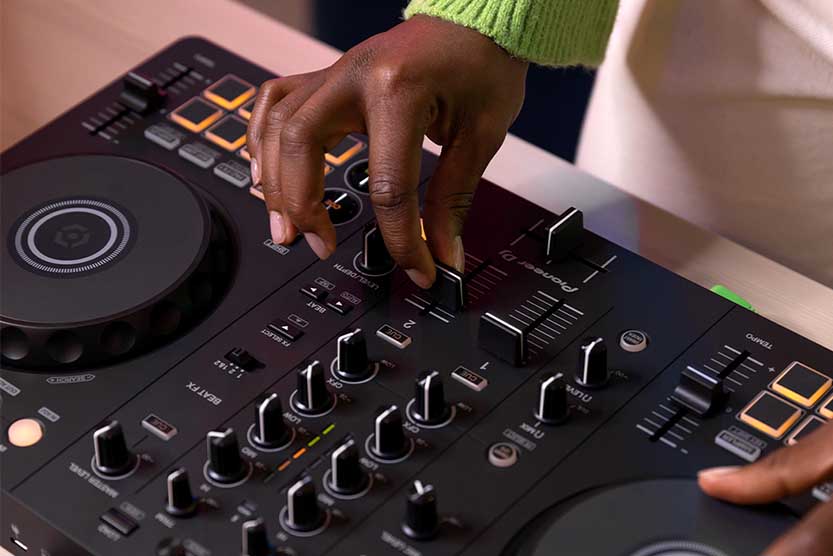
There are two standout features on the Pioneer DDJ-FLX4. These are the Smart CFX & Smart Fader functions.
Smart CFX is similar to the Pioneer DJ Color FX – it enables you to set different creative pre-made audio FX macros to the CFX knobs on the mixer (the knobs under the low EQ knobs).
Here are all the available Smart CFX effects as of now: Phantom Echo, Reflect Echo, Mobius Echo, Vaporize, Noise Chopper, Cyber Jet, Cyber Pitch and Twister.
All these have been fully covered in a video by DigitalDJTips, so you can head over to it for a quick presentation on how they actually sound.
The other feature – the Smart Fader has to do with the FLX4’s crossfader.
When you press the Smart Fader button, you will be able to perform software assisted track transitions with automatic tempo changes alongside with automated echo FX. This feature works the best with tracks that actually differ in tempo by much. It’s quite a nice gimmick!
Both are still some of the DDJ-FLX4’s most useful beginner-focused features.
Merge FX & Jog Cutter on the DDJ-FLX6
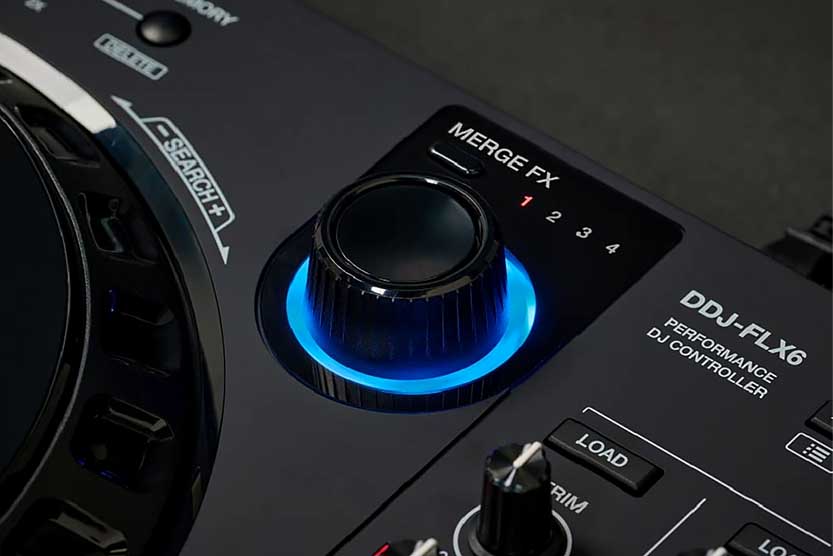
Pioneer DDJ-FLX6 has its own unique features, and these are the Merge FX knobs and the Jog Cutter mode.
Starting with the Merge FX knobs, they are in essence there to make transitions between tracks with vastly differing BPM easier (similarly to the Smart Fader on the DDJ-FLX4).
When you activate the Merge FX knob by pressing it, you’ll be able to turn it to use one of a few advanced audio FX macros that will help you to transition out of the track you are currently playing. There are quite a few combinations of the Merge FX with Rekordbox, much less with Serato DJ.
The Jog Cutter mode allows you to mimic scratching without you touching the crossfader – it automates its complex movements for you.
There are a few jog cutter scratches you can make use of – you can choose each of these by activating jog cutter mode and moving the jog wheel platter to one of a few zones.
In all honesty, the jog cutter mode can be really finicky and hard to time well at times. If I were comparing the additional FX features directly, I’d absolutely take the Smart CFX on the DDJ-FLX4 over the access to the Jog Cutter function available on the DDJ-FLX6.
Compatible DJ software
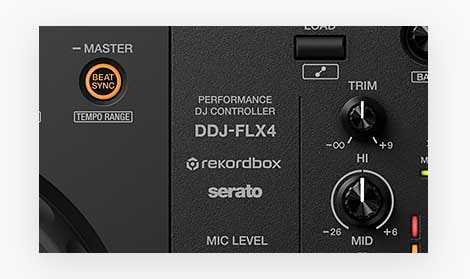
Pioneer DDJ-FLX4 is compatible with Rekordbox, Serato DJ Lite, djay and Traktor Play. It also works with VirtualDJ. But there is a small catch here when it comes to Serato DJ Pro.
FLX4 works with Serato DJ Lite out of the box, but to use it with Serato DJ Pro, you would have to purchase a software license separately – keep that in mind, as the Lite version of Serato is really limited in comparison to the real-deal Serato DJ Pro.
Learn more about the differences between Serato DJ Lite and Pro: Serato DJ Lite vs. Pro (12 Most Important Differences)
Pioneer DDJ-FLX6 on the other hand, is compatible with Rekordbox and Serato DJ Pro, and it unlocks Serato DJ Pro when plugged into your computer. It is also natively supported by djay and VirtualDJ.
With that being said, the support for features such as Merge FX and Performance pad mode labeling and functionality are much worse when using the Serato DJ ecosystem with your DDJ-FLX6. Better stick to Rekordbox for best results.
If using more than one DJ software ecosystem matters to you, check out my list of DJ controllers compatible with both Serato and Rekordbox.
Mobile devices support?
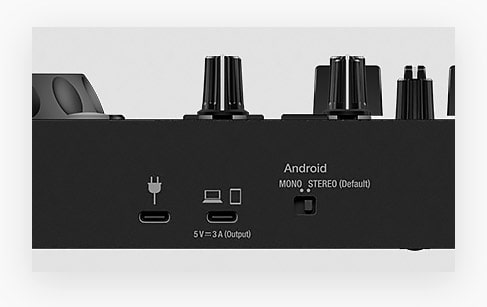
The DDJ-FLX4 now has official Rekordbox mobile support on iOS and Android, either through USB or Bluetooth depending on your setup. It also works with djay on mobile, making it the much more straightforward choice if smartphone or tablet support matters to you.
The DDJ-FLX6 still isn’t supported by the Rekordbox mobile app, but it is natively supported by djay.
| Pioneer DDJ-FLX4 on Ebay: |
| Pioneer DDJ-FLX6 on Ebay: |
Pioneer DDJ-FLX6-GT?
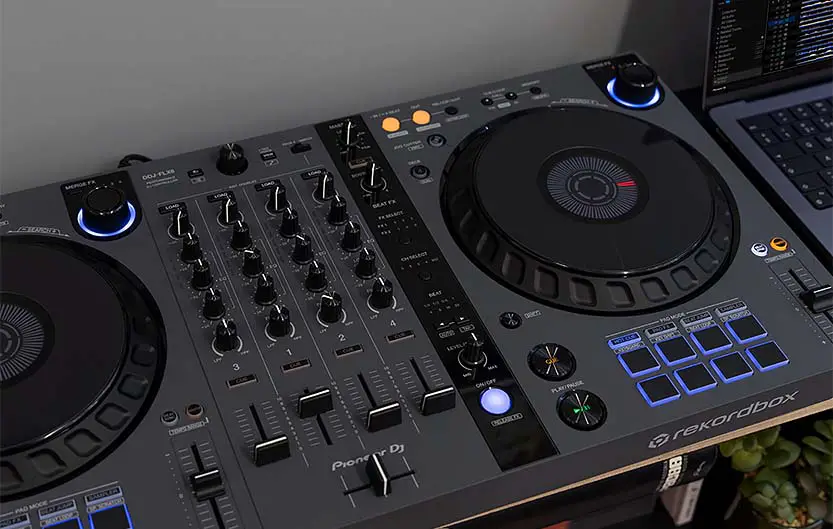
As I’ve already mentioned, after the release of the Pioneer DDJ-FLX4, the older DDJ-FLX6 actually got an updated look with the following release of the Pioneer DDJ-FLX6-GT.
While this one is a simple re-skin of the original FLX6, it introduces nice change to the jog wheels finish, which makes them more pleasant to use (and less fingerprint-prone).
Pioneer DDJ-SB3 vs. DDJ-FLX4
This is the comparison that for some reason is searched up quite frequently. Well, first things first, one thing has to be said. The Pioneer DDJ-SB3 is a device that has been discontinued for quite some time now.
In the peak of its popularity the SB3 was an entry-level DJ controller that was aimed at beginners and featured a now forgotten gimmick where you could activate simple automated scratch patterns with a single press of a button.
Nowadays it can still be bought used (for instance here on Ebay), and while it still may be a great pick for beginners if you can find it for a good price, it’s generally considered obsolete. The price of a new Pioneer DDJ-FLX4 will in general always be close to a price of used DDJ-SB3, and when you compare their feature sets directly you’ll realize that there is really no reason to buy an SB3 for a full price these days.
The conclusion – which one should you get?
To sum it all up, the Pioneer DDJ-FLX4 is just as great of an entry-level DJ controller as its predecessor – the Pioneer DDJ-400. It’s a device that’s great for beginners, and it’s probably one of the best choices on the market right now when it comes to DJ controllers for people who want to smoothly get into DJing while not breaking the bank.
Pioneer DDJ-FLX6 on the other hand, is a small step up from the DDJ-FLX4’s feature set. It has 4 mixer channels and full-size 8-inch capacitive jog wheels on board, while still maintaining a very similar control layout to the one present on the FLX4. While the FLX4 features its Smart CFX and Smart Fader functions, the FLX6 has its unique Merge FX & Jog Cutter FX combo.
If you specifically want a larger 4-channel controller and can find the FLX6 at a price that makes sense, it’s still worth considering.
My advice here, however, would be to either start off with the FLX4 and upgrade later, or go straight for a newer 4-channel model such as the AlphaTheta DDJ-GRV6. The FLX6 still makes sense if you specifically want its layout and can find one at a good price, but it’s no longer the one obvious step-up from the FLX4.
If you’re comparing the FLX6 with older higher-end Pioneer DJ controllers, this DDJ-FLX6 vs. DDJ-1000 comparison is still worth a look.
If you’re still narrowing down your first controller, I’ve also got a full list of the best DJ controllers for beginners here.