

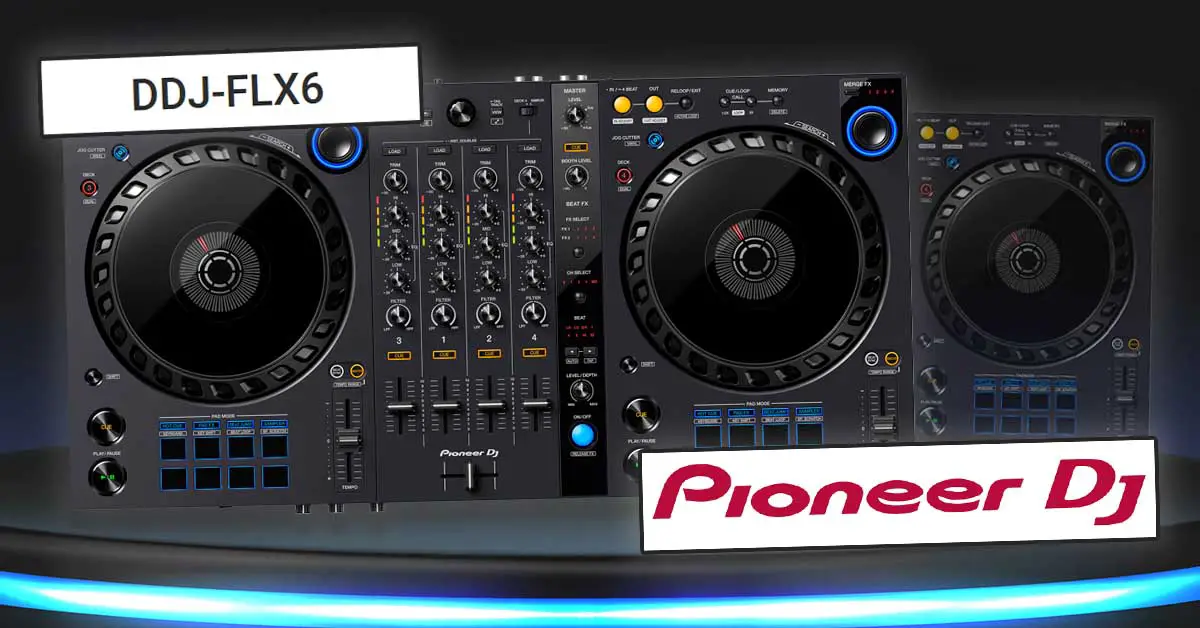
Is DDJ-FLX6 a good DJ controller for beginners? Should you get one? What are its most important features, upsides and downsides? Let’s go over all the features of the Pioneer DDJ-FLX6 in this detailed gear review!
- Mixer section
- Jog wheels & decks
- Audio FX section
- Merge FX
- Jog Cutter
- Performance pads
- Inputs and outputs
- Software compatibility
- Pros and Cons
- Conclusion
This web portal is supported by its readers, and is a part of the Amazon Services LLC Associates Program and the eBay Partner Network. When you buy using links on our site, we may earn an affiliate commission!
Mixer section
The nice thing about the Pioneer DDJ-FLX6 is that it’s one of a few DJ controllers that let you use 4 mixer channels for under $600. Do mind however that the mixer on this device doesn’t work in standalone mode, so unfortunately you won’t get any audio inputs besides one single microphone input.
This also means that you won’t be able to plug in additional audio sources such as CD players or turntables and route them through the device’s mixer.
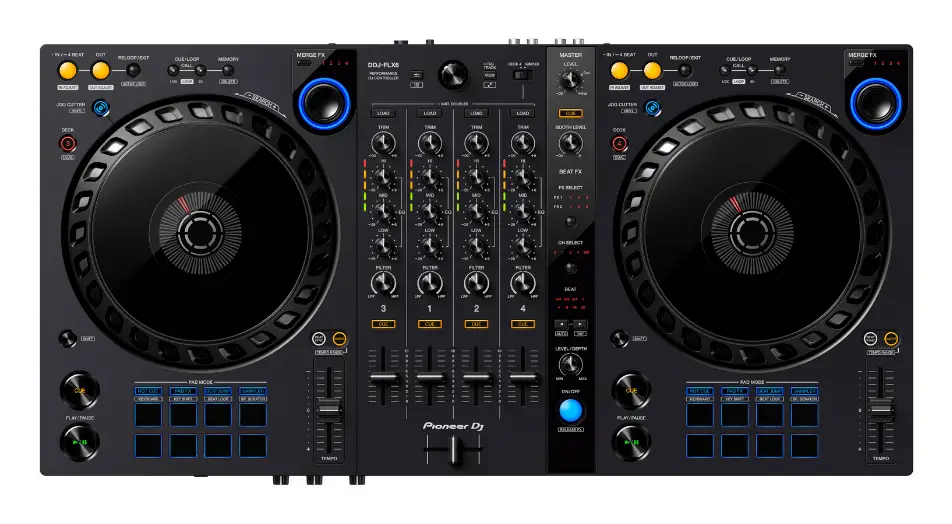
The mixer layout is roughly based on the standard Pioneer DJM design with audio FX section on the right and library management section is present in the top part just as on most DDJ controllers.
You are presented with a standard full 3 band EQ, filter knobs, gain control knobs (trim controls), track load and cue buttons for each channel.
An important thing to note here is that the channel volume faders are a bit shorter than your standard DDJ volume faders you may see for example on the DDJ-1000. It’s not really that big of a deal, but it’s good to be aware of that as it’s less visible on the photos than in person.
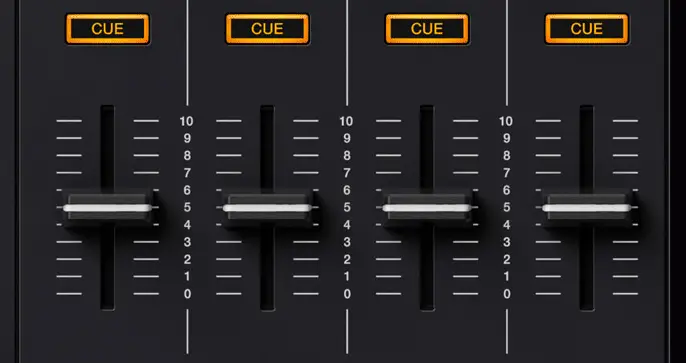
The LED volume level indicators are also noticeably short and despite the overall good build quality of this device it seems to be hard to hide all the cost cutting that had to be done in terms of design and parts to stay within the price of roughly $600 including for instance smaller knobs, faders and pads, cut down FX section and overall plasticky feel of the device.
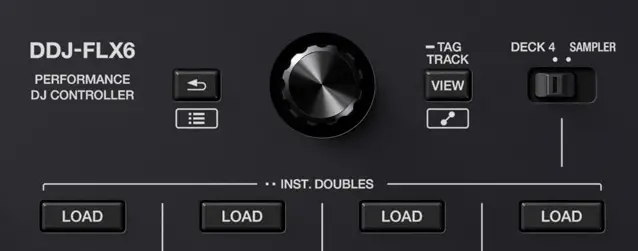
On the top part of the mixer section near the music library controls you can also find a switch that enables you to choose between the main audio input and sampler input on the deck 4. This makes it easy to route the software sampler through your mixer channel.
Jog wheels & decks
The first things that are noticeable in the deck sections are the full-size 8 inch jog wheels with simple LED needle position indicators.
The jog wheels are exactly 8.11″ / 20.6 cm in diameter. Despite looking somewhat close to the classic CDJ jog wheel design at least in terms of size it’s important to note that these are not mechanical jog wheels that you may find in Pioneer CDJ players, rather these are regular touch sensitive jog wheels working in the same manner as the jog wheels you’d find on a controller like DDJ-SX/SZ do.
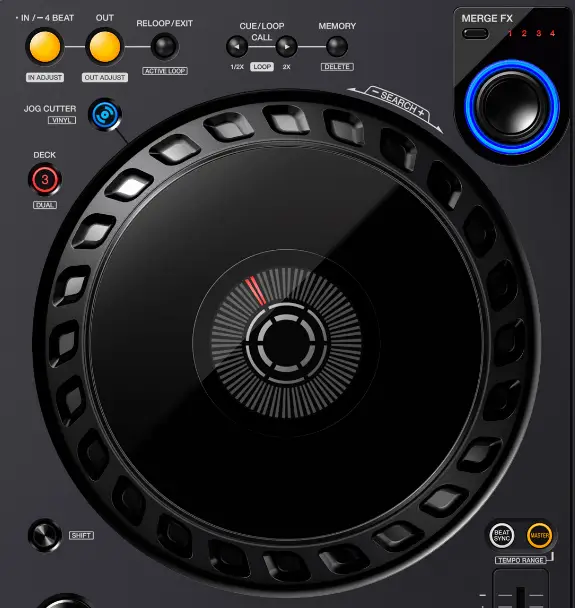
The design choice in terms of the jog wheel edge is also kind of interesting as this jog design is unique to the FLX6 and hasn’t been used in any other Pioneer DJ controller as of now.
The overall deck layout is pretty standard and in a sense similar to the DDJ-400 control scheme.
As with the smaller mixer faders we were talking about earlier, the play and cue buttons and the performance pads are also smaller than your standard DDJ controls.
The DDJ-FLX6 also doesn’t feature a full sized pitch fader and frankly that’s a great shame. We could certainly see the unit being a little wider to fit a regular pitch fader on the left side of each jog wheel. It just feels like a missed opportunity.
Besides the loop controls, deck selection buttons, shift button and tempo sync controls each deck also features the Jog Cutter button and the Merge FX knob which we will cover in a short while.
Audio FX section
On the right side of the mixer there is an Beat FX section that is loosely modeled on the standard FX sections from Pioneer flagship mixers like DJM-900NXS2 and more advanced higher end controllers like DDJ-1000 or XDJ-XZ.
Despite all that, those FX controls remain are just a really cut down version of the classic DJM Beat FX section.
One major downside here is that there is no FX selection knob here. You have to select particular FX by repeatedly hitting the FX Select button, which makes the FX number increment so for example if you’d like to choose the third FX in the second bank and you are currently at the first FX in the first bank you’d have to hit the button 5 times. Not an optimal solution.
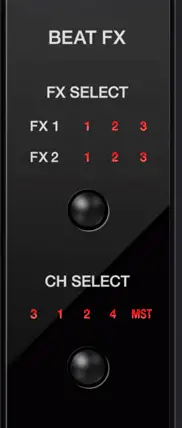
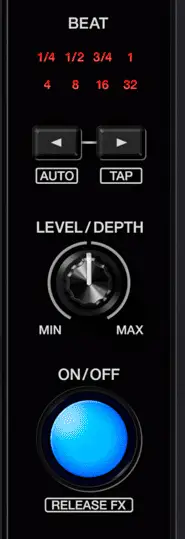
The other effect controls present in the audio FX section are active channel selection button (CH Select) (which functions in the same way as the FX Select button), the FX beat division selection button (Beat) and the FX On/Off button alongside with the Level/Depth knob that you can use to control the intensity of the chosen effect.
It is also important to note that the FX section on the DDJ-FLX6 is just a part of the MIDI controller – a set of buttons designated to control the software FX. The unit doesn’t feature any in-built audio FX on board, and relies solely on the FX you’ve got available in your DJ software.
Besides that we have the feature exclusive to the Pioneer DDJ-FLX6 – the Merge FX:
Merge FX
The idea of Merge FX is simple: you are supposed to use this one-knob solution to easily mix between two songs that would otherwise be impossible or extremely hard to manage in terms of a smooth transition. This can work nicely for tracks greatly varying in tempo, or from vastly different musical genres.
Top 5 Essential Tips And Tricks On How To Mix Pop Music!
By default you have 4 different pre-made effect combos to choose from (and they differ depending on your DJ software). In Rekordbox you are able to freely edit and customize the Merge FX knob behavior.
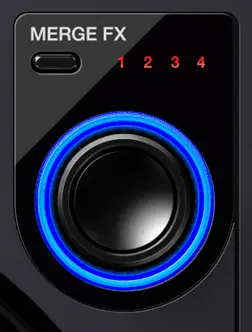
combo selection button.
How does it work?
You choose your Merge FX using the button on the top left of the knob, then you press down on the knob to engage your chosen FX combo. Then, you are supposed to turn the knob right to intensify the engaged audio FX and when the right time comes press down on the knob again to release the Merge FX.
In cases of most Merge FX presets available by default, pressing the the Merge FX button again will end the currently playing track with a sophisticated FX/loop/sample combo and allow you to drop your new track in by pressing the play button on the second deck.
The jog wheels, the pitch faders and track load buttons will be locked up when Merge FX is turned on, so you won’t be able to use them during a Merge FX transition.
It’s a neat little macro knob to have, and depending on your DJ software you use, you can remap it to serve any other function.
The main issue that many DJs have with the Merge FX function is that the build-ups made using this tool can sound very generic, there is little to no variation between the consecutive uses of one Merge FX mode and therefore overusing this feature can easily be noticed and come off as unprofessional.
Moreover the default Merge FX presets styles in both Rekordbox and Serato seem to be geared more towards festival EDM genres such as Big Room House, Electro House and so on, then towards lets say Hip-Hop, Chill-out or Lounge Music. Doesn’t hurt to try it out on different genres though!
We certainly agree, this is a great additional tool to have, but you should remember not to rely on it solely during your transitions.
Jog Cutter
The Jog Cutter function on the DDJ-FLX6 is essentially an auto-scratch tool.
When the Jog Cutter mode is engaged on a deck, a track is playing, and you move the jog wheel platter forwards or backwards, you will hear a scratch sound that would normally require you to use both the jog wheel and the crossfader in a specific manner (just as a real scratch DJ would do).
The types of the scratches that you will be presented with while moving the platter with the Jog Cutter engaged depend on the current needle position (which is shown by the moving LED needle indicator light on top of the jog wheel). Different needle positions will result in different scratch sounds.
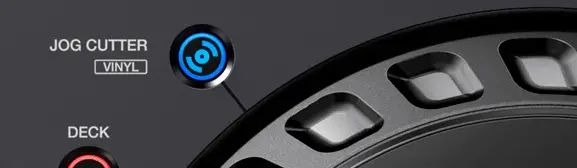
There are two main things to be said about the Jog Cutter functionality:
First of all, the scratches made using the Jog Cutter sound very mechanical and there is no real time variation or randomness factor that would be present if you were scratching manually.
Second of all at times it can be hard to synchronize the Jog Cutter with the tempo of the song you are trying to scratch over as was proven already in numerous online reviews.
Additionally when you’re using the jog cutter (while moving the platter when Jog Cutter mode is engaged) the crossfader locks up, as its overridden by the Jog Cutter algorithm. This means that you can’t use the crossfader at all during that time so keep that in mind.
This feature is mostly a gimmick and to be honest a pretty minor one. If you want to, you can certainly try to for example mix the Jog Cutter scratches with audio FX the filter for some creative effects. We just wouldn’t advise to rely on it for fake scratching as it may sound really artificial and out of place at times.
On the DDJ-FLX6 the Jog Cutter button doubles as a Vinyl Mode toggle switch when pressed together with the Shift button. The Vinyl Mode button allows you to switch between the scratching mode and the pitch bend mode on the jog wheel.
Performance pads
There are 8 performance pads in total on the DDJ-FLX6, those 8 pads allow you to control 8 different pad modes when using the Rekordbox software. The pads are slightly smaller than on controllers like DDJ-SX3 or DDJ-1000 and there is only blue backlight available.
All the performance pad mode buttons are labeled with their corresponding Rekordbox functions, and so despite the fact that the DDJ-FLX6 is Serato compatible, the function descriptions will be off when using the FLX6 with the Serato software.
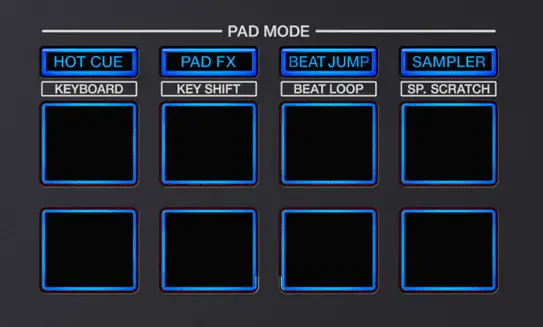
These performance pads are responsive and accurate and the only downside to could be their small size.
When using Rekordbox, the pad modes begin with the standard Hot-Cue mode, go through standard Rekordbox Pad FX, Beat Jump and Sampler and then through Keyboard and Keyshift modes allowing you to control the pitch of the currently playing song in a creative way. The last two modes are the standard Beat Loop and Sample Scratch.
The Sample Scratch feature enables you to quickly load scratch samples onto a deck, scratch using those and then unload them and instantly come back to the previous track.
Inputs and outputs
This device features only a simple master RCA output and RCA booth output.
In terms of headphone outputs there are two – one 1/4 inch jack and the second one 1/8 inch jack.
As said before this device’s mixer doesn’t operate in standalone mode and so, this unit does not feature any additional audio inputs besides the microphone input.
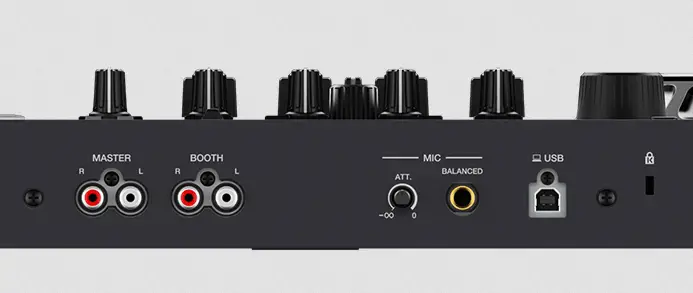
The only audio input on the DDJ-FLX6 is the said 1/4 inch jack mic input on the back of the device (featuring a little attenuation control knob right next to it – it allows you to cut down on the initial microphone gain).
There is also a Kensington Lock slot present on the controller, right next to the USB cable input.
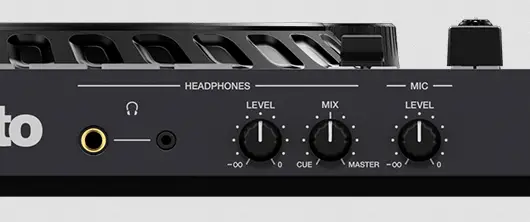
In front of the device there are three knobs: one for controlling the headphone output level, the second one for setting the cue/master balance and the third one for microphone gain control (working independently from the mic attenuation knob on the back).
There is no crossfader curve setting knob on the unit, so you have to adjust this setting in the software you’re using.
Software compatibility
By default the Pioneer DDJ-FLX6 is marketed as official Rekordbox and Serato DJ Pro compatible controller. The device works with both software without a problem but it’s important to note that it has much better compatibility with Rekordbox in terms of functions, controls and overall software integration.
The Merge FX are a lot better in the Rekordbox software and offer free efficient customization, and the FX controls are much better suited for Rekordbox than for Serato FX bank control scheme.
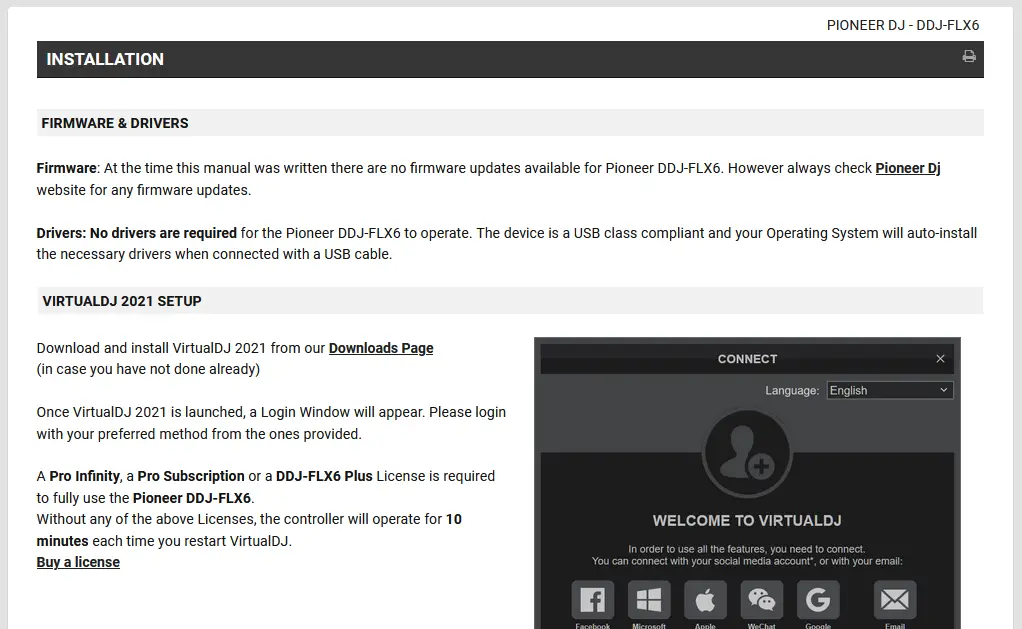
The DDJ-FLX6 can also work with Virtual DJ software, however it needs an additional Pro Infinity, Pro Subscription or a DDJ-FLX6 Plus license to operate for more than 10 minutes.
The DDJ-FLX6 is not officially supported by Traktor DJ software, but you can freely map the controls by yourself (albeit it may take you more than a while).
Pros and Cons
Pros:
- Pretty low price for an entry-level 4-channel controller.
- Full-sized 8″ touch sensitive jog wheels
- Interesting and overall useful Merge FX functionality
- Very efficient control layout despite some design and material cost-cutting
- CDJ styled loop section
Cons:
- Inefficient audio FX controls (no FX/Channel selection knob – just single buttons)
- Small Play and Cue buttons, smaller sized faders, short pitch fader
- There is no XLR output on the device
- The booth output is just an RCA output instead of a 1/4 inch jack one
- Would be nice to see at least one 1/8 jack audio input for external audio devices.
Conclusion
The Pioneer DDJ-FLX6 is a good quality beginner friendly 4-channel entry level controller, and it’s still quite on the budget side of things.
It’s a great choice for beginners, bedroom DJs and can certainly be used at more professional gigs when the right time comes.
Overall if you’re a beginner it’s a good choice overall, but we would also advise you to look at the much cheaper but great alternative from Pioneer – the DDJ-400. If you want something more than this for a higher price we would then advise to go straight for the DDJ-1000, you pretty much can’t go wrong with this one!
To sum it all up despite a few gimmicks and minor shortcomings the Pioneer DDJ-FLX6 is a great device that can be used both by beginners and passionate hobbyists. You can get it for under $600 on Amazon with fast shipping, check it out right here: DDJ-FLX6 on Amazon.


[…] Pioneer DDJ-FLX6 – DJ Controller Overview […]